
If you want the fast answer, these two tools are not really trying to win the same person in the same way. HeadshotPro looks stronger when you care most about price, speed, and getting a big batch of options, while BetterPic looks stronger when you care more about 4K output, style control, and having human edits available when the AI gets close but not quite right.
That difference matters because AI headshots are one of those purchases that feel cheap until the result looks slightly off. A low price is great, but not if you still end up booking a real photographer afterward.
This review is here to help you make a clean decision: buy now, wait, or skip both. I’ll show you where BetterPic has the edge, where HeadshotPro still makes a lot of sense, and which one looks like the safer pick depending on how picky you are about the final image.
Quick take
HeadshotPro is easier to justify when you want a lower starting price and a lot of generated images fast. BetterPic costs a bit more upfront, but the offer is more polished for buyers who care about image resolution, more structured plan differences, and cleanup options that can save a nearly-good result.
For LinkedIn, resumes, speaker bios, and team pages where one strong image can do the job, BetterPic looks like the more careful buy. For casual testing, bulk options, or getting something usable without spending much, HeadshotPro still deserves a serious look.
Explore BetterPicArticle outline
Here’s how I’d read this if you are close to buying and do not want to waste time.
- What you get — the practical differences in output, speed, edits, and ownership.
- The good stuff — where each tool earns its price and where the payoff is real.
- Pricing and value — whether BetterPic’s extra cost actually buys you something useful.
- Why buy now or wait — who should move now and who should hold off.
- Alternatives — when a cheaper or broader option makes more sense.
- Final verdict — the blunt answer on which tool looks like the better pick.
- FAQ — quick answers to the objections most buyers have before paying.
Who this comparison is really for
This comparison is most useful if you need a professional-looking headshot for LinkedIn, a company page, a speaking profile, a personal site, or client-facing outreach. It is also useful if you know a real photo shoot would be better in a perfect world, but you do not want to spend photographer money or coordinate studio time.
BetterPic looks more attractive for people who are picky about polish. Its current plans are clearly built around 4K headshots, faster delivery as you move up, commercial rights, and an Expert option that includes unlimited human edits on one photo plus one free redo, which is the kind of safety net that matters when you need one image to actually represent you well.
HeadshotPro looks more attractive if your first goal is getting a lot of shots at a lower starting price. Its pricing page pushes the volume-and-speed angle hard, with entry pricing from $29, fast generation, full commercial rights, a refund promise, and strong privacy messaging around deleting input photos after 7 days and generated headshots after 30 days.
That makes the real decision pretty simple. BetterPic is easier to recommend when a slightly better final result matters more than a slightly lower price, and HeadshotPro is easier to recommend when you are still testing the category and want to spend less to see if AI headshots work for you at all.
The bigger mistake is delaying for weeks while still using an outdated photo that does not help you. If your profile picture already looks old, cropped, inconsistent with your brand, or obviously casual, one of these tools can fix that much faster than waiting for the perfect studio day.
In the next section, I’ll break down what you actually get from each one, because features only matter if they improve the final photo and save you from doing this twice.
What you actually get
Neither tool gives you a real free trial, so you are paying to test the result. That makes the first order important, because you want enough flexibility to get at least one photo you would actually use.
HeadshotPro keeps that first step simple. Its official pricing pages push a lower starting price, fast delivery, commercial rights, and a refund promise if you do not get a profile-worthy shot, which makes it easier to try if you are price-sensitive.
BetterPic gives you a more structured package from the start. The current plans are built around 4K output, a set number of styles, included AI edits, commercial licensing, and a clearer ladder from basic use to a more premium finish.
The setup is also stricter in a useful way. BetterPic recommends uploading at least 8 photos, with a quality score system that helps you catch weak inputs before you burn money on a bad batch.
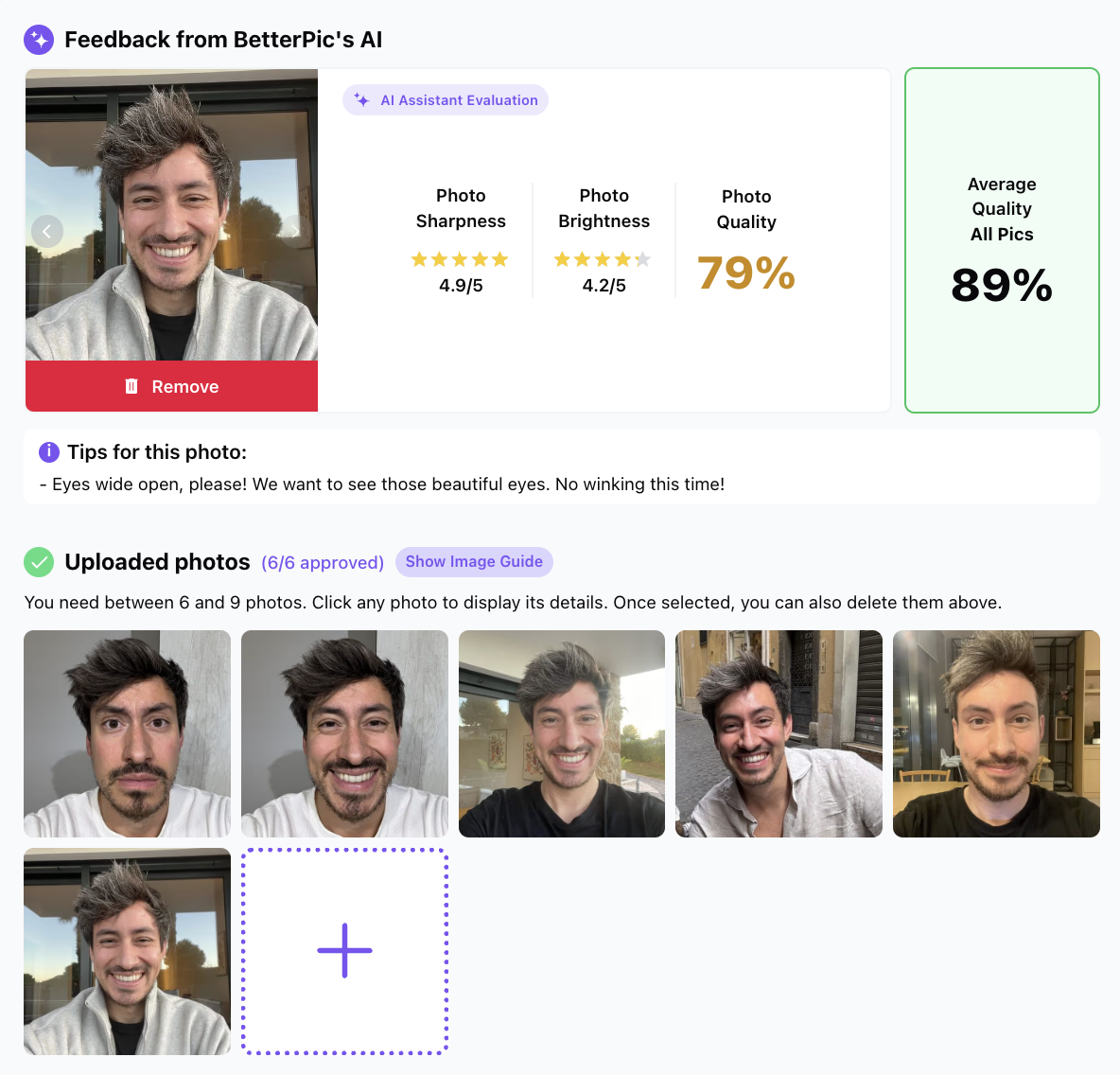
Image source: BetterPic
That matters more than people think. AI headshot tools can only work with what you feed them, so a platform that helps you fix weak uploads before generation has a better chance of saving you from paying twice.
BetterPic’s current individual plans break down cleanly. Basic gives you 20 4K headshots, 1 style, 2 AI edits, and a 2-hour turnaround; Pro moves to 60 headshots, 3 styles, 4 AI edits, and 1.5 hours; Expert goes to 120 headshots, 6 styles, 8 AI edits, 1-hour delivery, unlimited human edits on 1 photo, and 1 free redo.
HeadshotPro feels more volume-and-speed driven. Its official pages currently advertise pricing from $29, 70+ headshots as fast as 10 minutes, full commercial rights, and privacy controls that delete uploaded photos after 7 days and generated headshots after 30 days.
What BetterPic does really well
BetterPic looks stronger when you care about polish more than rock-bottom pricing. The biggest reason is simple: every plan is framed around 4K output, and the top plan gives you human edits on a selected image instead of leaving you alone with whatever the AI happened to get right.
That is a real advantage for buyers who need one solid LinkedIn photo, speaker bio shot, or team page image. You do not need 100 decent photos if none of them feel fully right.
The AI Studio also makes the offer easier to justify. You are not just downloading a batch and hoping for the best, because the platform gives you credits to keep adjusting clothing, backgrounds, color, and other details after the first generation.
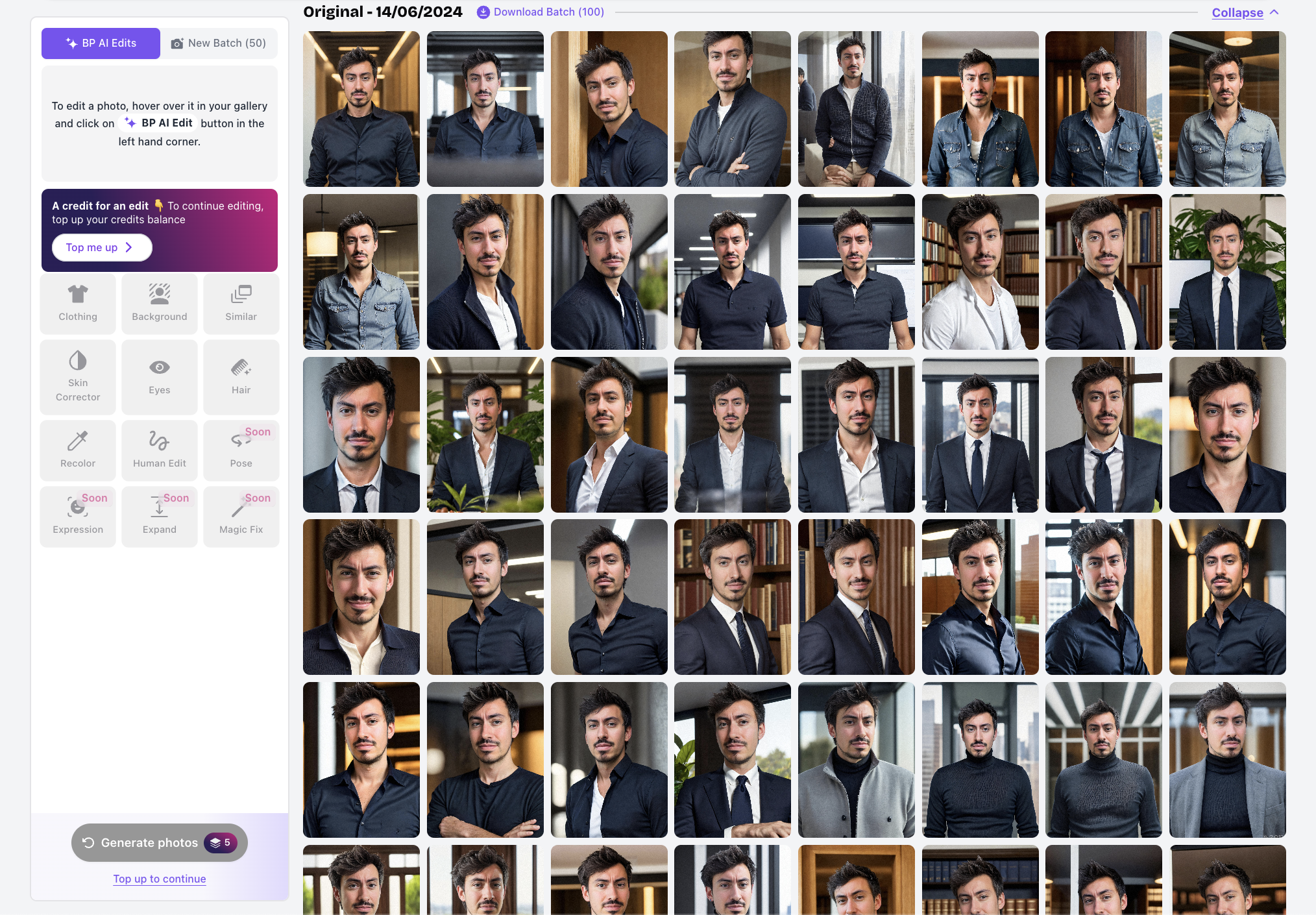
Image source: BetterPic
That editing layer is where BetterPic starts to feel less disposable. If your first batch is close but not perfect, having built-in ways to tweak images is a lot better than starting over on another platform and hoping the second tool magically reads your face better.
The Expert plan is where BetterPic makes its best case. Unlimited human edits on 1 photo plus a free redo is exactly the kind of safety net that helps justify paying more when the picture will represent you on important profiles.
The catch is obvious. BetterPic is not the cheapest way to get AI headshots, and if you only want a quick low-stakes profile image, some buyers will feel the premium options are more than they need.
HeadshotPro still wins on friction for budget-first buyers. A lower entry price, very fast delivery, and a public refund promise make it easier to say yes when you mostly want lots of usable options fast.
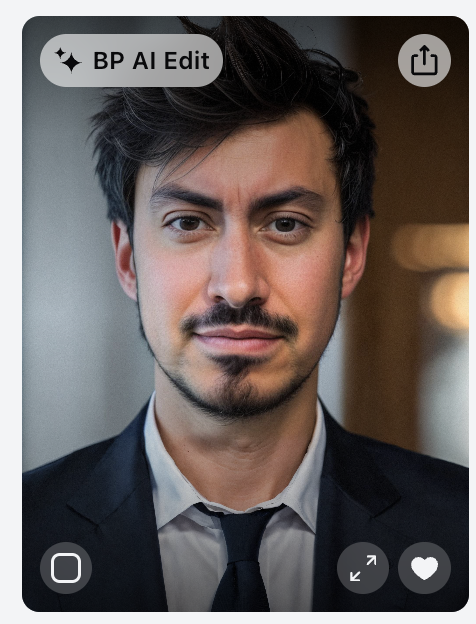
Image source: BetterPic
Still, BetterPic gives you more control after generation. That makes it the safer buy when you are picky, when you care about realism, or when a small visual mistake would bother you every time you open LinkedIn.
Pricing and value
This is where the decision gets clearer. HeadshotPro is easier to try on price alone, but BetterPic makes a better case when you want higher-resolution files and more ways to rescue a nearly-good result.
See current BetterPic pricingFor pure value, BetterPic Pro stands out. It is only a small jump over the cheapest BetterPic plan, but you get far more room to experiment, and that matters because AI headshots are a numbers game even when the tool is good.
Expert is the right move when the image has to carry real weight. If this photo is going on your company site, speaker page, press kit, or client-facing profile, the human edit option is exactly the kind of extra support that can save the purchase from being “almost good enough.”
Should you buy now or wait?
Buy now if your current profile photo is already costing you confidence. Waiting usually just means you keep showing up with an image that looks old, casual, cropped, or inconsistent with how you want to be seen.
Go with HeadshotPro if your main goal is keeping cost low and getting a lot of shots fast. Go with BetterPic if you care more about getting one polished photo that feels safe to use almost everywhere.
Wait if you do not even have decent input photos yet or if you are obsessing over a perfect result from a bad selfie set. BetterPic is easier to recommend the moment you are serious enough to upload a solid batch and want the best shot at a strong final image without booking a real studio.
Alternatives that make sense
HeadshotPro vs BetterPic is the main decision for a lot of buyers, but it is not the only one. If you are spending money on AI headshots, you should know where BetterPic looks like the safer buy and where another tool is easier to justify.
BetterPic stands out when you care about the finish more than the lowest possible entry price. HeadshotPro stays attractive when speed and lower cost matter most, while Aragon AI and StudioShot are worth a look if you want other takes on realism, retouching, or batch size.

Image source: BetterPic
Get started with BetterPicChoose BetterPic if you need the safest path to one polished image and you do not want to start over if the first batch is close but imperfect. Choose HeadshotPro if price is your main filter, and choose one of the other alternatives only if you want to test another style of output or bundled retouching setup instead of BetterPic’s cleaner control-first approach.
My honest take
BetterPic is the better pick for the right buyer. HeadshotPro is easier to say yes to at the start, but BetterPic looks more worth paying for once you care about using the final image in serious places.
That is the whole difference. HeadshotPro feels like a smart low-cost shot at a good result, while BetterPic feels like the smarter buy when you want a stronger chance of ending up with a photo you will actually keep.
The 4K output matters. The bigger advantage is everything around it: better plan structure, AI Studio controls, and the option for human edits when the AI gets most of the way there but not all the way.
That makes BetterPic easier to recommend for LinkedIn, speaking pages, team bios, founder pages, and personal sites. Those are places where “pretty good” is not always good enough, especially if the face, clothing, hands, or background need cleanup.

Image source: BetterPic
Buy BetterPic now if your current photo already feels outdated, weak, or off-brand and you want a better-looking replacement without booking a real photographer. Wait if you still do not have decent input photos, because no AI tool is going to fully rescue a bad upload set.
Skip BetterPic if you are only curious about AI headshots and do not care whether the result is premium. In that case, HeadshotPro or even a free tool is easier to justify, because you are testing the category more than buying the final result.
For the buyer who is already close to action, BetterPic makes more sense. Paying a little more for a better shot at a keeper photo is usually cheaper than buying the cheapest option first, getting frustrated, and then buying a second tool anyway.
FAQ
Do either of them have a real free trial?
Not in the way most people mean it. BetterPic has a free headshot tool, but support guidance says results can take up to 3 months because of demand, so it is not a practical instant test for someone ready to decide now.
HeadshotPro also offers a free browser-based generator. It is useful for curiosity, but its own messaging makes it clear the free output is not meant to match the quality of the paid product.
Is BetterPic actually worth more than HeadshotPro?
Yes, for the buyer who cares about the final image more than the first payment. The extra value comes from the editing layer and the higher-confidence path to a polished result, not just from the 4K label.
No, if you are just testing AI headshots for fun or want the cheapest serious option. HeadshotPro is still easier to justify for low-risk experimenting.
Can beginners use BetterPic without getting lost?
Yes, but beginners still need decent input photos. BetterPic helps here by scoring uploads and flagging weak images before generation, which is the kind of guardrail that makes the tool easier to use well.

Image source: BetterPic
That does not mean it is magic. If your uploads are low light, repetitive, blurry, or heavily filtered, BetterPic will still struggle, just like every other tool in this category.
Will the headshots look real enough to use?
Usually yes, but not every image in a batch will be a keeper. BetterPic itself says most users are happy with the results and also makes room for AI edits, redos, and human edits because the reality is that some images still need fixing.
That honesty is actually a positive sign. The best way to think about these tools is not “every image will be perfect,” but “can this tool get me one or a few photos I would feel good using?”
Should you buy now or wait?
Buy now if your profile photo is already hurting how you present yourself and you have solid input photos ready. Wait if you are still scraping together random selfies and hoping software will do all the work for you.
If you are serious about replacing an outdated profile image, BetterPic looks like the smarter move. Waiting usually just means you keep showing up with the same weak photo while telling yourself you will fix it later.
Explore BetterPic Filip Konecny Enterprises