
If you are searching for a Guideless promo code, the current offer is simpler than most people expect. The official site is pushing a free plan, not a flashy coupon setup, and that matters because you can test the product before paying anything.
That is a better starting point than chasing random code pages. If Guideless fits your workflow, you will know fast. If it does not, you can walk away without paying for a tool that only looked attractive because of a discount.
My take up front is pretty simple. Guideless looks most appealing for teams that repeatedly build onboarding guides, support walkthroughs, or training content and want those guides to feel polished without turning video editing into a second job. If you only need a rough one-off explainer or mostly want written documentation, this may be more tool than you need.
Article outline
I split this review into three simple sections so you can jump straight to the part that matters most.
- Should you even bother? I start with whether Guideless is actually worth trying and whether the free option already answers the promo-code question.
- What you get if you keep going. Then I cover what comes with the free plan, how the paid plan is priced, and when paying is the smart move.
- What to do if it is not the right fit. Last, I break down the alternatives, give you the final verdict, and wrap up with a short FAQ.
Is this actually worth trying?
Yes, for the right buyer. The reason is not some giant public Guideless promo code. The real hook is that the free plan already lets you see whether click-through capture, AI narration, and shareable guides solve a real bottleneck for your team.
That makes Guideless easier to judge than tools that hide behind a short trial and hope you upgrade before you really know what you are doing. You can test the workflow, see whether the output looks good enough for customers or teammates, and decide later whether unlimited guides and MP4 exports are worth paying for.
Comparison matters more than the discount here. Guideless is clearly being positioned against tools like Scribe, Loom, Tango, and Guidde, because the real buying decision is not “Can I save a few bucks today?” but “Do I actually need narrated video guides, static step docs, or informal screen recordings?”
Image source: Guideless official comparison page
That also shows the limitation. If your team mainly wants printable instructions, a heavier documentation system, or quick personal videos with your own voice, Guideless may feel too narrow. If you want repeatable tutorials that look consistent no matter who created them, it starts to look a lot more useful.
That snapshot is why I would not wait around for a mystery discount. If the free plan already lets you test the core experience, the real question is whether the upgrade will save enough time later to justify the monthly cost.
If you already onboard users, train staff, or answer the same product questions again and again, check the official free plan. It is the cleanest way to find out whether Guideless is a smart buy now, a maybe later, or an easy pass.
What you get on the free plan
A Guideless promo code is not the main story here. The real offer is the free plan, and it already gives you enough room to figure out whether this tool solves an actual problem or just looks cool for five minutes.
The public pricing page shows four things on free: up to 3 guides, share-anywhere access, AI narration, and AI voices. That is a solid test drive because the core workflow is already there.
You are not stuck with a fake teaser account that hides the good part until checkout. You can build a few real guides, share them, and see whether your team actually prefers this over writing docs manually or recording rough Looms over and over.
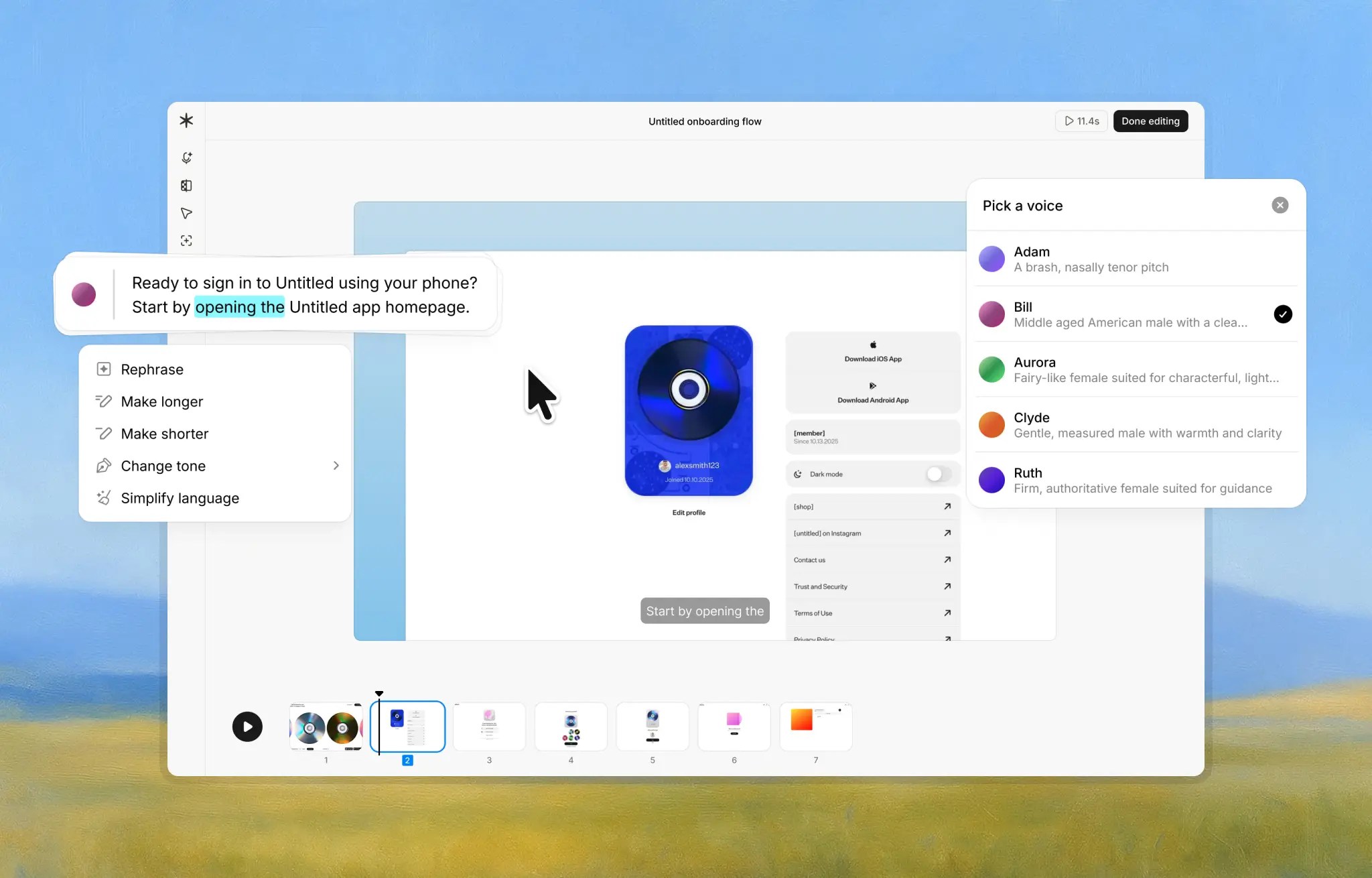
Image source: Guideless official comparison page
Free works best if you want to answer one simple question fast: does this make walkthrough creation easier than your current mess? If the answer is yes, the paid jump makes sense later. If the answer is no, you saved yourself from paying for another tool you will forget about next month.
Check the official free planThe good stuff
Guideless gets appealing fast once you care more about speed than video production. The product pages keep repeating the same promise in different ways: click through the workflow once, let the tool build the guide, then publish without the usual pile of retakes, trimming, and cleanup.
That matters more than it sounds. Manual walkthrough creation usually dies because someone has to write the steps, record the screen, speak clearly, redo mistakes, edit pauses, and update the whole thing again when the UI changes.
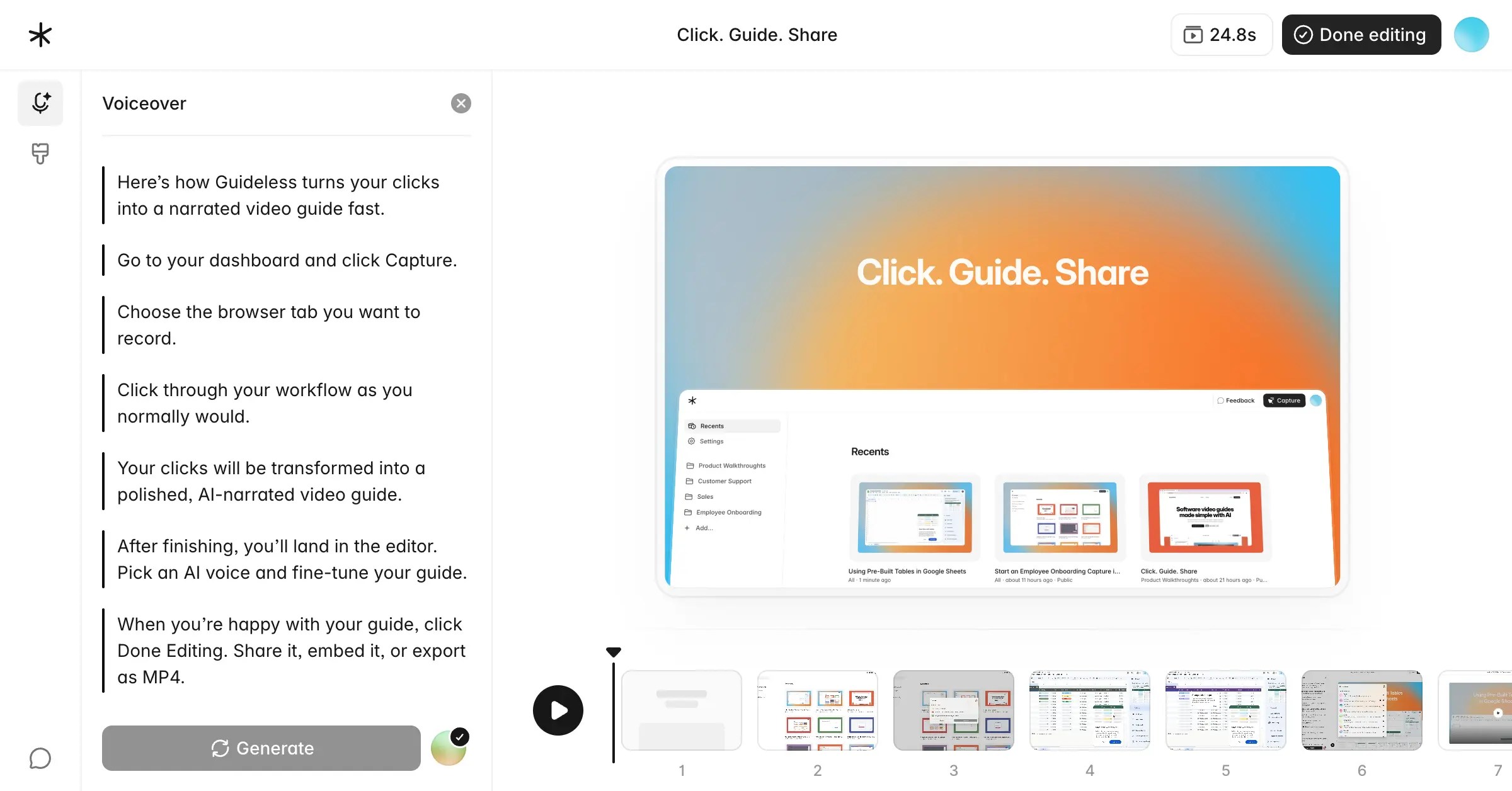
Image source: Guideless official comparison page
The built-in narration is a real selling point. You do not need a good microphone, a calm voice, or a second take just because you stumbled through one sentence.
That also gives teams more consistency. A support guide created by one person does not feel wildly different from a product guide created by someone else, which is useful when your customers or new hires keep seeing different walkthroughs from the same company.
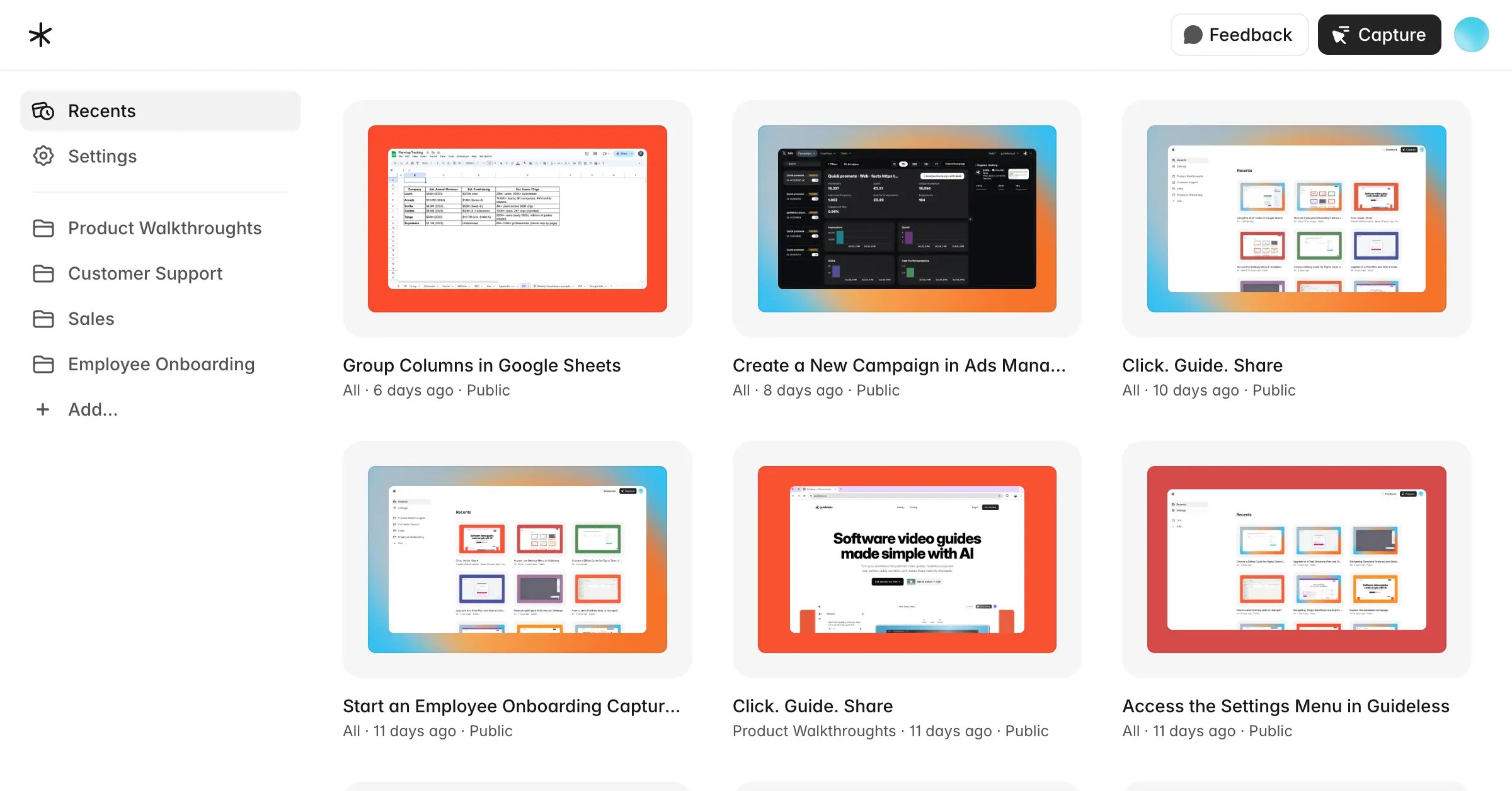
Image source: Guideless official comparison page
Sharing is another reason this is easier to justify than a random promo-code hunt. The official pages highlight link sharing, embedding, and MP4 export on Pro, which means the same guide can live in a help center, onboarding flow, training library, or sales follow-up without extra production work.
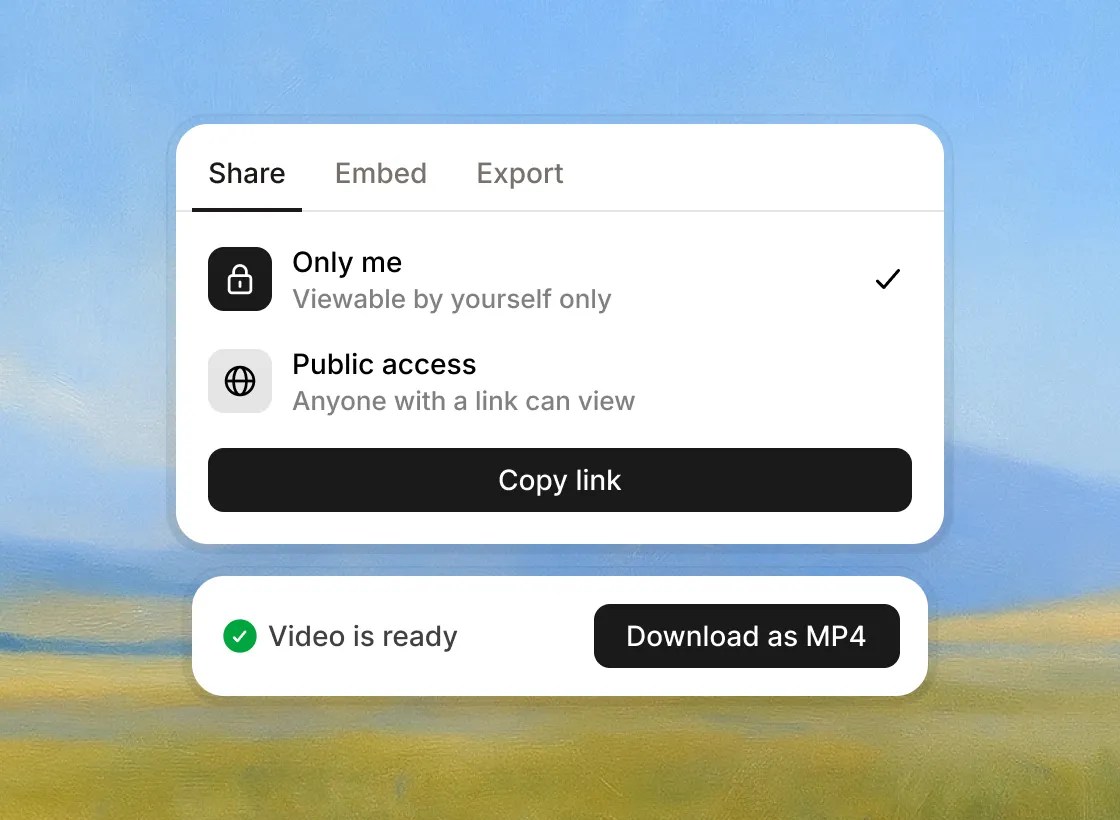
Image source: Guideless official comparison page
Here is the catch. If your team wants heavy editing control, text-first process docs, or complex tutorial customization, Guideless starts to look intentionally narrow. That is good if you want speed, and less good if you want a big editing studio.
Pricing and value
Pro at $29 per user on the annual view is simple enough to understand. You are not decoding six confusing tiers, but you are still paying real money, so it only makes sense when guides are part of an ongoing workflow instead of a one-time project.
The value case is strongest when repeated explanations are already costing time. Onboarding users, answering the same support questions, or training teammates by hand every week is expensive even when the software bill looks cheaper on paper.
Guideless is also easier to judge when you compare it to tools built for different jobs. If your real bottleneck is selling with funnels and checkout pages, ClickFunnels is the better buy because it is built to market and sell, not teach workflows.
If you need CRM, automation, calendars, pipelines, and a much broader operating system for a business or agency, GoHighLevel is the broader choice. It can replace more tools, but it is also a much bigger commitment than a focused guide creator.
If your main problem is answering customer questions automatically from docs, pages, and uploaded content, Chatbase makes more sense. Guideless wins when people need to see the process clearly, not just read an answer or chat with a bot.
Why you should get it now, later, or not at all
Start now if you already have something people need help learning. That includes product onboarding, customer education, support walkthroughs, and internal training that keeps getting explained manually.
Wait if you are still changing the workflow every day and have not even settled on what the guide should teach. The free plan is enough to experiment, but paying early will feel wasteful if your process is still chaos.
Skip it if you mostly need written docs, funnel sales pages, or AI chat support instead of guided walkthroughs. For the right buyer, though, Guideless looks less like a nice-to-have and more like the faster way to stop rebuilding the same explanation again and again.
Explore GuidelessAlternatives that may fit you better
Guideless is not the only way to solve this problem. The better question is whether you want narrated walkthroughs, simple screen recordings, text-first SOPs, or a broader platform that does much more than training guides.
That is why a Guideless promo code is not the real decision point. Picking the wrong category of tool will cost you more time than saving a few dollars with a coupon ever will.

Image source: Guideless official comparison page
Loom is the easiest fallback if you just want to hit record and talk. It is better for quick personal explanations, but it is weaker when you need polished training that does not depend on who recorded it.
Image source: Guideless official comparison page
Scribe makes more sense when your team prefers written instructions and printable docs. If people need to read the process step by step instead of watch and listen, Scribe can be the cleaner choice.

Image source: Guideless official comparison page
Guidde is probably the closest direct rival if you still want AI-powered video documentation. The tradeoff looks pretty simple: more editing and more feature depth on one side, more speed and simplicity on the other.
Image source: Guideless official comparison page
Tango sits closer to the text-first side of the market too. It is a reasonable option when screenshots and step instructions are enough, but it is not built around narrated video output the way Guideless is.
Check the official free planChoose Guideless if you need narrated walkthroughs that look consistent across onboarding, support, or training. Choose Loom or Scribe if you want a cheaper and simpler format, and choose a broader all-in-one option like GoHighLevel only if your real need is CRM, automation, and pipeline management instead of a dedicated guide tool.
My honest take
Guideless looks worth it for the right buyer, and the right buyer is pretty specific. You already have workflows people need help with, and you are tired of explaining them manually or recording rough videos that nobody wants to update later.
That is why I would not spend much time looking for a Guideless promo code. The free plan already answers the important question, which is whether this workflow saves you enough time to justify upgrading once you want unlimited guides, no watermark, and MP4 exports.
The biggest reason to buy now is speed. If onboarding, support, or training is already happening every week, waiting usually means you keep recreating the same explanation by hand instead of turning it into an asset your team can reuse.
The biggest reason to wait is mess. If your product flow is changing every other day, or you do not yet know what should become a guide, the free plan is enough for now and paid access will feel premature.
The biggest reason to skip it is fit. If your team mostly needs SOPs, PDFs, or broader sales and operations software, you will probably get more value from text-first documentation or a larger stack like Systeme.io, ClickFunnels, or GoHighLevel depending on what job you are actually trying to solve.
For the buyer Guideless is built for, this is absolutely worth trying. The free plan is the real deal, and the paid plan starts making sense the moment reusable narrated guides become part of how your team works.
FAQ
Does Guideless have a public promo code right now?
There does not appear to be a normal public coupon-code setup on the official pricing flow. The practical offer is the free plan, which is enough to test the product before paying.
Is the free plan enough to make a real decision?
Yes, for most people. You can create a few actual guides and see whether AI narration, sharing, and the overall workflow fit your team before committing to Pro.
Who should skip Guideless?
Skip it if written docs are enough, or if you mostly want one-off human recordings instead of structured reusable walkthroughs. It is also not the best fit when your real problem is funnel building, CRM, or marketing automation rather than documentation.
When does Pro start to feel worth the money?
Pro starts to make more sense once the 3-guide limit feels tight or the watermark and export limits get in your way. If you are publishing guides regularly, the jump is easier to justify because it saves repeated manual work.
Get started with Guideless Filip Konecny Enterprises