
Flick starts at £11 per month on annual billing, moves to £24 for Pro, and £55 for Agency. Every paid plan comes with a 7-day trial, so you do get a real window to test it before a full month turns into a recurring bill. That puts Flick in an interesting spot: it is not bargain-bin cheap, but it also is not priced like a big team platform.
The price makes more sense when you look at what Flick is trying to replace. You are not just paying for a scheduler here. You are paying for scheduling, hashtag research, Instagram analytics, and AI content support in one place, which is why the cost feels a lot more reasonable for creators, marketers, and small brands that still care about Instagram growth.
The catch is simple. If all you want is basic post scheduling, Flick can feel like more tool than you need. If your current workflow is messy, manual, or split across three or four tabs, Flick has a much stronger case, and that is exactly what this review is going to sort out for you.
Flick cost at a glance
The current pricing structure is pretty easy to read, which I like. Solo is the low-risk starting point, Pro is where the platform starts to feel fully unlocked, and Agency is built for people managing a lot more profiles or client work. You can see the official plans and limits on Flick’s pricing page, but this snapshot gives you the buying decision much faster.
Solo is cheap enough to test without much stress. Pro is the plan most serious users will probably end up wanting because unlimited scheduling and full access remove the biggest friction. Agency only makes sense when you already know you need the higher account and user limits.
Check the official 7-day trialThis is the part of Flick that helps justify the price. You are paying for more than a content calendar. The platform is clearly built around scheduling, best-time guidance, and Instagram performance tracking, which is why it can feel like a smart buy for the right person and unnecessary for the wrong one.
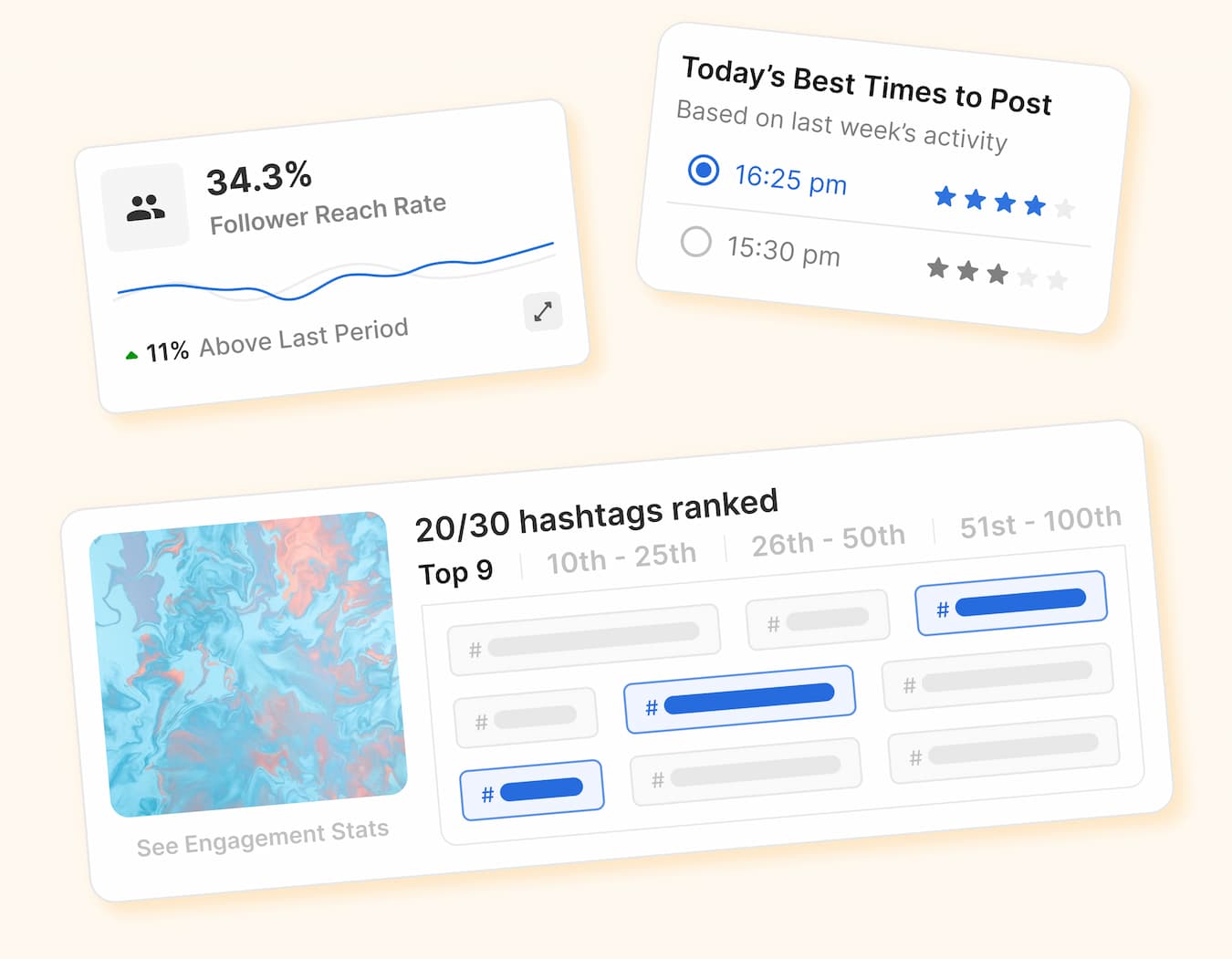
Image source: Flick official website
Article outline
Here is the structure I am using so you can jump straight to the part that matters most to your buying decision.
- Is Flick actually worth the price?
- What you get in the 7-day trial
- The good stuff
- Pricing and cheaper options
- Alternatives worth looking at
- Final verdict
- FAQ
My honest early take
Flick looks strongest when Instagram is still one of your serious growth channels. The hashtag tools and Instagram reporting give it a reason to exist beyond basic scheduling, and that matters because basic scheduling alone is easier to buy cheaply somewhere else.
Flick looks weaker if your needs are simple. If you mostly want a posting calendar, a few connected profiles, and nothing more, the extra layers inside Flick can feel like paying for a bigger toolbox than you will actually use.
The sweet spot is a creator, marketer, or small team that already posts often enough to feel the pain of doing things manually. At that point, the cost is not just about software anymore. It is about whether saving time, staying consistent, and spotting what works faster will help you move quicker than your current setup.
The 7-day trial is a fair way to test that. You should know pretty quickly whether Flick makes your workflow easier or whether you are better off waiting and sticking with something simpler. That makes this the kind of product you do not need to overthink forever, because delaying usually just means you keep postponing the system you know you need to build anyway.
What you get in the trial
Flick gives every paid plan a 7-day trial, and you can cancel anytime. That matters because this is the kind of tool you can judge pretty fast once you connect your accounts, look at the calendar, and see whether the workflow feels easier than what you are doing now.
The main thing to understand is that the trial is only useful if you test the parts that justify the price. If you just click around for five minutes, Flick will look like another scheduler. If you actually plan posts, check best-time suggestions, and look at hashtag and analytics views, you will know a lot more about whether the monthly cost makes sense.
Solo starts lower, but it also comes with tighter limits and only some features. Pro is where Flick starts to feel fully unlocked, so if you already post regularly and want a fair test, it makes more sense to check the official free trial with the version that matches how you actually work.
- A 7-day window to test scheduling, planning, and publishing
- Access to the Instagram-focused analytics and hashtag tools that make Flick different from cheaper schedulers
- A real chance to see whether Pro-level access feels worth paying for or whether Solo is enough
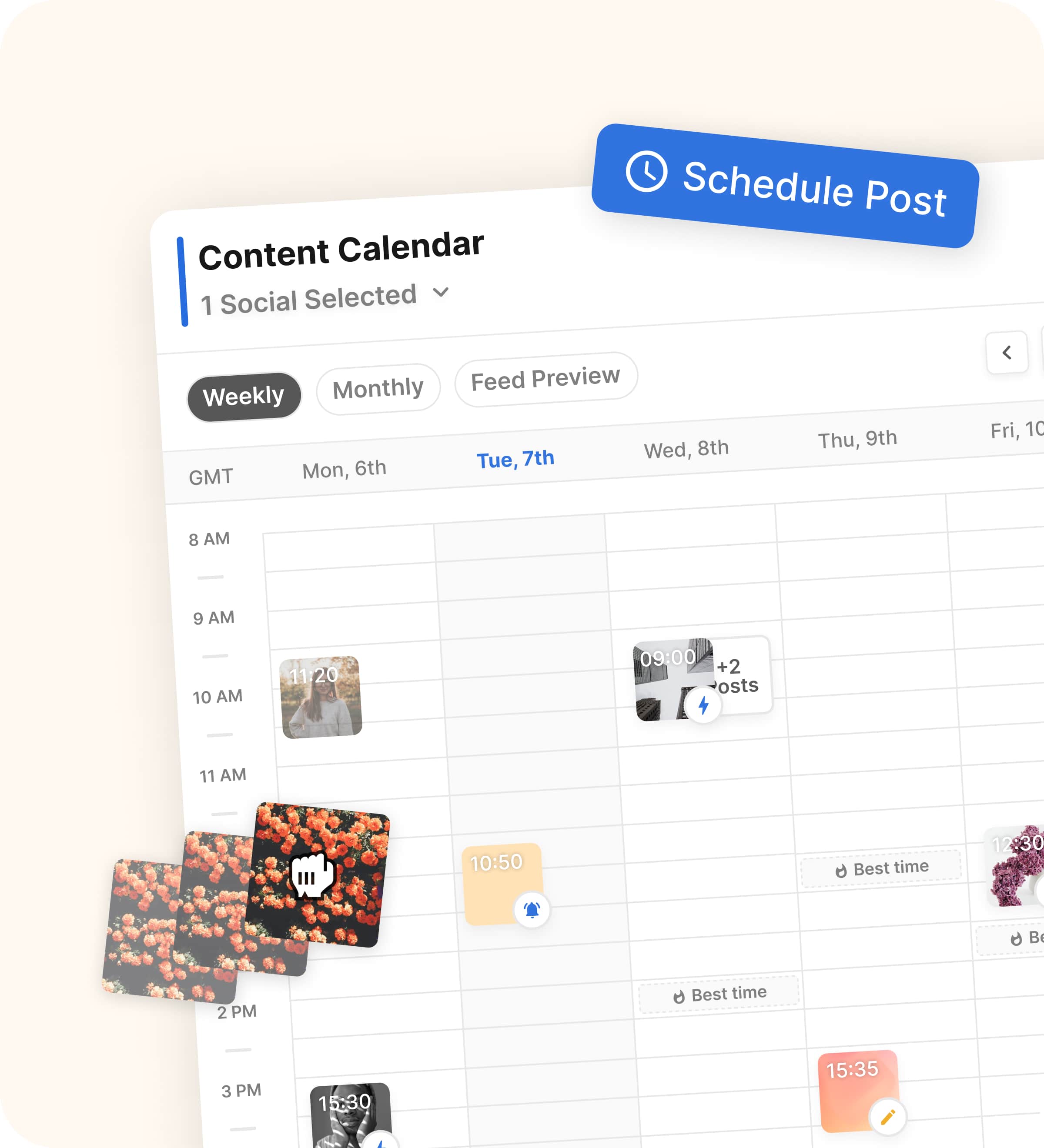
Image source: Flick official website
The good stuff
Flick earns its price when Instagram is still a serious channel for you. The platform is built around scheduling, hashtag support, and analytics, so it feels more focused than generic social tools that treat every network the same and do not really help you improve what you post.
The hashtag side is still the clearest reason to pay attention. Buffer is cheaper for straightforward scheduling, but Flick tries to help you make better posting decisions too, not just queue content and move on.
The posting workflow actually looks useful
This is one of Flick’s stronger angles. You can build the post, add hashtags, and keep everything in one place instead of bouncing between a notes app, Instagram search, and a separate scheduler.
That sounds small until you do it every week. Once you are posting often, a cleaner workflow saves more time than people expect, and that is where Flick starts feeling easier to justify.
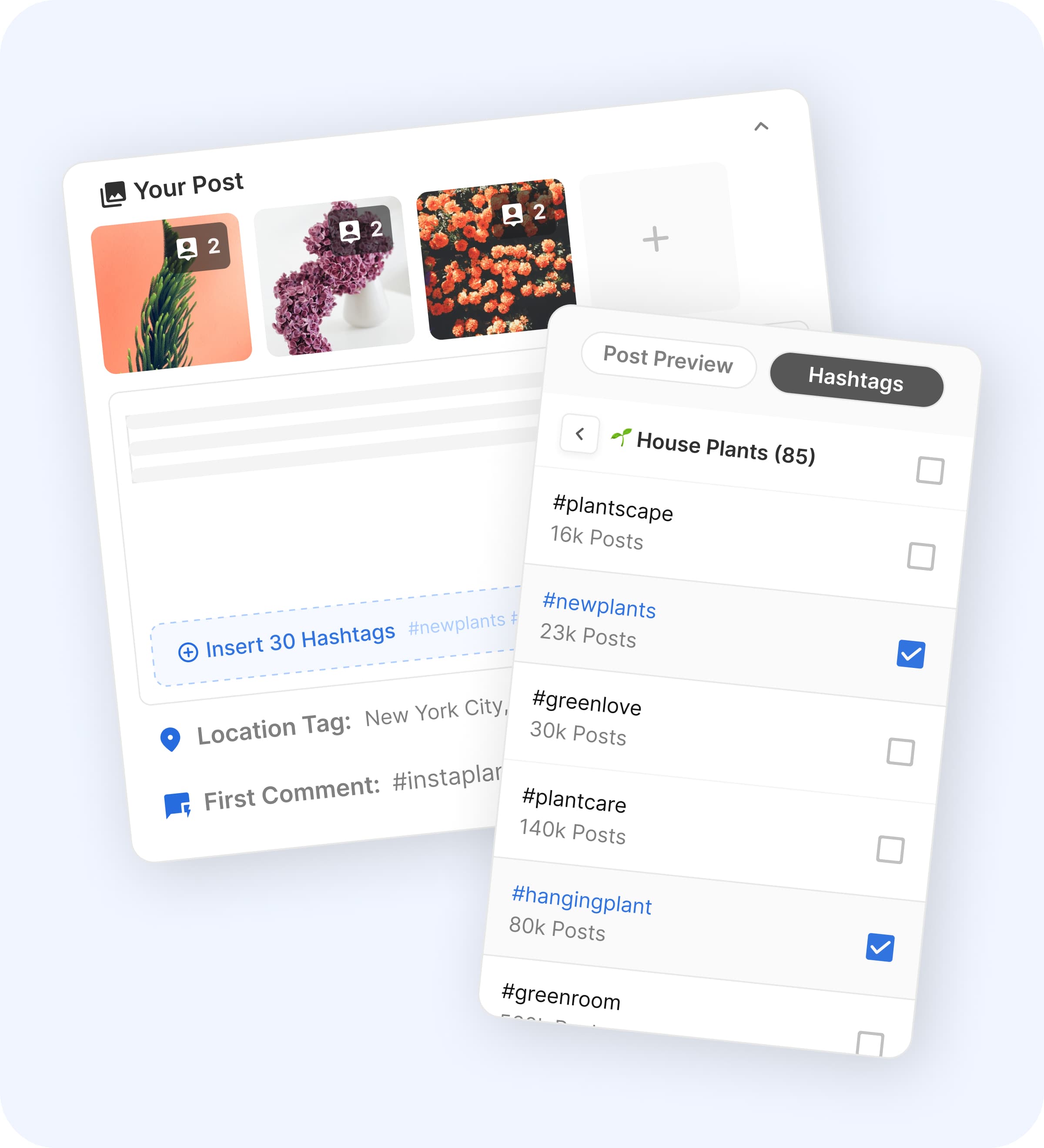
Image source: Flick official website
Best-time suggestions are more helpful than they sound
A lot of tools throw in analytics and hope that alone feels valuable. Flick does a better job turning data into a practical next move by showing recommended posting times inside the scheduling flow.
That is useful because the real bottleneck is rarely finding data. It is deciding what to do with it fast enough to stay consistent, and Flick seems designed around that.
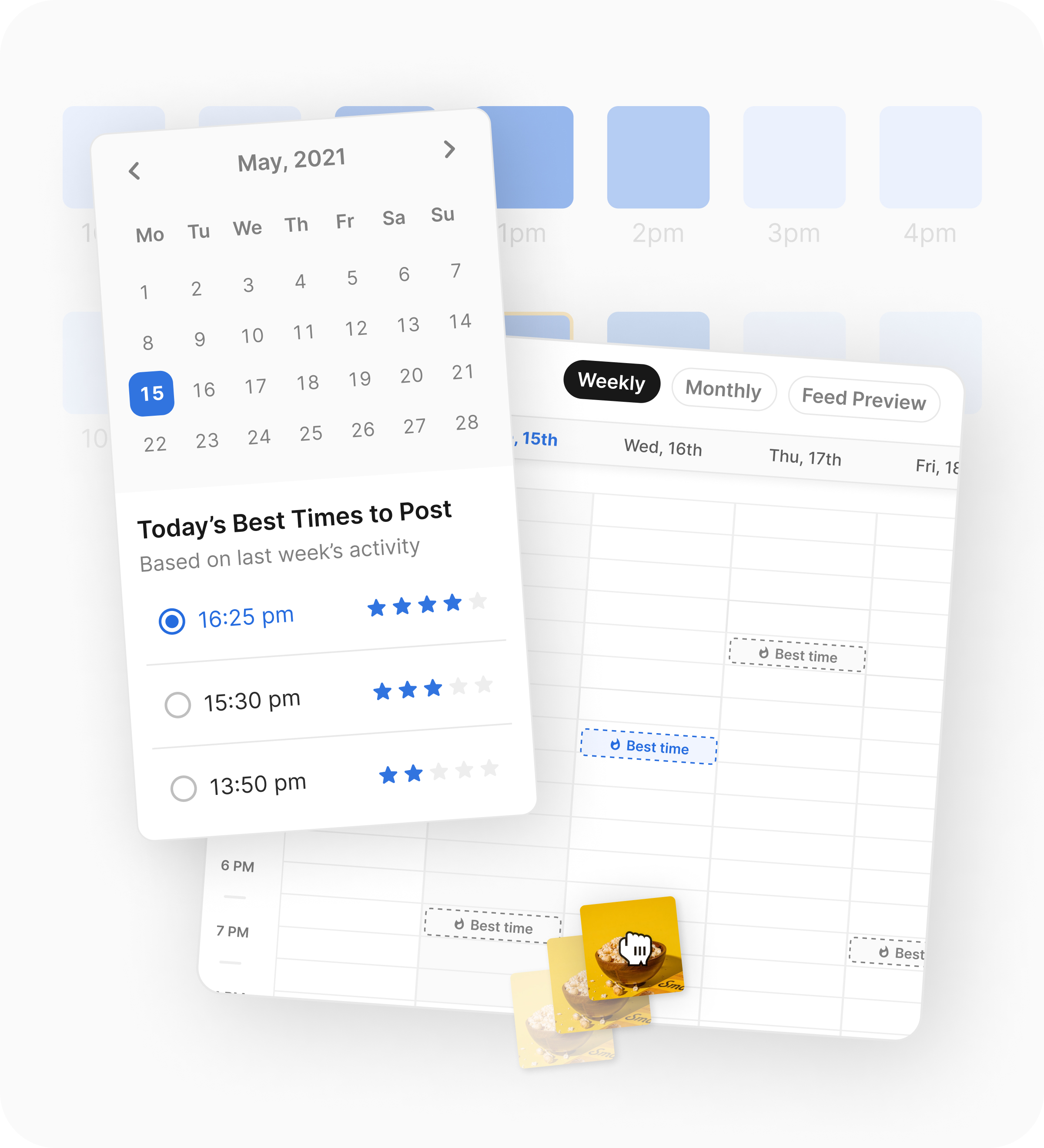
Image source: Flick official website
The analytics are there to help you decide, not just decorate a dashboard
Flick is more appealing when you care about what happens after the post goes live. The analytics and hashtag tracking give you a reason to keep using it after the scheduling part becomes routine.
That matters because basic scheduling tools are easy to swap. A tool becomes stickier when it helps you see which hashtags ranked, which posts reached more people, and whether your timing decisions were working.
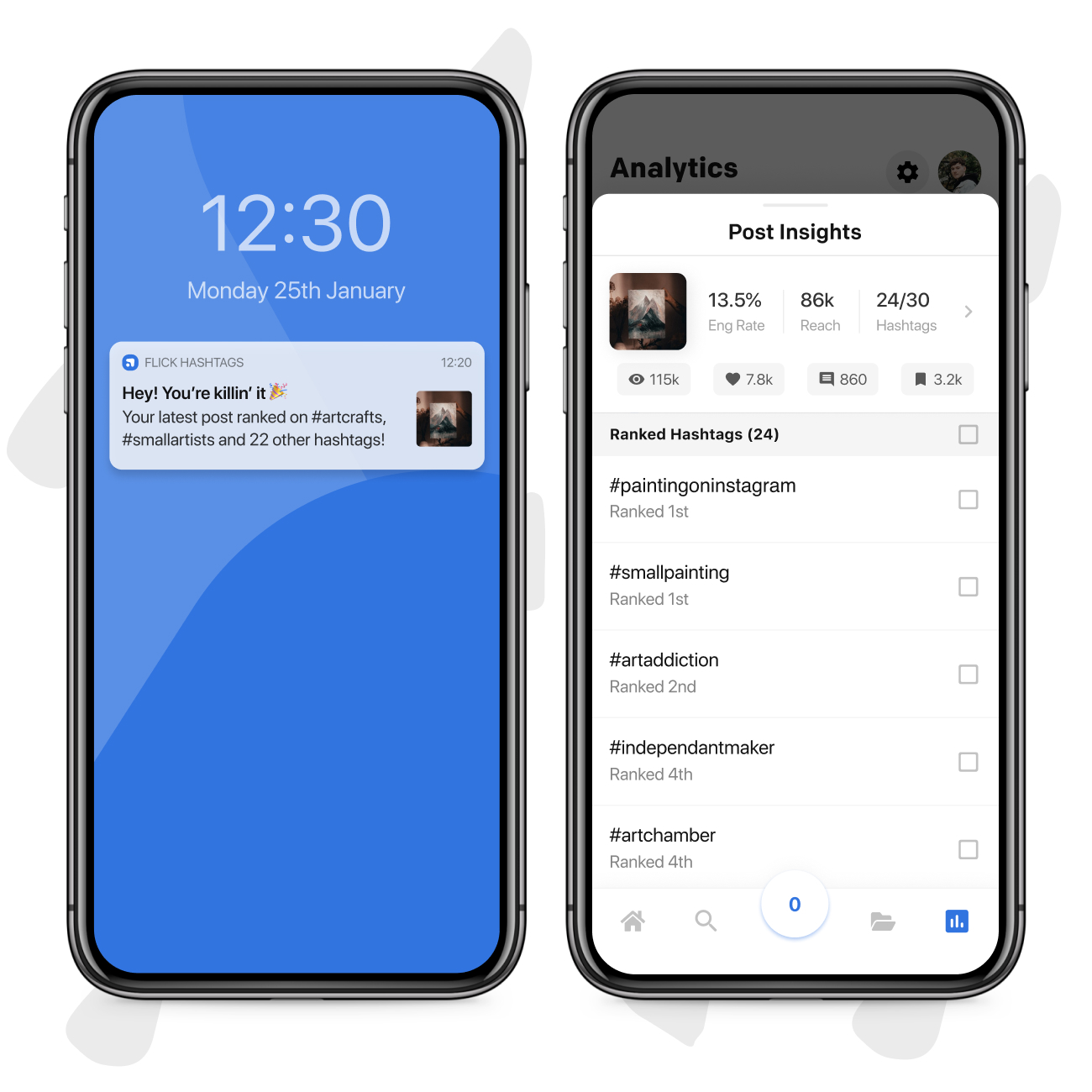
Image source: Flick official website
Pricing and cheaper options
Flick starts at £11 per month on yearly billing for Solo, goes to £24 for Pro, and £55 for Agency. Solo includes 4 socials, 1 user, 30 scheduled posts per social, and 30 tracked Instagram posts per month, while Pro moves to 8 socials, 2 users, unlimited scheduled posts, unlimited tracked Instagram posts, and full feature access.
That pricing is reasonable if Flick replaces a messy manual setup and helps you post better, not just faster. It looks less attractive if you only need a plain scheduler, because cheaper tools can handle that job without asking you to pay for Instagram-specific extras you may never use.
Buffer is the obvious cheaper option here. GoHighLevel is the opposite kind of alternative because it costs more, but it can make sense if social scheduling is only one piece of a broader funnel, CRM, and automation stack.
Check the official free trialFlick is the better pick when Instagram performance still matters enough that hashtag data and posting insights can change what you do next. Buffer is better when your biggest concern is keeping costs down, and GoHighLevel is better when social posting is only one small part of a much bigger marketing machine.
Why buying now can make sense
Flick is not a tool you buy because it looks nice. You buy it when you are tired of doing content planning the long way and you want one place to schedule, check timing, and see whether your hashtags and posts are actually helping.
Waiting is fine if you barely post or you are still figuring out what you want to promote. Waiting is usually a mistake if you already have content going out and the current system feels messy, because the extra time you spend switching tabs, guessing on timing, and repeating manual work adds up every single week.
That is why Flick feels easiest to recommend to people who are already in motion. If that sounds like you, the smartest next step is not more comparison shopping. It is to explore Flick, use the 7-day trial properly, and decide based on whether it saves you enough time and gives you better visibility than your current setup.
Alternatives worth looking at
Flick is not the only way to schedule content, and that is good news because the right choice depends on what you actually need. If your main question is whether the Flick cost is justified, the fastest answer comes from comparing it against a cheaper scheduler and a broader all-in-one marketing stack.
Flick wins when Instagram is still important enough that hashtag tracking, posting-time suggestions, and built-in analytics can change how you work. Buffer makes more sense when you want the cheapest clean scheduler, while GoHighLevel fits better when social posting is only one small piece of a bigger CRM and funnel setup.

Image source: Flick official website
Check the official free trialChoose Flick if Instagram is important enough that better timing, better hashtag decisions, and cleaner tracking can save you time every week. Choose Buffer if your budget is tight and you mostly want a simple scheduler, and choose GoHighLevel if you want CRM, funnels, and automation far beyond what Flick is trying to do.
Final verdict
Flick is worth it for the right buyer. That buyer is someone who posts often enough to feel the pain of a messy workflow and cares enough about Instagram performance to use more than just a basic calendar.
The strongest case for Flick is not that it does everything. The strongest case is that it does a few important things together: scheduling, hashtag support, best-time guidance, and analytics that help you decide what to do next instead of making you guess.
Here’s the catch. If you barely post, do not care much about Instagram, or only want the cheapest way to queue content, the Flick cost will probably feel unnecessary. A lighter tool like Buffer will make more sense, and there is no shame in that.
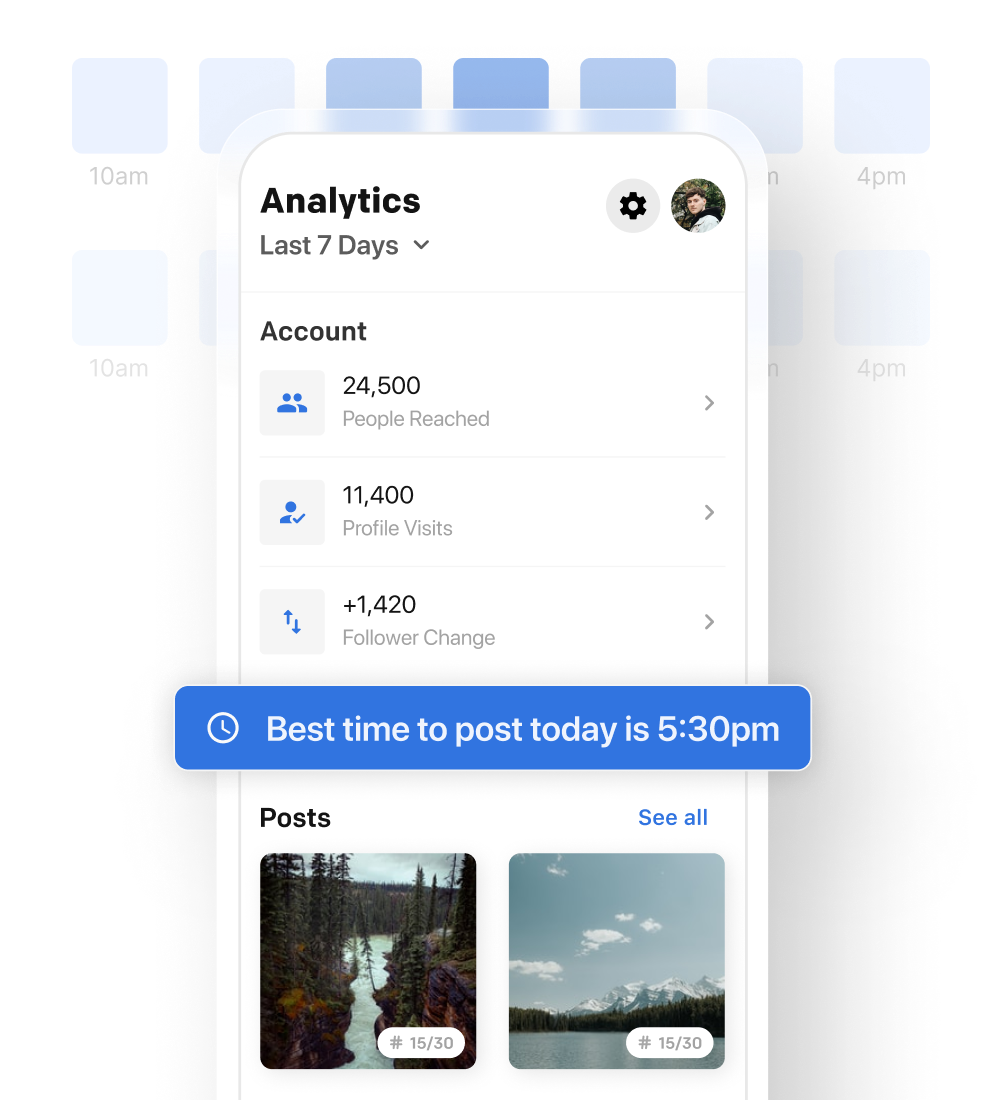
Image source: Flick official website
Should you start now, wait, or skip it?
Start the trial now if you already publish regularly, your current setup feels clunky, and Instagram still matters to your business or personal brand. That is where Flick can earn its price fast, because the time savings and clearer feedback loop are easy to feel within a week.
Wait if you are still inconsistent, do not have a clear content rhythm yet, or are not sure what you are even posting for. Software will not fix that, and paying for more tool before you have a repeatable process usually just creates another monthly bill.
Skip it if you only need basic scheduling or if your real need is a much wider marketing system. In that case, either go cheaper with Buffer or go broader with GoHighLevel.
My honest take is simple. For creators, marketers, and small brands that still care about Instagram performance, Flick looks like a smart buy, not just another shiny tool. If that sounds like you, waiting usually just means you keep dragging the same manual system around longer than you need to.
FAQ
Is Flick too expensive for beginners?
For casual beginners, maybe yes. For serious beginners who already know Instagram is a real channel they want to grow, the Solo plan and 7-day trial make it pretty easy to test without a huge risk.
Does Flick actually do more than basic scheduling?
Yes, and that is the whole reason the price is higher than bare-bones tools. The value comes from combining scheduling with hashtag performance tracking, best-time guidance, and Instagram analytics instead of leaving you to patch those pieces together manually.
Image source: Flick official website
Is the 7-day trial long enough to judge it properly?
Yes, if you use it properly. Connect your account, schedule real posts, check the analytics views, and see whether the workflow feels better than what you are doing now.
Which plan will most people actually want?
Solo is the low-cost entry, but Pro is probably the plan most active users will really want. Unlimited scheduling and full feature access make a big difference once you are posting often enough for the tool to matter.
If you are already publishing consistently and want a cleaner system with better Instagram-specific insight, this is a strong time to try it. If that sounds like your situation, go ahead and see current pricing or jump straight into the trial.
Get started with Flick Filip Konecny Enterprises