
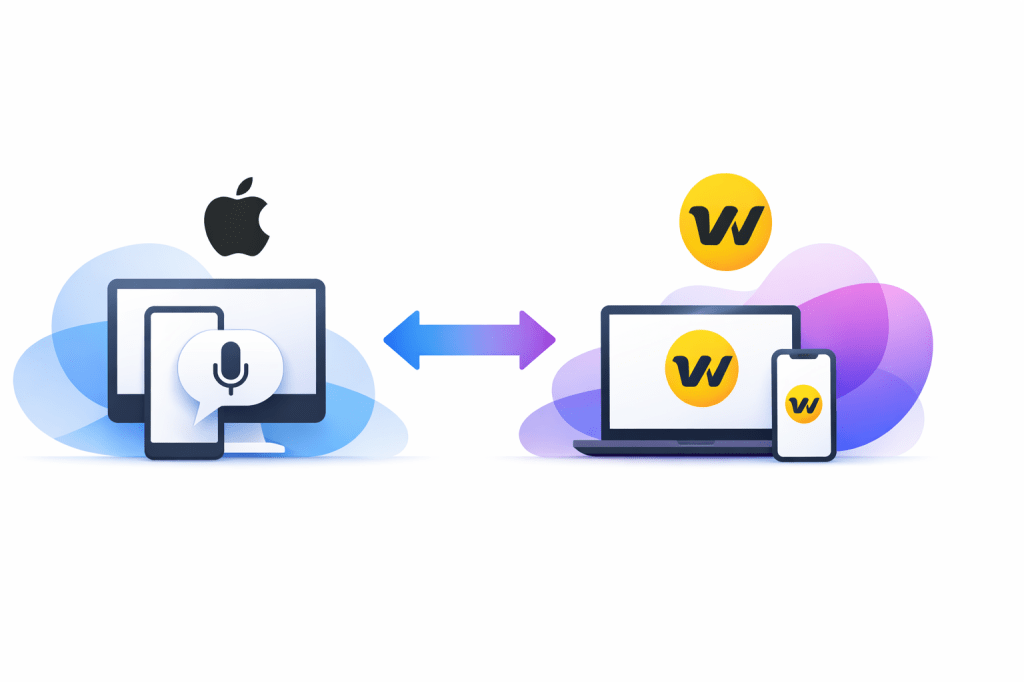
Apple Dictation is the default for a reason. It is already on your iPhone or Mac, it costs nothing extra, and for short notes, quick replies, or basic voice typing, it can be perfectly fine.
Wispr Flow is what people start looking at when “fine” stops being enough. If you dictate long emails, prompt AI tools, write docs, answer Slack messages all day, or hate cleaning up messy transcripts, the difference between built-in dictation and a purpose-built tool gets a lot easier to feel.
This Apple Dictation vs Wispr Flow comparison is here to help you make a clean decision. Start with what you already have, pay for Wispr Flow now, or skip the subscription until your workflow actually needs it.
Quick answer
Wispr Flow is the better pick for serious daily dictation. It is built for people who want voice typing to feel like a real writing workflow, not just a mic button they tap once in a while.
Apple Dictation still has a strong case if you want the cheapest and easiest option. It is already built into Apple devices, Apple says iPhone dictation requests are processed on-device in many languages, and for casual use that simplicity is hard to argue with.
The gap shows up once dictation becomes part of your actual work. Wispr Flow currently offers a free download, a 14-day Pro trial with no card, support across Mac, Windows, iPhone, and Android, and paid features like command mode for editing, which makes it feel a lot more like a writing tool than a basic OS feature.
That does not automatically mean you should pay for it. If you only dictate a few texts per day, or you stay almost entirely inside Apple apps and do not care about extra cleanup, extra devices, or AI-style editing, Apple Dictation may already be enough.
If you already know voice saves you time, though, waiting can be the more expensive move. Every extra day spent re-dictating names, fixing formatting, or falling back to typing is a reminder that “free” is not always the cheaper option once your workload gets heavy enough.
My honest early take is simple. Apple Dictation is the smarter zero-cost choice, but Wispr Flow is the better buy for people who already know they like dictation and now want it to save real time instead of just replacing a few keystrokes.
Article outline
This review is split into three sections so you can jump straight to the part that matters most. Each section is built to answer a buying question, not just explain what dictation apps are in theory.
- Quick answer — the short version if you want to know who should stay with Apple Dictation and who should seriously look at Wispr Flow.
- What you get with Wispr Flow — the free trial, device support, key limits, and what you can realistically test before paying.
- The good stuff — the features that actually make Wispr Flow feel better than built-in dictation when you use voice every day.
- Pricing and value — whether the subscription is justified, when it replaces enough friction to pay for itself, and when it does not.
- Why people end up paying for Wispr Flow — the practical reasons someone moves from free dictation to a paid tool instead of just “making do.”
- Alternatives worth checking — cheaper, simpler, or broader options if Wispr Flow feels too expensive or too much for your needs.
- Final verdict — the clean recommendation: buy now, wait, or skip.
- FAQ — quick answers to the questions that usually stop people from clicking through.
The next section gets into what you actually receive when you try Wispr Flow, because that is usually where the buying decision starts to feel real. A comparison like Apple Dictation vs Wispr Flow only matters once you know what the paid option adds beyond “voice to text.”
After that, I’ll break down the value question the way most buyers actually think about it. Not “is it impressive,” but “does it save enough time and annoyance to deserve another monthly bill?”
I’ll also cover who should not rush into Wispr Flow yet. That matters because the best review is not the one that pushes everyone to buy, but the one that makes the right buyer feel confident saying yes and the wrong buyer feel smart saying not yet.
What you get before paying
Wispr Flow makes its case pretty quickly. The current offer is a 14-day Pro trial with no card required, so you can test the paid version in your real workflow instead of guessing from a landing page.
That matters because Apple Dictation vs Wispr Flow is not really a features-on-paper debate. It is a workflow question: do you just need basic built-in voice typing, or do you want a dictation tool that cleans things up while you talk and follows you across devices?
The free tier is not useless either. Wispr currently lists 2,000 words per week on Mac or Windows, 1,000 words per week on iPhone, plus custom dictionary, snippets, support for 100+ languages, and Privacy Mode.
What the trial lets you test
The paid trial is where Wispr Flow becomes easier to judge honestly. You can see whether unlimited words, command mode for editing, and the cross-device setup actually save enough time to justify paying for it.
That is a better test than using Apple Dictation for a few short notes and assuming the paid option would feel the same. It will not, because Wispr is trying to be a full writing layer, not just a microphone inside the keyboard.
Apple Dictation still wins on simplicity. If you already have a Mac or iPhone, you can turn it on in settings and start talking, and Apple says dictation on iPhone is processed on device in many languages with no internet connection required.
Where Apple still has a real advantage
Apple Dictation costs nothing extra if you already live on Apple hardware. It also handles basic voice input well enough for messages, notes, and short bursts of writing, and Apple includes auto-punctuation on supported languages.
That makes Apple hard to beat for light use. If you only dictate a few times a day, paying for Wispr Flow can feel unnecessary fast.
Wispr starts to pull away when your voice is doing real work. Long emails, Slack replies, AI prompts, outlines, support responses, and repeated phrases are where the extra editing and formatting features become easier to justify.
The good stuff
Wispr Flow sounds more appealing once you stop looking at it like “voice typing with a nicer interface.” The stronger pitch is that it tries to give you cleaner text with less cleanup after the words leave your mouth.
- It edits while you speak. Wispr says it removes filler words, formats lists, catches punctuation, and understands corrections in real time.
- It remembers your language. Custom dictionary and snippets help if you repeat names, product terms, links, or canned responses a lot.
- It works across more than just Apple devices. Wispr positions Flow across Mac, Windows, iPhone, and Android, which matters if your work does not stay inside one hardware ecosystem.
- Pro adds command mode. That is one of the clearest “paid vs free” lines because editing by voice is where a serious dictation tool starts to feel different from the default keyboard mic.
Apple Dictation does not need to match all of that to stay useful. Its job is different: built-in, easy, private, and good enough for plenty of people.
Wispr is aimed at the buyer who already knows voice can save time and now wants the output to sound more finished. If you keep stopping to fix punctuation, rewrite awkward phrases, or repeat names and product terms, the upside is much easier to spot.
The privacy angle is also stronger than you might expect from a newer tool. Wispr lists Privacy Mode with zero data retention on its plans, and its compliance docs currently reference SOC 2 Type II, ISO 27001:2022, and HIPAA support, though the deeper enterprise controls are not the reason most individuals would buy it.
Here is the catch. None of that matters if you barely use dictation today, because the software only earns its price when it replaces enough typing and enough cleanup to feel obvious.
Pricing and value
Wispr Flow is not expensive by SaaS standards, but it is still another subscription. The current public pricing shows Pro at $15 monthly or $12 per user monthly when billed annually, while Apple Dictation is included on supported Apple devices.
That means the value question is simple. Are you saving enough time and annoyance to make a monthly fee feel lighter than the constant small friction of using the built-in option?
Wispr also has a better entry point for students than most tools in this category. The current student offer is 3 months free, then $6 per month billed annually with a verified .edu email, which makes the upgrade feel a lot less painful if you already know you prefer talking over typing.
For price-sensitive buyers, Apple Dictation still has the cleanest answer: stay free. For people who write all day, though, the free Apple option can get expensive in a different way because you keep paying in corrections, repetition, and lost momentum.
Why people end up paying for Wispr Flow
People usually do not upgrade because they love paying for dictation. They upgrade because once voice becomes part of the day, basic dictation starts feeling a little too basic.
That is the real Apple Dictation vs Wispr Flow split. Apple gives you a solid built-in tool, while Wispr tries to turn voice into a smoother writing system you can keep using across devices and across apps.
The strongest reason to pay is speed with less cleanup. If you already send long emails, write notes, build prompts, or answer messages in volume, cleaner output and voice editing can make the subscription feel a lot more reasonable.
The strongest reason to wait is low usage. If you dictate once in a while, or you mostly type anyway, Apple Dictation is probably enough and the smarter move is to keep your money.
The strongest reason to start now is simple: you already feel the pain. If you are already using dictation and bumping into its limits, delaying the trial usually just means more time staying stuck with a workflow you already know is not ideal.
My honest take is that Wispr Flow earns attention from the right buyer very fast. If voice is becoming part of how you work, the free trial is worth a serious look, and if voice is still just an occasional convenience, Apple Dictation remains the smarter place to stay for now.
Alternatives worth checking before you pay
Wispr Flow is not the only answer. Apple Dictation still makes sense for light use, and a couple of other tools can beat Wispr for more specific jobs.
That is why the Apple Dictation vs Wispr Flow decision gets easier once you stop asking which tool is “best” in general. The better question is which one fits how you actually work.
Choose Wispr Flow if dictation is becoming part of your real work and you want the text to come out cleaner the first time. Choose Apple Dictation if you want the cheapest answer and your usage is still light.
Choose MacWhisper if file transcription matters more than live cross-app writing. Choose Superwhisper if you want a more tweakable power-user option and do not mind spending more time dialing things in.
My honest final take
Wispr Flow is the best fit for the buyer who already feels the limits of basic dictation. If that sounds like you, this is not a vanity upgrade.
It is a speed and momentum upgrade. You speak, the text comes out cleaner, and you spend less time fixing what should have been right the first time.
Apple Dictation is still the smarter answer for plenty of people. If you only dictate short texts, quick notes, or the occasional paragraph, paying monthly for Wispr Flow is probably overkill.
That is the biggest mistake people make with tools like this. They judge a serious dictation product by casual-use standards and then decide every paid option is unnecessary.
That logic falls apart once your keyboard workload gets heavy. Long emails, prompts, outlines, meeting follow-ups, support replies, and fast note capture are exactly where a built-in tool starts to feel limited and a dedicated tool starts earning its cost.
Wispr Flow also has a cleaner “try before you commit” story than a lot of software. A 14-day Pro trial with no card makes it easier to test in your normal workflow instead of talking yourself into or out of it from the sidelines.
I would buy now if you already dictate often and the cleanup annoys you. I would wait if you are still mostly typing and only use voice once in a while.
I would skip it for now if free Apple Dictation already feels effortless and you do not need better cross-device support, command mode, snippets, or a custom dictionary. There is no prize for paying for extra features you will barely touch.
For the right buyer, though, Wispr Flow is absolutely worth trying. If your current setup feels clunky, waiting usually just means more weeks of living with a workflow that already slows you down.
FAQ
Is Wispr Flow better than Apple Dictation?
For heavy daily dictation, yes. For occasional notes and messages, Apple Dictation may already be enough and costs nothing extra.
Does Wispr Flow replace Apple Dictation completely?
For some people, yes. If you end up using voice across many apps and devices, Wispr can become the tool you reach for first while Apple Dictation turns into the backup that came with your device.
Is Wispr Flow worth paying for if I only use a Mac?
Only if you dictate a lot and want a better writing workflow than the built-in Apple option. If your main need is transcribing recordings on a Mac, MacWhisper can make more sense.
Should beginners start with Apple Dictation first?
Usually, yes. Apple Dictation is the low-risk starting point, and it helps you figure out whether voice fits your habits before you add another subscription.
What is the biggest reason to choose Wispr Flow now instead of later?
Time. If you already know dictation helps you work faster, delaying the switch often means more time typing things you could have spoken and more time fixing text that should have come out cleaner.
If you are close to buying, the cleanest move is simple. Try Wispr Flow in your real workflow for two weeks and see whether going back to Apple Dictation feels like a downgrade.
 Filip Konecny Enterprises