
Most people searching for a Flick demo are not asking for a guided tour. They want to know whether Flick is just another social media tool with nice branding, or something that actually saves time once the trial starts.
Flick gets more interesting when your content process already feels messy. Scheduling, hashtag research, analytics, and AI writing sit in the same product, so the appeal is obvious if you are tired of bouncing between separate tools just to plan and publish a week of content.
My early take is simple. If you publish often and care about planning, captions, hashtags, and performance tracking in one place, Flick is worth a serious look, but if you only need a basic scheduler, cheaper tools will make more sense.
Article outline
This review is built to help you make a buying decision fast. Use the jumps below if you want to skip straight to the part that matters most to you.
- My quick take — who Flick looks best for, who should probably wait, and where the value starts to make sense.
- What you get in the free trial — whether the trial is enough time to test the platform properly before paying.
- The good stuff — the features that make Flick feel more useful than a plain scheduler.
- Pricing and value — what the plans look like, what you are really paying for, and when the cost feels justified.
- Why buying now might make sense — when waiting just keeps your content process slower and more manual than it needs to be.
- Alternatives — better fits if you want something cheaper, simpler, or broader.
- Final verdict — the clear answer on whether Flick is worth it for the right buyer.
- FAQ — short answers to the practical objections that usually come up right before someone signs up.
My quick take
Flick makes the strongest first impression on people who do more than just queue posts. The platform looks much more compelling when you want help with planning ideas, generating captions, finding hashtags, tracking Instagram performance, and keeping multiple channels organized without stitching together several separate apps.
That does not mean it is for everyone. If your current setup is already simple, or you only post occasionally and mainly want a lightweight scheduler, paying for Flick will feel harder to justify because a chunk of its value sits in the extras rather than posting alone.
This is also why the Flick demo search has buying intent behind it. People are usually close to trying something, but they do not want to waste time onboarding another platform unless it clearly replaces enough manual work to earn a monthly spot in the stack.
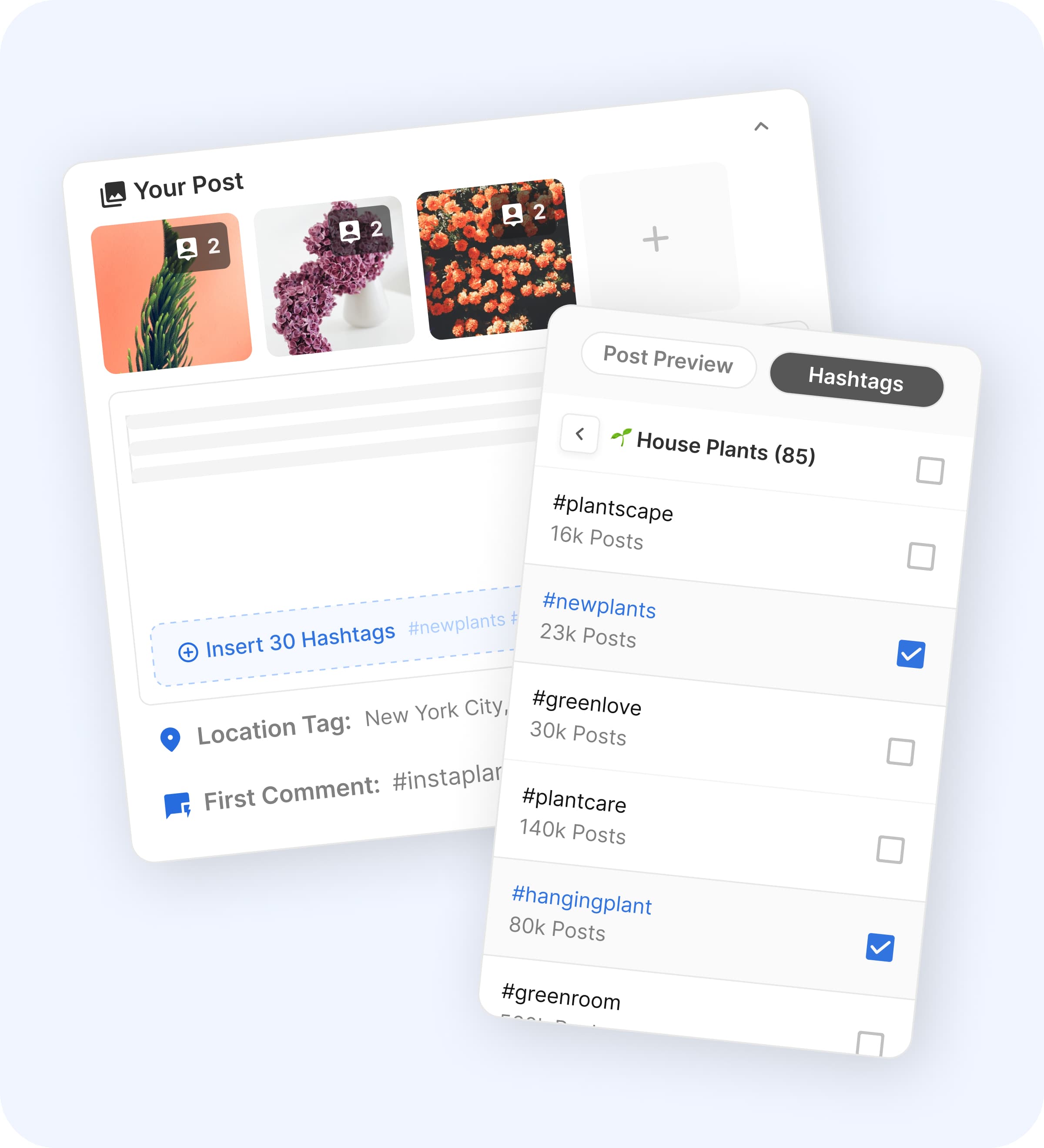
Image source: Flick scheduler page
The screenshot above shows why Flick is not just trying to be another calendar tool. The product keeps hashtag selection close to the publishing workflow, which is a small detail on paper but a practical one if you are tired of writing posts in one place, storing hashtag sets somewhere else, and checking performance in a third tab.
Ease of use looks like one of Flick’s stronger selling points, especially compared with bigger social suites that can feel bloated for solo creators and small teams. The trade-off is that the platform still asks you to care about strategy a little, so people hoping for a completely hands-off “press a button and grow” tool will probably expect too much from it.
Current plan details also give a decent preview of who Flick is pricing for. The Solo plan stays small on purpose, while the jump to Pro is where unlimited scheduling starts to make the product feel more practical for serious weekly use.
That snapshot already tells you something useful. Flick is not trying to win on rock-bottom price, and it is not pretending to be enterprise software either, which puts it in the middle ground where creators, consultants, and small marketing teams usually shop.
My honest first impression is positive, but it comes with a condition. Flick looks worth trying when you will actually use the planning, hashtag, analytics, and writing pieces together, and it looks less convincing when your only job is dropping a few posts into a calendar each week.
The next section matters because the trial decides a lot. If you can test the right features quickly enough, the platform becomes much easier to judge on real workflow value instead of guesswork.
What you get in the free trial
The current pricing page shows a 7-day free trial on all plans, plus a 20% discount if you choose yearly billing. That is enough time to judge the workflow, but only if you go in with real posts to schedule and real accounts to connect.
A Flick demo is most useful when you test the actual jobs you want the platform to handle. Connect your channels, build a few posts, try the calendar, generate captions or hashtags, and see whether the tool saves you time or just gives you another dashboard to manage.
Seven days will not prove long-term growth. It will show you something just as important though, which is whether Flick makes publishing feel faster, cleaner, and less annoying than what you are doing now.
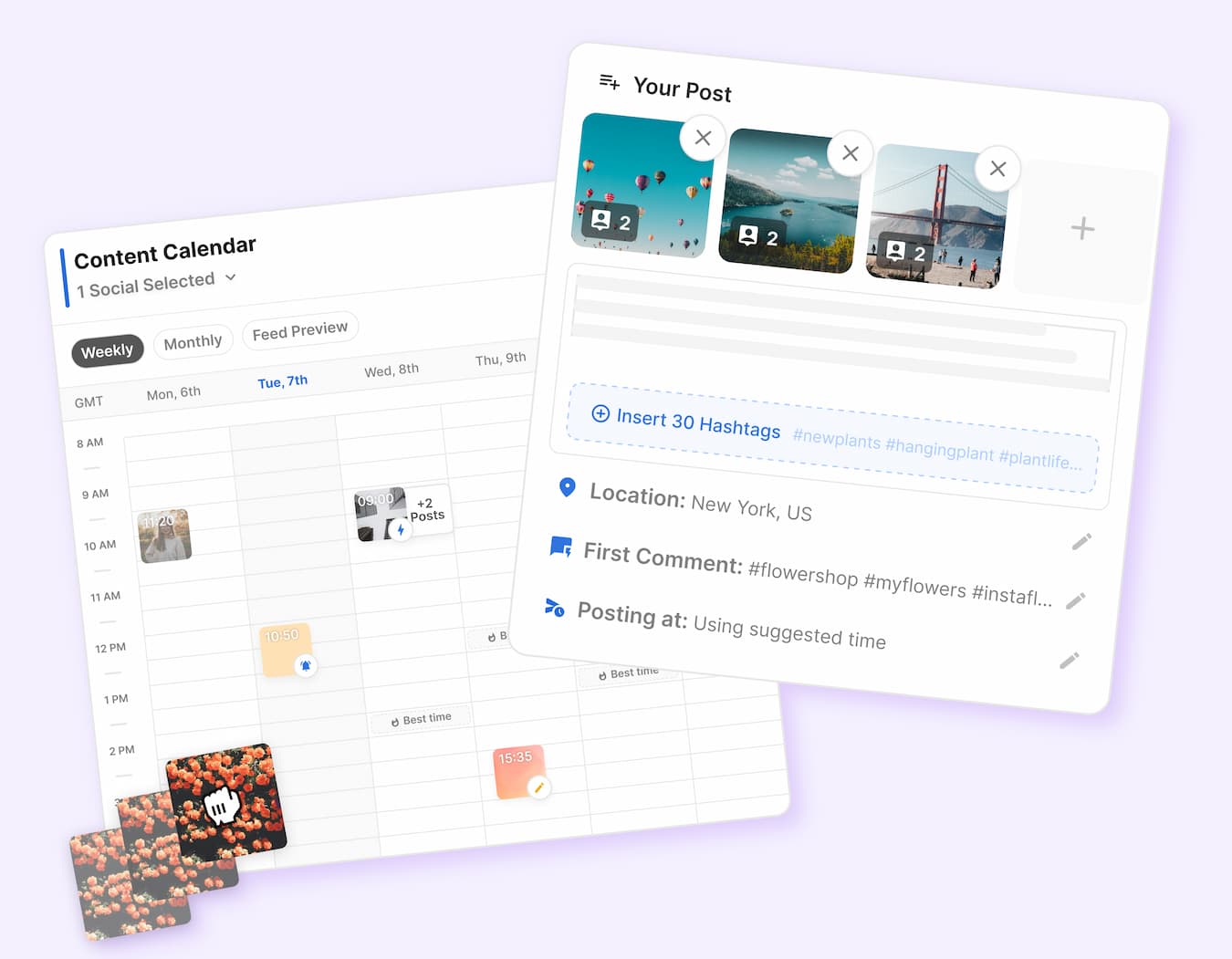
Image source: Flick home page
The product UI on Flick’s own pages makes the trial feel pretty practical. You can see the post builder, scheduled calendar, hashtag insertion, location field, first comment field, and posting-time suggestions in one flow, which is exactly the kind of setup that matters if you are trying to replace a messy manual process.
The catch is simple. If you do not already have content ready to test, you can waste most of the trial just poking around instead of learning whether the platform is worth paying for.
The good stuff
Scheduling is where Flick starts to justify itself fast. The scheduler page shows calendar planning, drag-and-drop scheduling, feed preview, and support for posting across Instagram, Facebook, TikTok, and LinkedIn, which is a solid mix for creators and small teams.
That matters because basic posting is not the real problem for most people. The real problem is planning the post, writing the caption, choosing hashtags, deciding when it should go live, and keeping everything organized without turning your week into admin work.

Image source: Flick scheduler page
The hashtag workflow is still one of Flick’s biggest selling points. Instead of treating hashtags like an afterthought, the platform keeps them close to the post-building flow, which makes a bigger difference than it sounds like on paper.
That is also where Flick feels different from a plain scheduler. If your current process involves writing captions in one app, storing hashtag sets in notes, and checking performance somewhere else, Flick looks a lot more attractive because it cuts down the tab switching.
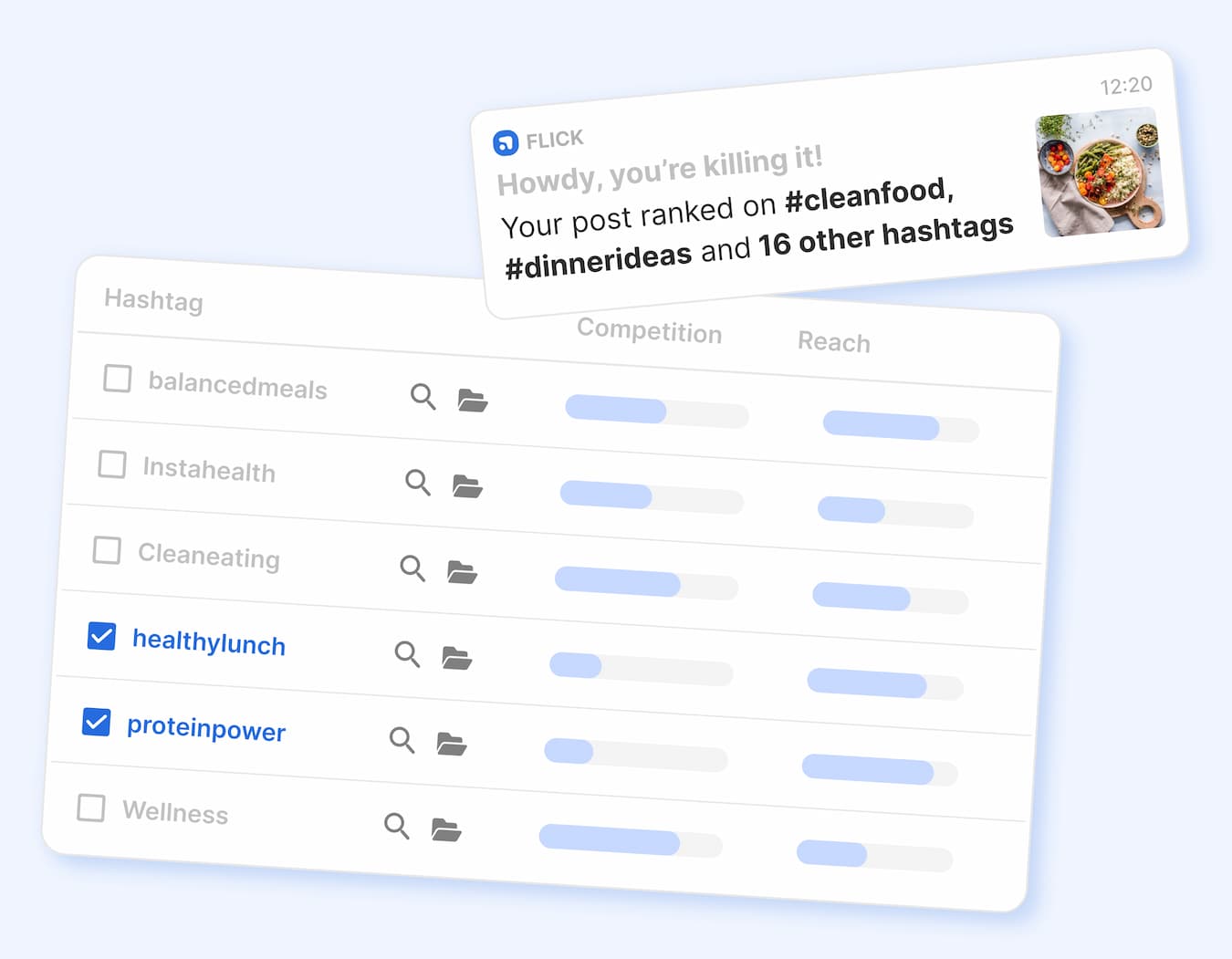
Image source: Flick home page
The analytics side helps too. Flick highlights best times to post and presents hashtag ranking and engagement signals in a way that is easy to scan, which is a better fit for busy users than a cluttered enterprise-style reporting setup.
This does not mean the platform replaces every deeper reporting tool on the market. It means Flick gives social-focused users enough clarity to adjust what they post, when they post, and which hashtags they keep using without drowning them in noise.
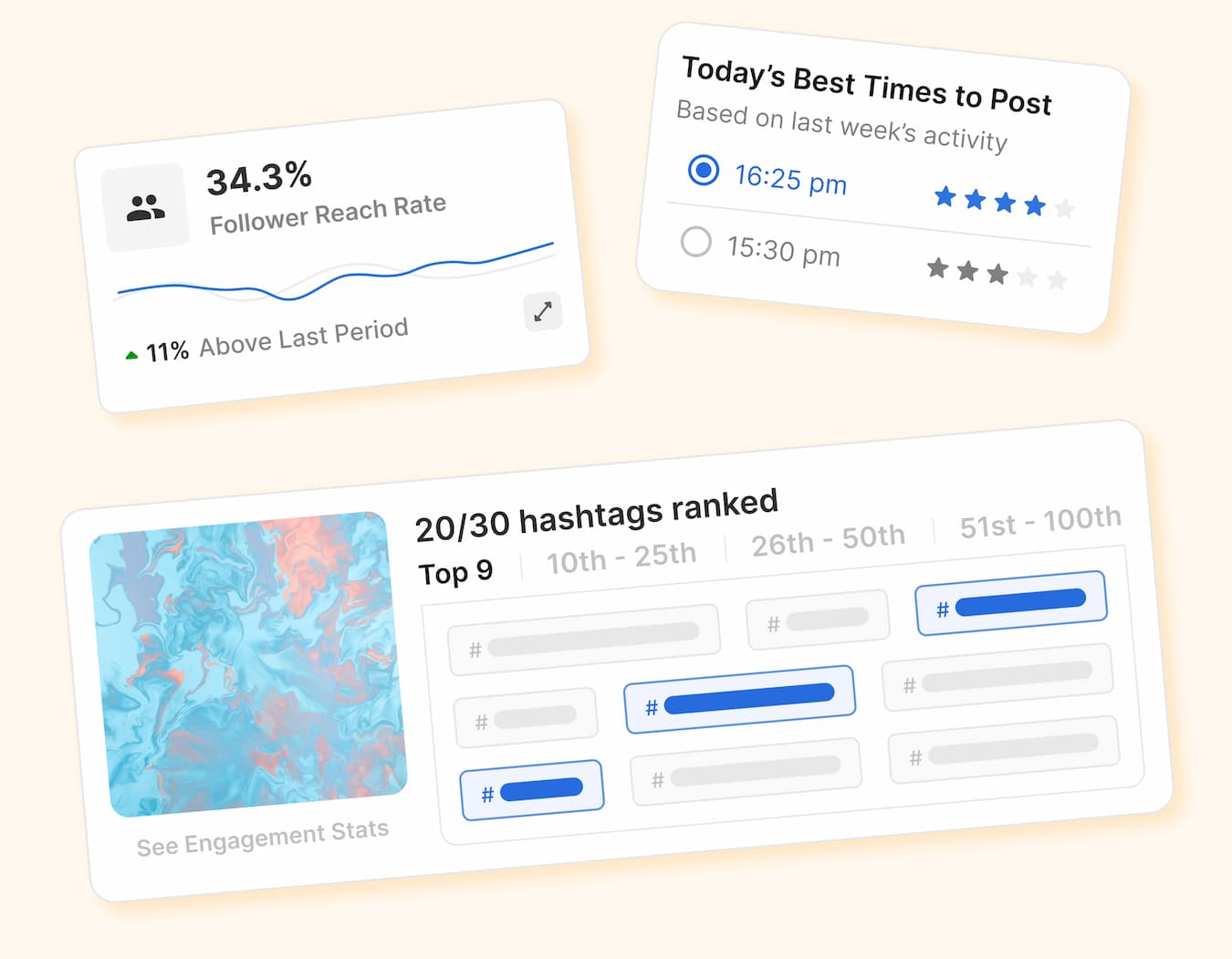
Image source: Flick home page
The AI side is helpful, but I would not treat it as the whole reason to buy. It is better seen as a speed boost on top of the planner, scheduler, and hashtag tools, not some magic replacement for knowing your brand and what your audience cares about.
That balance is important because it keeps expectations realistic. Flick looks strongest when you want a social workflow tool with AI inside it, not an AI toy that happens to have a calendar attached.
Pricing and value
Flick gets easier to justify once you compare it with the tools people actually consider instead of pretending every buyer has the same needs. The Flick pricing page, Buffer pricing page, and GoHighLevel pricing page show three very different value propositions.
See current pricingFlick sits in the middle in a way that actually makes sense. It is clearly more specialized for social content workflows than GoHighLevel, and it offers a more opinionated content-and-hashtag setup than Buffer.
That said, cheaper is still cheaper. If you just need a lightweight scheduler and your posting process is already under control, Buffer is easier to defend on cost alone.
Flick becomes the better buy when your current workflow is half scheduler, half spreadsheet, half notes app, and somehow still slower than it should be. That is where the extra spend starts feeling less like software bloat and more like buying your time back.
Why starting now could make sense
Flick is worth trying now if you already have something to publish and your current setup feels patched together. Waiting usually means you keep doing the same manual steps next week that you already know are slowing you down today.
The strongest case for starting the trial is not hype. It is speed, consistency, and fewer dropped details when you are planning posts across several accounts and do not want captions, hashtag sets, timing, and analytics living in separate places.
I would hold off if you are barely posting at all or still figuring out whether social media matters for your business. In that situation, even a good tool can feel unnecessary because the real problem is not workflow yet, it is commitment and volume.
For the right buyer though, this is absolutely worth trying. If you already post regularly, want a cleaner system, and like the idea of scheduling, hashtags, analytics, and AI support living together, Flick looks like a smart next step instead of another tool you will abandon after a week.
Alternatives worth looking at before you decide
Flick is not the automatic winner for everyone. You should compare it against a cheaper scheduler and a broader all-in-one tool before you start paying, because that tells you fast whether you are buying the right kind of software or just the nicest-looking one.
The real split is simple. Flick makes the most sense when your problem is social workflow, Buffer makes more sense when you want something cheaper and lighter, and GoHighLevel makes more sense when social scheduling is only one small piece of a much bigger client-management setup.
Image source: Flick scheduler page
That calendar view is a good reminder of what Flick is really selling. It is not just posting slots. It is a cleaner way to plan, move, preview, and manage content without making your process feel heavier.
Check the official free trialChoose Flick if your weekly bottleneck is planning, writing, scheduling, hashtags, and reviewing results in one workflow. Choose Buffer if cost matters most and your needs are simple, and choose GoHighLevel if you are really shopping for a broader agency system that happens to include social tools.
My honest take
Flick looks worth it for the right buyer. If you are already posting consistently and your current process feels scattered, the platform earns attention because it puts the parts that usually live in separate tabs into one cleaner setup.
The strongest reason to try it is not that it does everything. The strongest reason is that it handles the specific social tasks most people actually repeat every week, and it does that without pushing you into a giant enterprise dashboard.
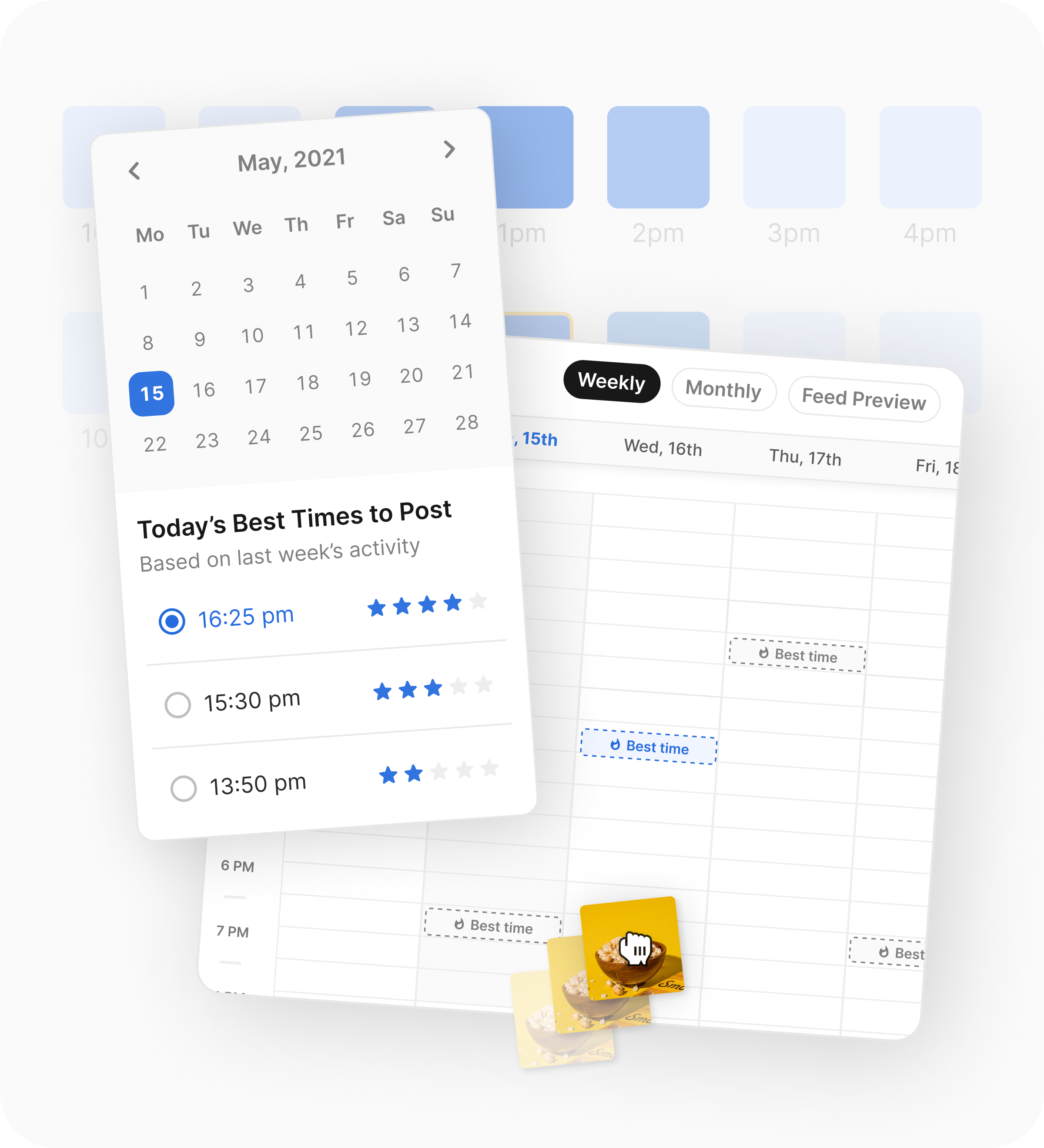
Image source: Flick scheduler page
That best-times view is a good example of why Flick feels smarter than a basic scheduler. You are not only filling a calendar. You are getting timing suggestions tied to audience activity, which is a practical upgrade if you want better consistency without overthinking every post slot.
I would skip it for now if you barely publish, hate paying for software, or only need a cheap place to queue a few posts. In that case, the Flick demo will probably feel nice, but not necessary.
I would try it now if you already have content going out every week and you are tired of handling captions, hashtags, scheduling, and post follow-up manually. That is where Flick starts to feel less like another subscription and more like a faster operating system for your social content.
FAQ
Is Flick too much for a beginner?
It can be. If you are still deciding whether you will post at all, a cheaper scheduler is usually the smarter move, but if you are already creating content and want structure, Flick still feels beginner-friendly enough to learn.
Does Flick actually replace other tools?
It can replace part of a scattered social workflow. Scheduling, hashtag management, basic performance review, and AI writing support can live together here, but it does not replace a full CRM or a broader automation stack like GoHighLevel.
Image source: Flick scheduler page
Is the Flick demo enough time to decide?
Yes, if you use the week properly. The trial is enough to connect real accounts, schedule real posts, test the caption and hashtag workflow, and see whether the platform saves you enough time to justify paying.
Should you switch from a simpler tool?
Switch only if your current tool is starting to feel too thin. If you keep bouncing between notes, spreadsheets, hashtag lists, and a scheduler, Flick makes more sense because it solves that exact mess instead of just giving you another queue.
Should you start the trial?
Start it if you already post often enough to feel the pain of a clunky workflow. Wait if you are still inconsistent, and go cheaper if all you need is a basic scheduler with no extra thinking around hashtags or content planning.
For the right buyer, this is absolutely worth trying. A Flick demo makes the most sense when you are serious about publishing, want a cleaner system, and would rather spend your time making content than stitching your social process together by hand.
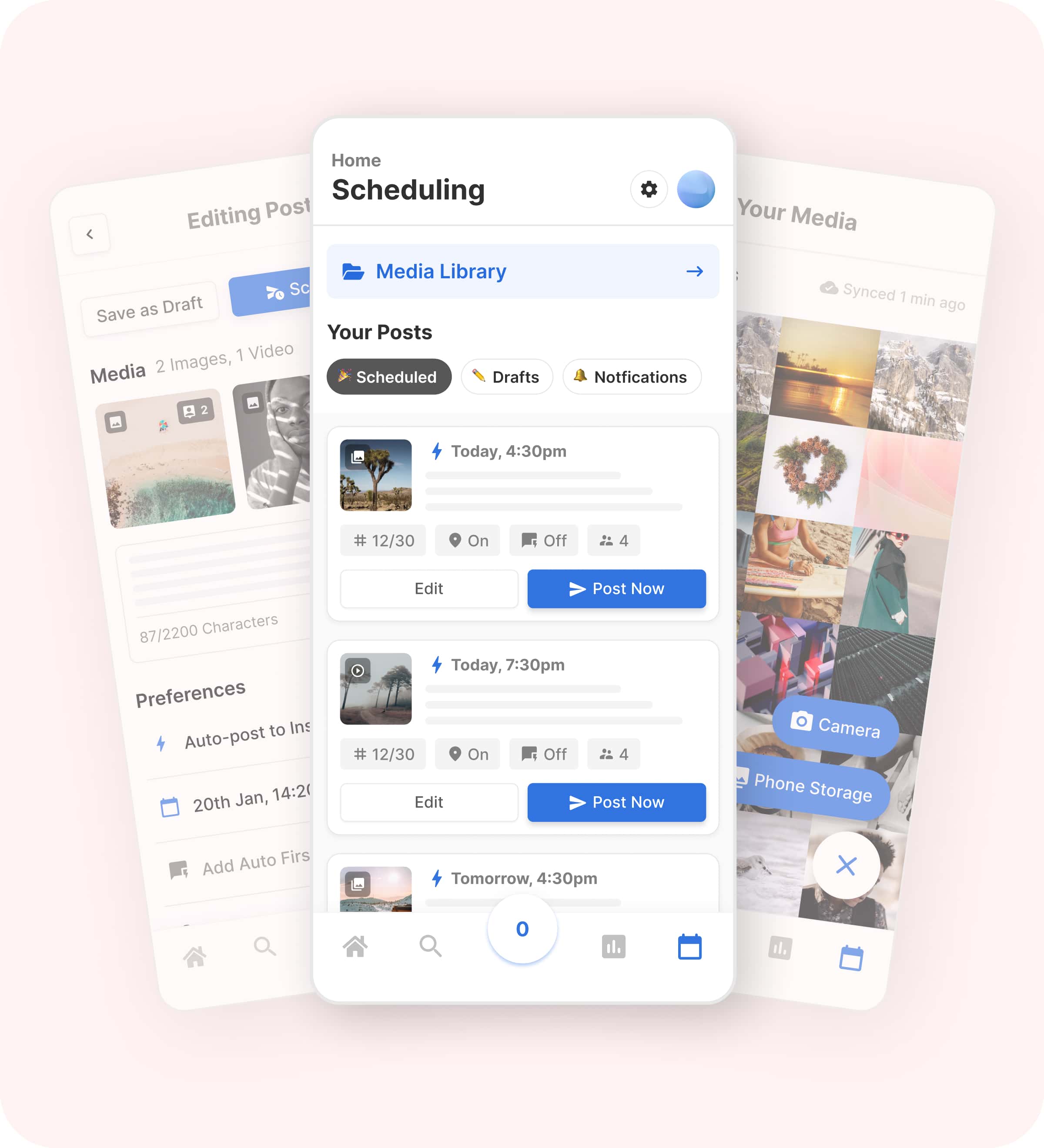
Image source: Flick scheduler page
Get started with Flick Filip Konecny Enterprises