
Flick’s main pricing page currently starts at £11 per month on annual billing for Solo, then moves to £24 for Pro and £55 for Agency. Every plan on that page includes a 7-day free trial, yearly billing is promoted as a 20% saving, and cancellation is available from the billing page.
That sounds reasonable on paper, but the Flick cost only feels good if you will actually use more than the basic scheduler. If you want AI help, hashtag research, Instagram tracking, content planning, and a cleaner way to manage multiple profiles without bouncing between tools, the price gets easier to defend fast.
If you only need a simple post queue, the math changes. This first section gives you the quick pricing snapshot, the main catch to know before you start a trial, and the structure the rest of this review will follow so you can jump straight to the part that helps you decide.
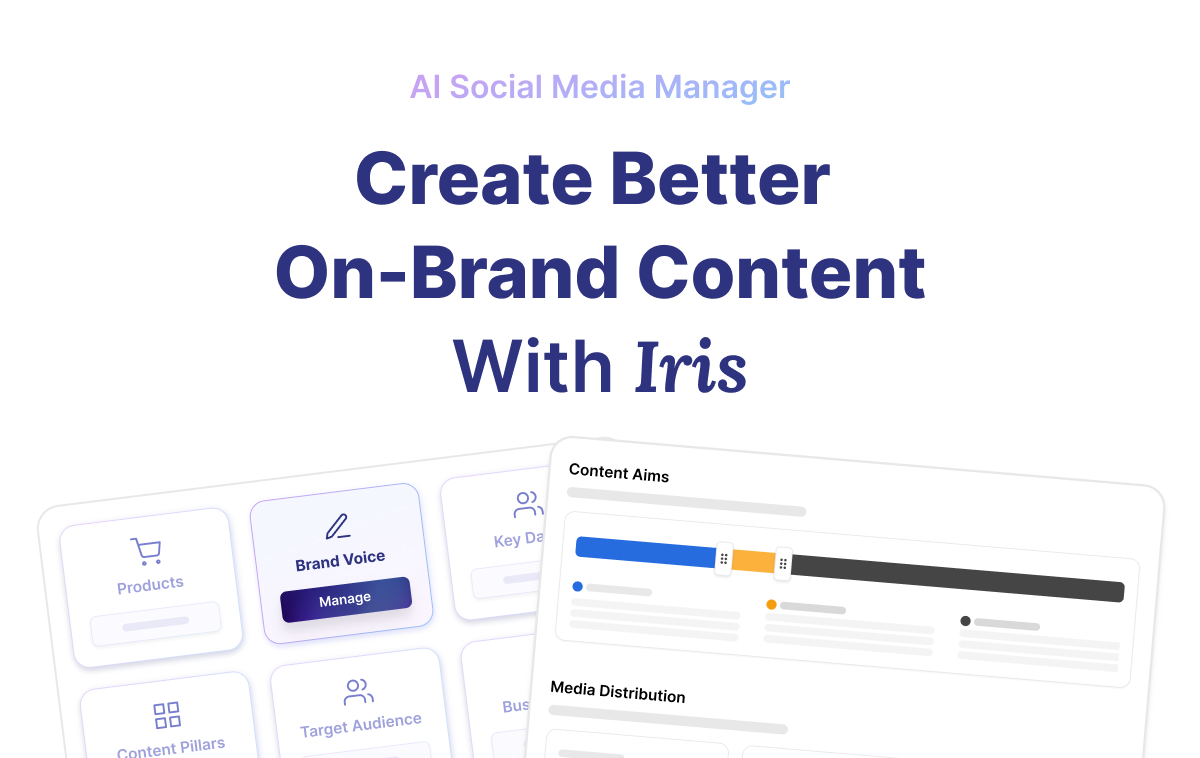
Image source: Flick’s Iris announcement
Flick cost at a glance
Flick keeps the core pricing simple enough to understand. Solo is the entry point for one person with a few profiles, Pro is where the unlimited posting and full feature access start to make sense, and Agency is clearly built for people managing more brands or client work.
Flick also charges £4 per extra social profile across plans, while extra users cost £8 per month on Pro and Agency. Tax is not included in the listed prices, so the final bill can land a little higher than the headline number.
One small thing that can confuse buyers: the main pricing page pushes a 7-day trial, while Flick’s newer Iris AI Social Media Manager page advertises a 14-day trial. If trial length matters to you, check the live offer before you sign up so you know which entry point you are actually getting.
See current pricingArticle Outline
You do not need to read this whole review from top to bottom. Jump to the section that matches where you are in the buying decision.
- Start with the price snapshot and see who Flick fits best.
- See what you get in the trial, the good stuff, how the price compares, and why some buyers should not keep waiting.
- Compare the alternatives, jump to the final verdict, or head straight to the FAQ.
Who should read this before you pay for Flick
Flick makes the most sense for people who are already posting regularly and want one place for planning, captions, hashtags, scheduling, and Instagram tracking. If your current workflow involves a messy mix of notes, Canva drafts, caption docs, and manual posting, Flick has a real shot at saving you enough time to justify the subscription.
Solo looks affordable, but it is not automatically a bargain for everyone. If you only post occasionally, do not care about hashtag data, and mainly want a bare-bones scheduler, you may end up paying for features that sound useful but never become part of your routine.
Pro is where the value conversation changes. Unlimited scheduling, unlimited Instagram tracking, more linked profiles, and full feature access make the platform much easier to evaluate as a serious work tool instead of a lightweight add-on.
Agency is easier to justify when client work is already happening and you need structure more than experimentation. At that point, paying more for a cleaner setup can be smarter than trying to keep costs low while your content process stays slow, manual, and scattered.
The rest of this review is built around that exact decision. You will see where Flick feels worth the money, where the limits show up, and whether starting the trial now is a smart move for you or just another subscription you will cancel next week.
What you get in the free trial
Flick’s pricing page shows a 7-day free trial and says you can cancel anytime. Flick’s Iris page shows a 14-day trial, so the first thing I’d do is check which entry point you’re using before you start.
The official trial walkthrough pushes you toward three things fast: scheduling, hashtags, and analytics. That matters because you can tell pretty quickly whether Flick will save you time or just give you another dashboard to ignore.
The same walkthrough also points to AI captions and AI images, while the Iris page says the tool helps with strategy, planning posts, designing graphics, writing captions, finding hashtags, and turning media into ready-to-share content. If you want one place to move from idea to scheduled post, the trial gives you enough to judge that without guessing.
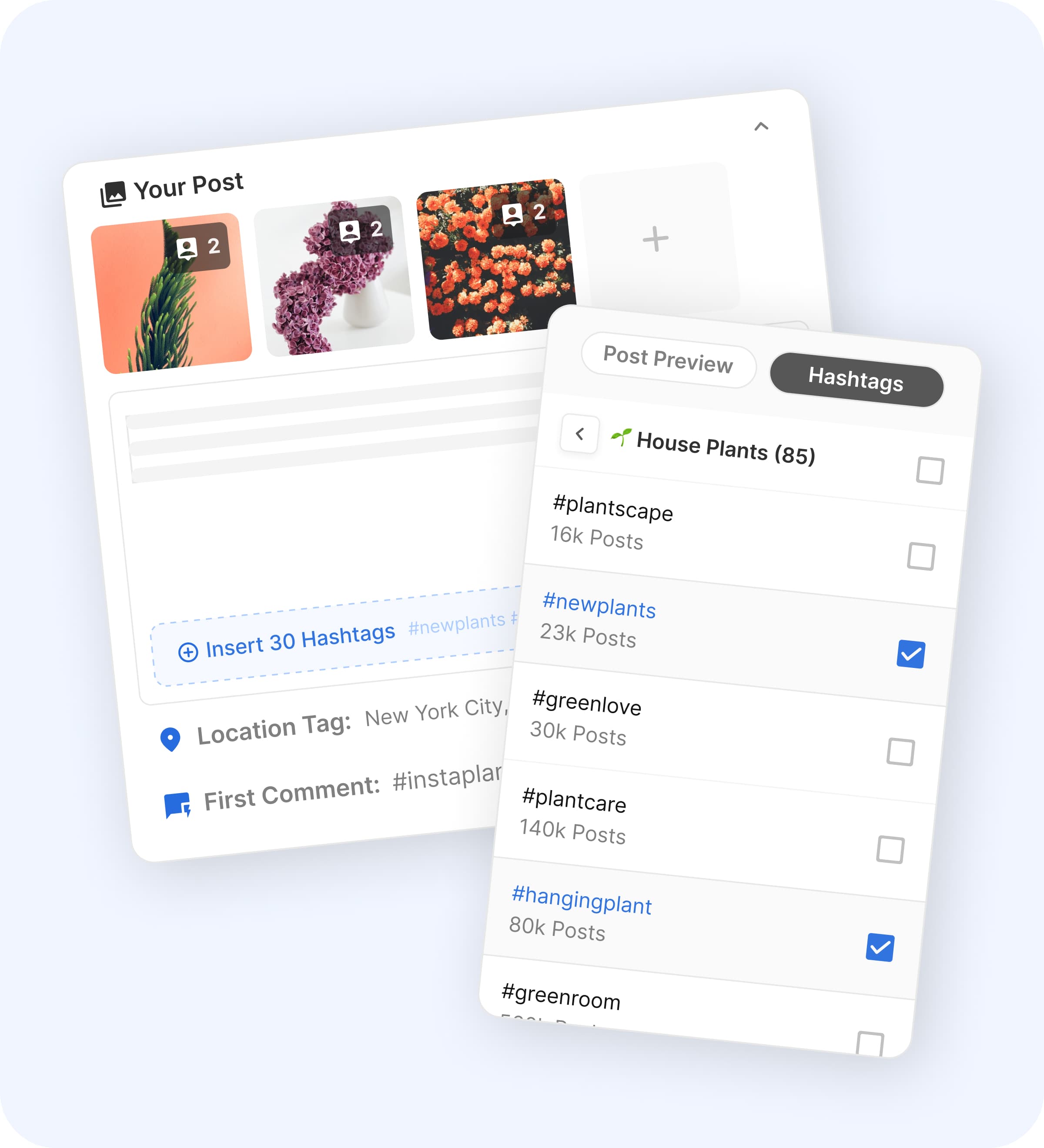
Image source: Flick scheduler page
There is one catch. Flick’s own plan breakdown says Solo only includes some features, while Pro and Agency get full access, so the value is easier to see once you compare what the lower plan limits would actually feel like in real use.
Flick also makes the billing side clear enough. The FAQ on the pricing page says that if you do not cancel during the trial, the subscription activates and you get charged, so this is not one of those tools you start and forget about.
The good stuff
Flick becomes more appealing once you stop looking at it as “just a scheduler.” The main reason people pay for it is that hashtags, scheduling, post planning, and Instagram analytics live much closer together than they do in cheaper tools.
That matters because switching tabs all day is a hidden cost. If you are building captions in one place, saving hashtags in another, checking audience activity elsewhere, and then posting manually, the cheaper setup starts feeling expensive in time instead of cash.
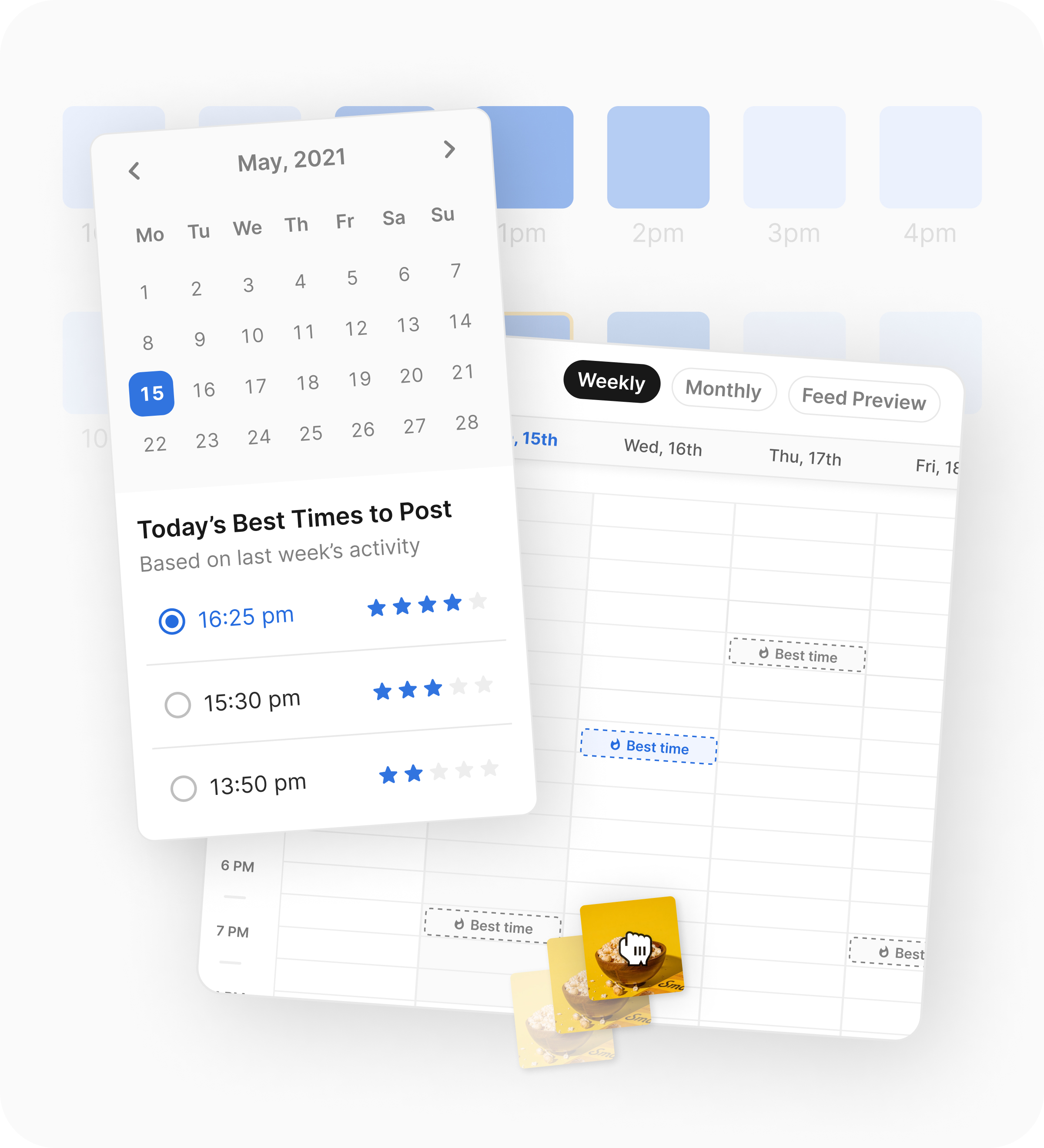
Image source: Flick scheduler page
The scheduling side looks genuinely useful, not just present for the sake of a feature list. Flick’s scheduler page highlights drag-and-drop calendar planning, best-time suggestions, auto-posting, and access to hashtag tools while you create the post, which is exactly the kind of workflow improvement that can justify paying for software.
The hashtag side is where Flick separates itself from simpler schedulers. The hashtag tool page and pricing page show hashtag search, collections, suggested hashtags, advanced filters, advanced metrics, smart auditing, CSV export, and hashtag tracking across all plans.
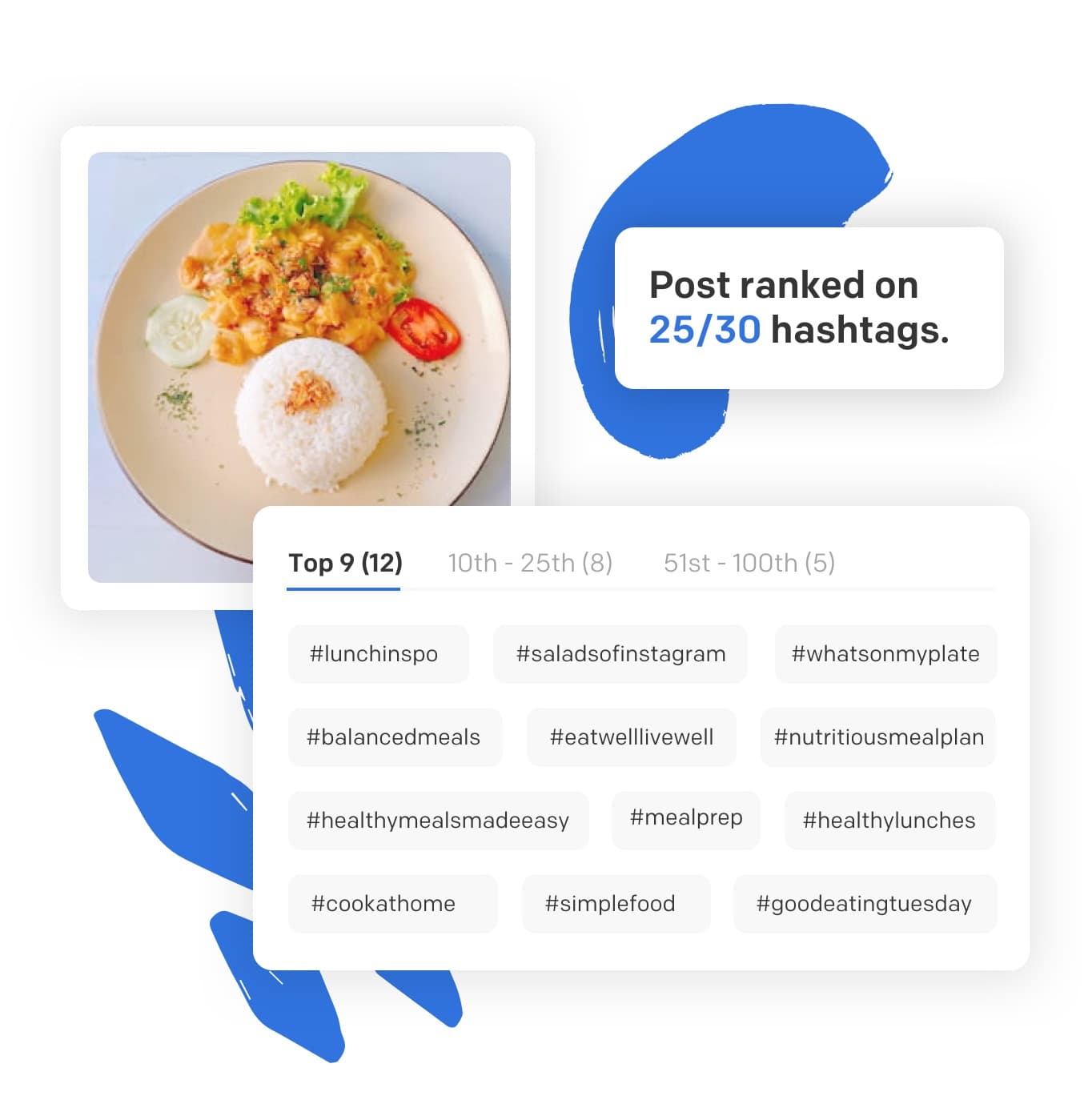
Image source: Flick hashtag tool page
Instagram-heavy users get the clearest payoff. Flick’s plan comparison says analytics are Instagram-only, but that same section includes account analytics, content analytics, audience activity, and hashtag performance, which is deeper than what a lot of low-cost schedulers give you.
That is also the limitation you need to be honest about. If your business barely cares about Instagram, Flick loses some of its edge because a big part of the value is tied to Instagram performance and hashtag tracking, not just generic multi-platform scheduling.
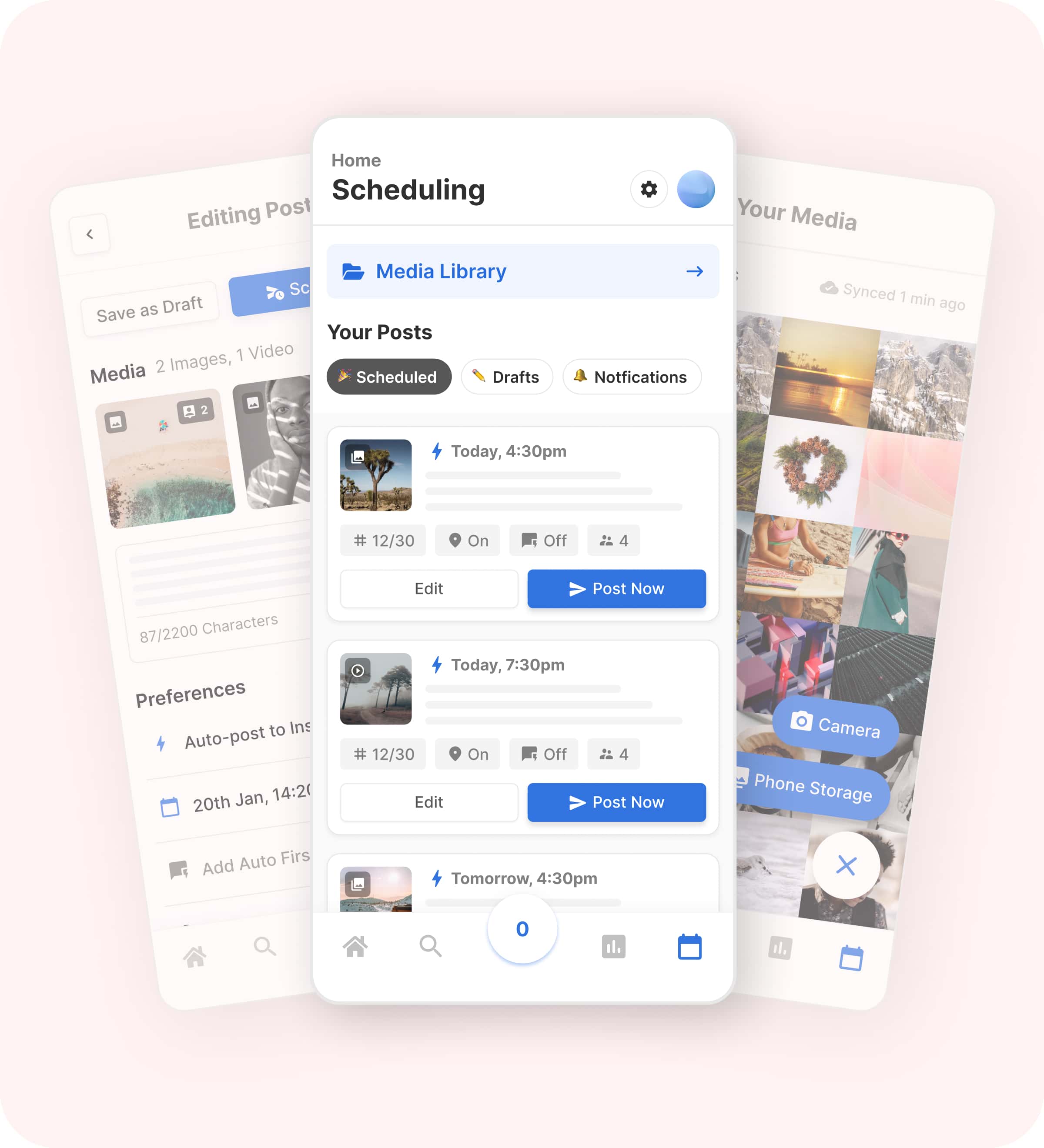
Image source: Flick scheduler page
The plan caps also matter more than the headline price. Solo gives you 4 social profiles, 1 user, 30 scheduled posts per social each month, and 30 tracked Instagram posts per month, while Pro moves to 8 profiles, 2 users, and unlimited scheduling and tracking.
That makes Solo decent for testing and light use, but Pro is where Flick starts earning its price for serious posting. If you publish often, monitor Instagram closely, or manage more than one brand, hitting the Solo cap will get old fast.
Flick pricing vs other tools I’d look at
These tools are not identical, so the cheapest row is not automatically the best deal. Pricing below is shown in each product’s native currency because that is how the official sites present it.
Check the official free trialFlick is not the cheapest way to schedule posts. It is the better buy when your social workflow is Instagram-heavy and you actually care about better hashtags, better timing, and better performance data instead of just loading posts into a queue.
Why Flick can be worth it
Flick is easiest to justify when you are already creating content consistently. If you already have posts to publish, captions to write, hashtags to research, and results to track, the subscription can save you enough friction and enough time to matter.
Waiting usually makes sense only if you are barely posting or still figuring out what you even want to say on social. In that case, a cheaper tool or even a manual workflow might be fine for now because software will not fix a missing content strategy.
Buying now makes more sense when your current setup is already slowing you down. If you keep postponing the switch, you usually keep postponing the organized content calendar, the better posting times, and the performance feedback that tells you what to double down on.
For the right buyer, Flick is absolutely worth trying. Not because it is the cheapest option, but because it does a better job of turning scattered social tasks into one cleaner workflow.
Cheaper and broader alternatives worth looking at
Flick is not the only way to schedule posts, and that is exactly why the price question matters. The right comparison is not “Is Flick cheap?” but “Does Flick do enough for the kind of marketing I actually care about?”
If your world revolves around Instagram content, hashtags, and posting consistency, Flick still has a strong angle. If you just want the lowest-cost scheduler, or you need a much bigger business stack than a social tool, one of the alternatives below will make more sense.
Image source: Flick scheduler page
Check the official free trialChoose Flick if Instagram is a real revenue channel for you and you want one cleaner content workflow instead of five disconnected steps. Choose Buffer if you mostly want cheap scheduling, and choose GoHighLevel if your bigger problem is running an agency stack, not improving hashtags and posting decisions.
Later sits in the middle. It makes more sense when visual planning and broader platform analytics matter more to you than Flick’s Instagram-first edge.
Image source: Flick hashtag tool page
My honest take on Flick cost
The Flick cost is easy to defend for the right buyer and easy to skip for the wrong one. That is a good sign, because it usually means the product has a clear job instead of trying to be everything for everyone.
I would not pay for Flick just because the starting price looks reasonable. I would pay for it if I already knew Instagram mattered to my business and I was tired of juggling planning, captions, hashtags, scheduling, and tracking in separate places.
That is where Flick starts to earn its price. You are not just buying a calendar; you are buying a more focused workflow that can help you publish faster and make better posting decisions without needing a giant enterprise tool.
Image source: Flick scheduler page
I would wait if you are barely posting, still guessing at your offer, or mainly active somewhere other than Instagram. In that situation, the software probably will not save enough time yet, and a simpler tool will feel smarter.
I would skip it if you want deep all-channel analytics, team-heavy collaboration, or an all-in-one business platform. Flick is strongest when you want focused help with content execution, not when you need a full operating system for your company.
For the right buyer, though, this is worth trying now instead of later. Delaying usually means you keep doing the slow version of the work and keep missing the structure that would help you publish more consistently.
FAQ
Is the Solo plan enough?
Solo is enough if you post lightly and mainly want to test the product without spending much. It gets less attractive the moment you need more profiles, more tracking, or more than 30 scheduled posts per social each month.
Is Flick too expensive compared with Buffer?
Not if you will actually use the extra Instagram-focused features. If all you need is a simple queue, Buffer is the cheaper call, but Flick can justify the higher spend when hashtags, timing, and Instagram tracking are part of how you grow.
Can Flick replace manual posting?
Yes, that is one of the clearer reasons to pay for it. The scheduler pages show auto-posting, mobile scheduling, best-time suggestions, and content calendar control, which is a lot more useful than doing everything by hand once you are posting regularly.

Image source: Flick scheduler page
Should beginners start the trial now or wait?
Start now if you already know you are going to post consistently and you want a faster setup. Wait if you are still at the stage where you do not have a content rhythm yet, because software cannot replace that work for you.
Is Flick mostly for Instagram users?
Pretty much, yes, if you are talking about where the value feels strongest. Flick supports scheduling across multiple channels, but the biggest pricing argument still comes from Instagram analytics, hashtag research, and the way those pieces connect.
Should you start the trial?
Start the trial if you already post on Instagram, care about performance, and want a cleaner way to plan and schedule without doing everything manually. Wait if you want the cheapest possible scheduler, and skip it if you really need a broader agency or CRM stack instead.
That is the cleanest answer to the Flick cost question. For serious Instagram-led brands, creators, and marketers, this is a smart trial to take.
See current pricing Filip Konecny Enterprises