

Buffer looks simple on the surface, but the plan decision is not as obvious as it first seems. The pricing is built around channels, the free plan is tighter than many people expect, and the jump from solo use to team use changes the value fast.
This review is here to help you make the buying decision without wasting time. You’ll see which Buffer plan fits your setup, where the paid plans start making sense, and when you should hold off or pick something else.
Right now, Buffer’s pricing page shows a Free plan, Essentials at $5 per month per channel billed yearly, and Team at $10 per month per channel billed yearly, plus a 14-day trial and lower average channel costs once you go past 10 channels. That makes Buffer easy to justify for the right user, but not automatically the best deal for everyone.
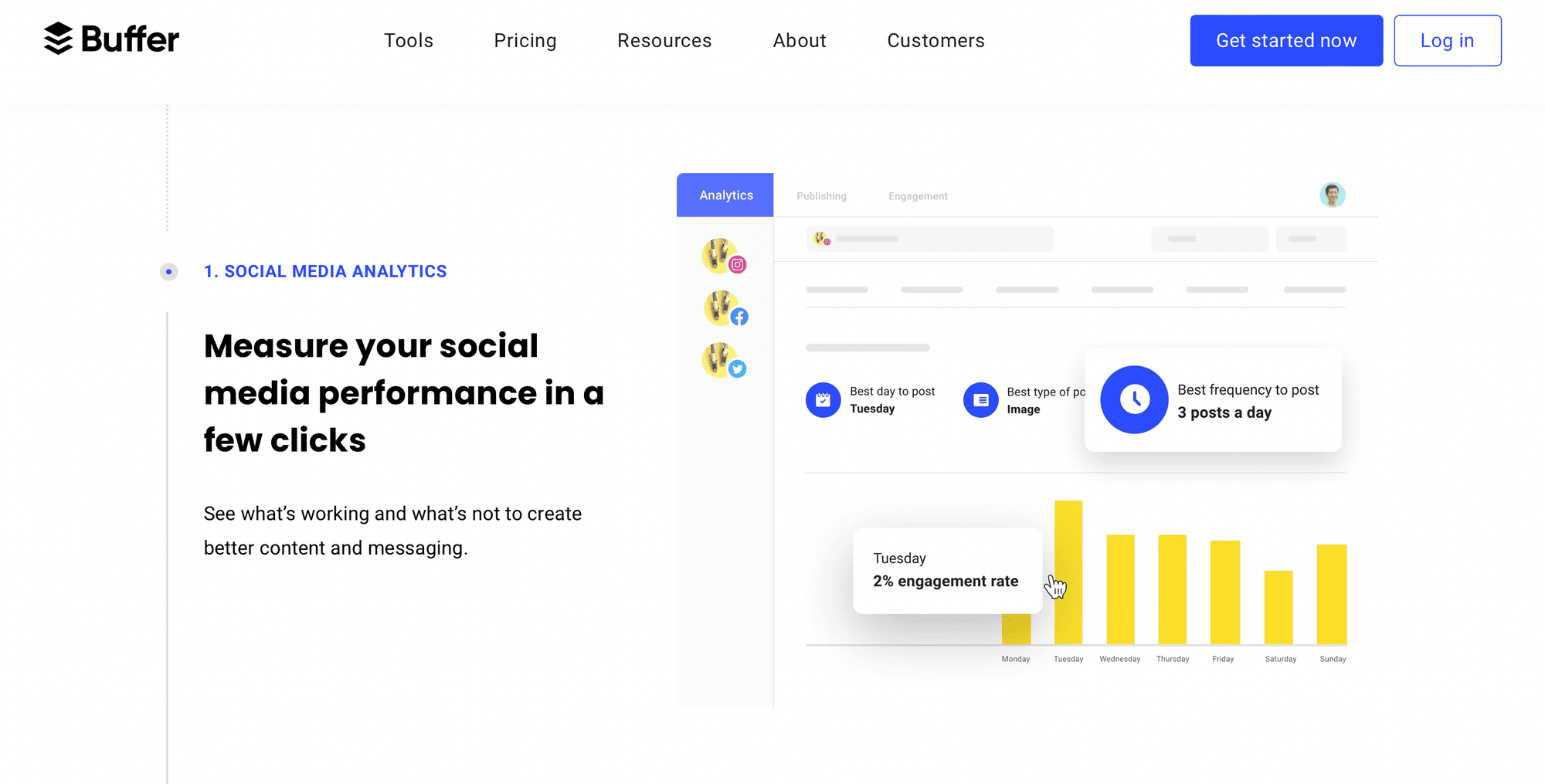
Image source: Buffer analytics page
Quick plan snapshot
Most people can narrow Buffer down quickly once they stop looking at features as a giant list and start asking one simple question: am I posting alone, or am I managing content with other people? That one answer usually tells you whether Free is enough, Essentials is the sweet spot, or Team is the only plan that won’t become annoying after a week.
The official plan comparison shows Free with 3 channels, 10 scheduled posts per channel, 100 ideas, one user, basic analytics, and community inbox access. Paid plans remove the queue cap, and Team is the one that adds unlimited users, approvals, access levels, and the collaboration tools that keep a shared workflow from turning into a mess.
Check the official free trialThis is also where Buffer can feel either refreshingly affordable or sneaky-expensive. One or two channels on Essentials is easy to swallow, but a bigger stack of channels adds up, which is why the volume discount after channel 10 matters if you manage lots of profiles.
Most solo users will care about one upgrade point: Essentials removes the free-plan friction and makes Buffer feel like a real daily tool. Team is worth it when approvals, permissions, or client-facing collaboration are part of the job, not when you are just trying to schedule your own posts a bit faster.
Article outline
The rest of this review is built to answer the buying question in the right order. Start with fit, move into value, then finish with alternatives so you know whether to buy now, wait, or skip it.
- First: is Buffer actually worth paying for, what you get in the free plan and the 14-day trial, and the good stuff that makes people stay.
- Next: how the pricing really feels in practice, how Buffer compares with other tools, and why starting now can make sense if your posting workflow is already messy.
- Last: the alternatives worth a real look, the final verdict, and the FAQ so you can make the call with fewer doubts.
The plan choice usually comes down to three things: how many channels you manage, whether you need better analytics, and whether other people touch the workflow. If your answer is “a few channels, decent posting volume, and no team,” Buffer Essentials already looks like the plan to beat.
If your answer is “many channels, client work, reviews, and shared access,” the rest of this review will matter more because pricing alone won’t tell the full story. That is where Buffer can either save you time every week or become a tool you outgrow faster than you expected.
Is Buffer actually worth paying for?
Buffer is worth paying for when you already post regularly and you are tired of doing the same work by hand. It gets a lot more convincing once you need unlimited scheduling, better analytics, or a clean way to keep drafts, comments, and approvals in one place.
The value is strongest on Essentials for solo users and on Team for anyone sharing the workflow with clients or staff. If you are still posting casually and only need a few scheduled slots, the Free plan is still useful and you probably do not need to rush into paid yet.
The catch is simple. Buffer feels affordable when you run a small setup, but the per-channel model becomes a real cost line once you stack up lots of profiles.
What you get in the free trial
Buffer’s paid trial runs for 14 days, and Buffer says that trial puts you on the Team plan so you can test the full feature set and even invite extra users. That matters because you are not testing a cut-down version that hides the real value until after you pay.
The trial is much better than the Free plan if your goal is a real buying decision. You can check approvals, advanced analytics, reports, and collaboration instead of guessing whether those features will justify the upgrade later.
- Free plan: 3 connected channels, 10 scheduled posts per channel, 100 ideas, 1 user, basic analytics, and community inbox access.
- Trial: full Team access, paid features unlocked, and room to test shared workflows before you commit.
- After the trial: Buffer says you can switch to Free, and if you have not entered payment details, the account drops back automatically.
Buffer also hides one limitation that is easy to miss if you only skim the plans page. The Free plan allows up to three connected channels, but Buffer’s help docs also say it has a lifetime limit of eight unique channel connections on Free, which matters if you like to swap profiles in and out.
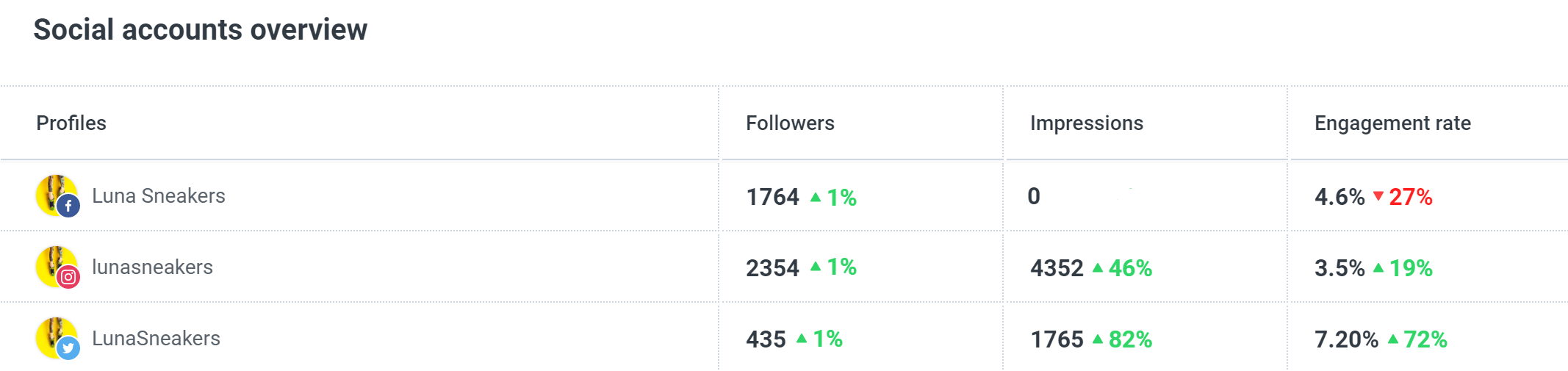
Image source: Buffer Help Center
The good stuff
Scheduling stays fast
Buffer earns its keep by keeping the publishing flow simple. You can build drafts, queue posts, use a calendar view, upload in bulk, and schedule across multiple channels without the interface feeling bloated.
That sounds basic until you do it every week. Simple matters because the whole point of a scheduler is to remove friction, not replace one messy workflow with another.
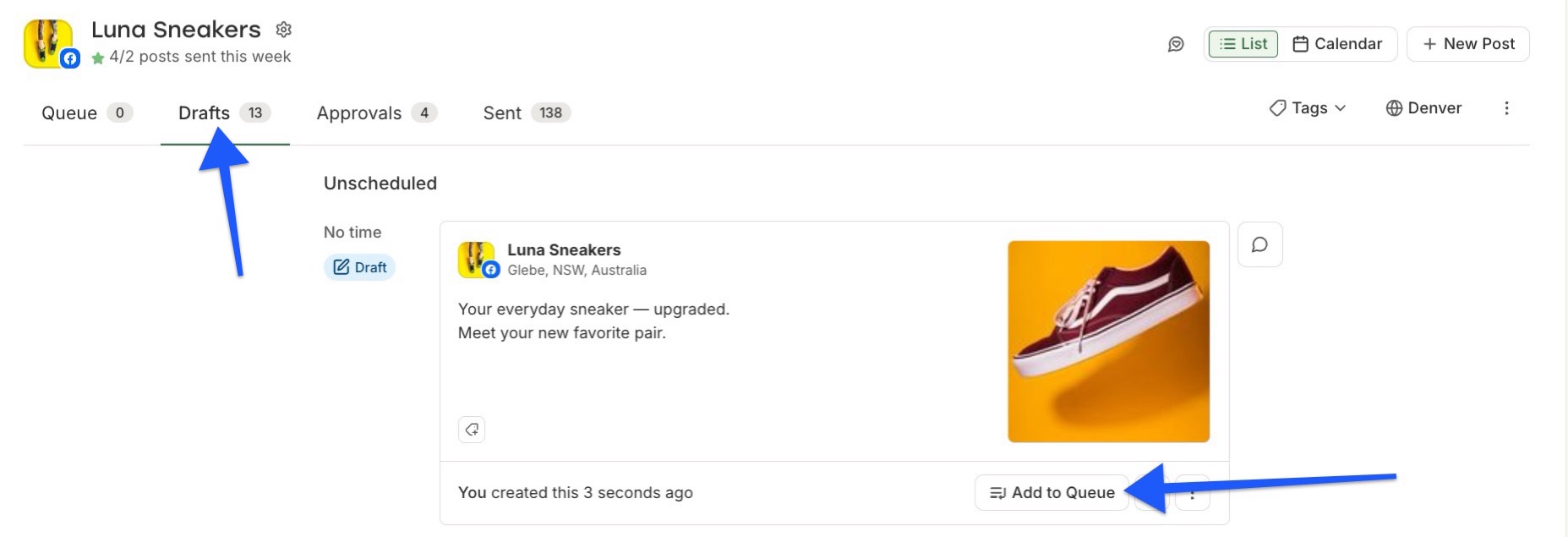
Image source: Buffer Help Center
The paid analytics are useful without feeling bloated
Buffer’s paid plans add the part most free schedulers skimp on. You get performance overviews, custom reports, best-time recommendations, audience data where supported, and exports that are good enough for client updates or internal reviews.
That is a real upgrade over posting blind. Buffer also says paid plans can create reports and export them as PDFs or images, which is the kind of feature that saves time once you are reporting more than once a month.
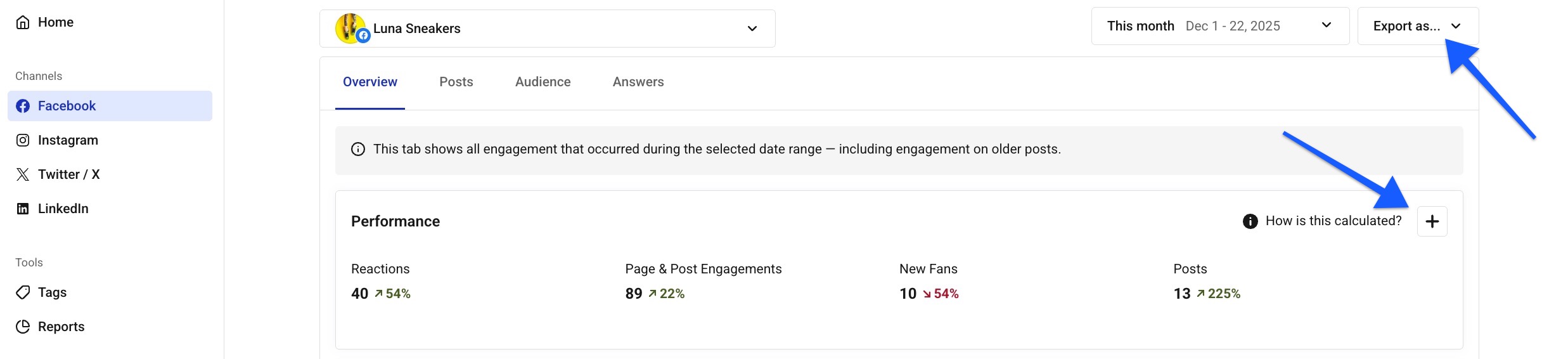
Image source: Buffer Help Center
Team approvals are where Buffer starts to justify the higher plan
Team is not just Essentials with a bigger bill. It is the plan that unlocks approvals, unlimited users, and channel permissions, which is exactly what stops a shared content workflow from turning into Slack messages, Google Docs, and missed edits.
That makes Team easy to recommend for agencies, in-house teams, and anyone who needs a client to review posts before they go live. If nobody else touches your content, this is the part you can skip without missing much.
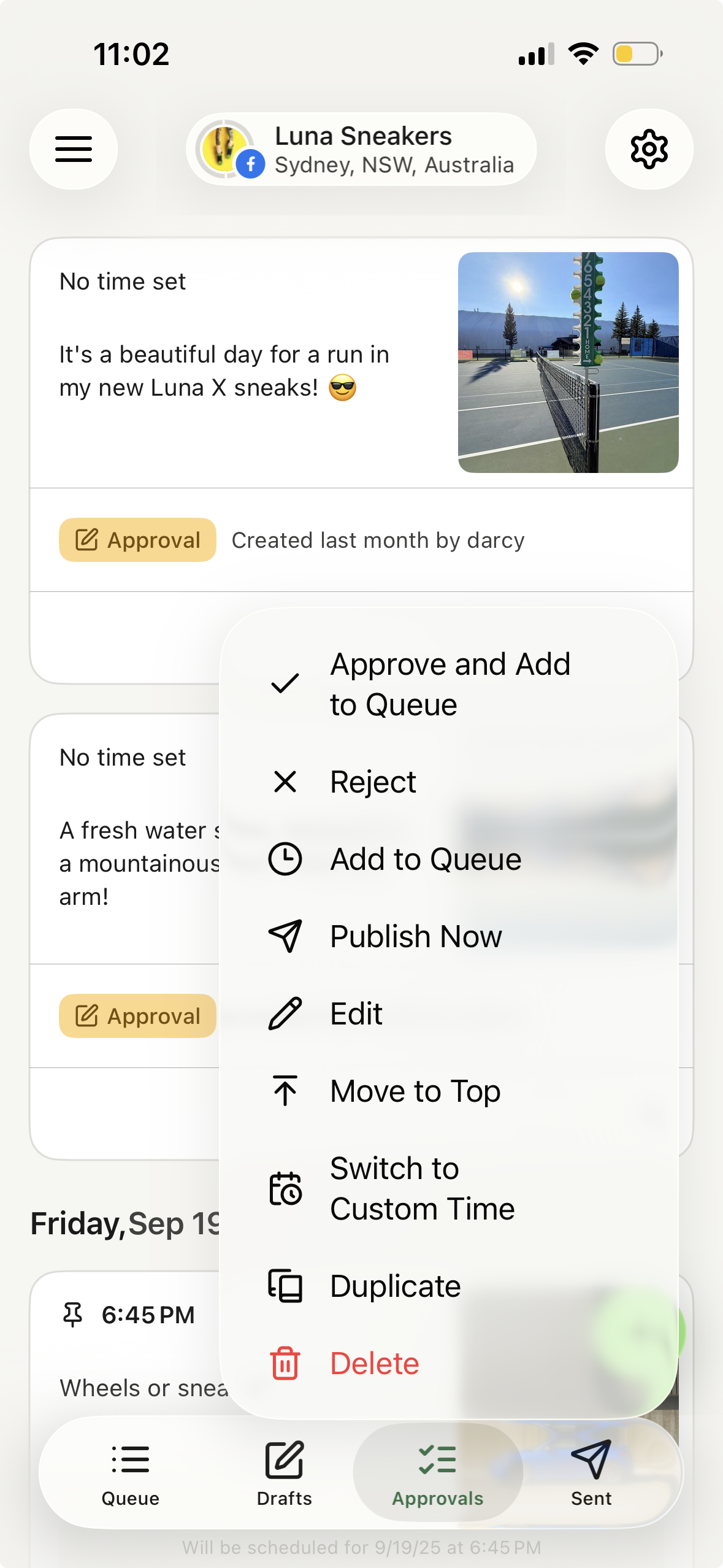
Image source: Buffer Help Center
The mobile workflow is better than it needs to be
A lot of social tools treat mobile like a backup option. Buffer’s mobile app is good enough to manage channels, save drafts, and push content forward when you are away from your desk, which is more useful than it sounds when social ideas show up at random times.
That does not mean you should buy Buffer for mobile alone. It means the tool keeps working when your week gets messy, and that makes the paid plans easier to justify if speed matters.
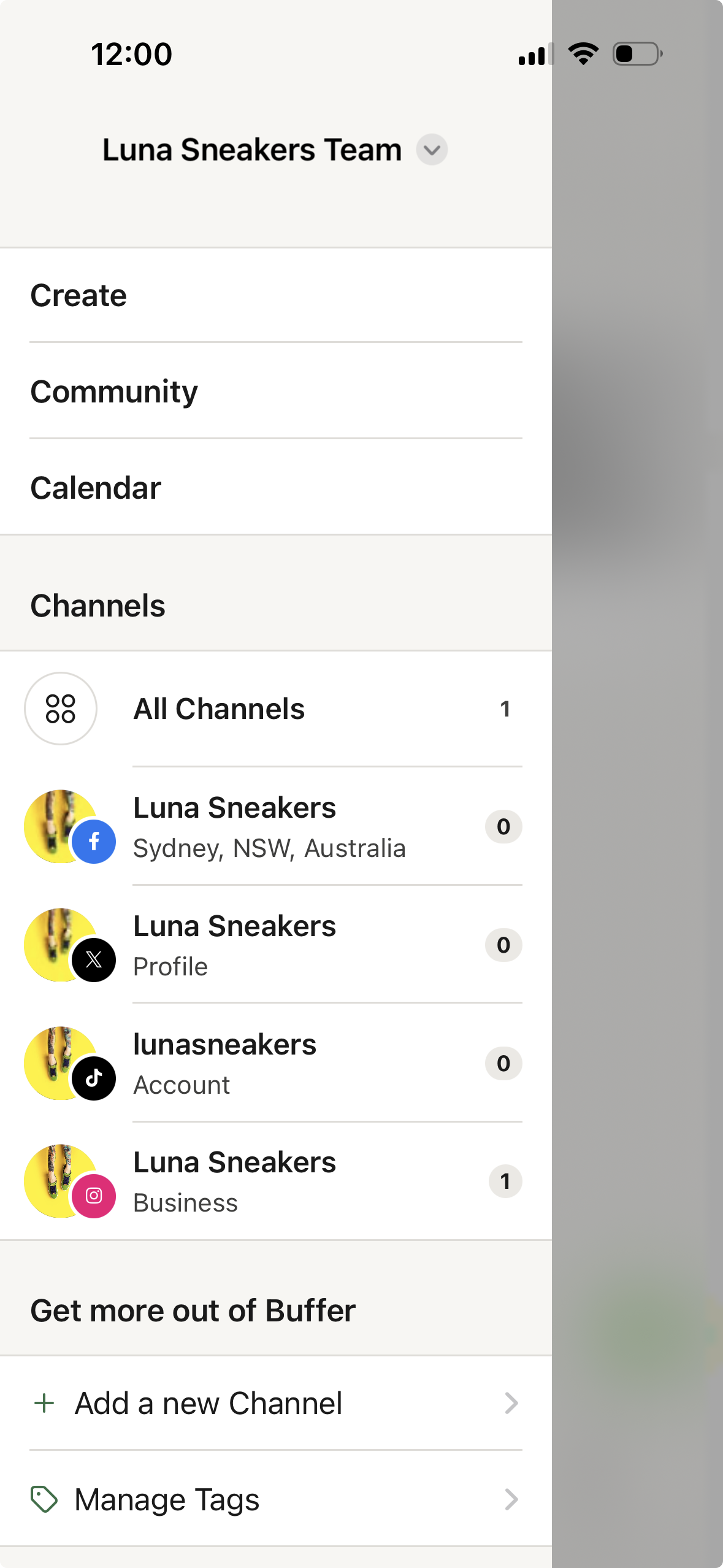
Image source: Buffer Help Center
Pricing feels fair until your channel count climbs
Buffer’s pricing is easy to understand once you stop thinking in “plans” and start thinking in channels. Essentials starts at $6 per channel monthly for channels 1 to 10, or $60 yearly per channel, while Team starts at $12 per channel monthly for channels 1 to 10, or $120 yearly per channel.
Annual billing cuts that by 20%, which helps. Buffer also lowers the per-channel price after 10 channels, so the math gets better for bigger setups instead of punishing you at the same rate forever.
Paid plans also remove the tiny queue cap from Free. Buffer says paid accounts get unlimited scheduling under a fair use limit of 5,000 posts per channel, which is more than enough for normal use and much more realistic than living inside a 10-post queue.
Essentials is the sweet spot if you run the account yourself. Team is worth the jump only when approvals, channel permissions, and unlimited users are part of the job, not just nice extras.
You can view plans and features if you want to check the current channel math. That link is worth opening before you buy, because Buffer can look cheap or expensive depending on how many profiles you actually manage.
How Buffer stacks up against other affiliate tools
Buffer is not the cheapest tool in every scenario. It is the one I would lean toward when you want a clean social media workspace instead of a bigger all-in-one stack or a tool built around one narrower use case.
See current Buffer pricingBuffer beats Flick Social when you need broader channel coverage, a free entry point, and cleaner team workflows. Buffer loses the price argument if your whole world is one or two Instagram-first workflows and you just want the cheaper starting point.
Buffer also makes more sense than GoHighLevel when social media is the main job and you do not want to pay for funnels, CRM, and full marketing automation. HighLevel becomes more attractive only when you want one stack to run leads, follow-up, appointments, and sales on top of content.
Why starting now can make sense
Waiting makes sense only if you are not posting consistently yet. Paying for Buffer before you have a real publishing habit will not magically fix a weak content process.
Starting now makes sense when your current workflow already feels messy. If you are copying captions between tabs, posting late, losing drafts, or chasing approvals in chat, you are already paying a time tax that software is supposed to remove.
Buffer is not the cheapest answer for every buyer. For the right buyer, it is the cleanest next step because it helps you publish faster, stay consistent, and stop treating social media like a pile of disconnected tasks.
If you already know you need more than a basic free scheduler, checking the official trial and pricing is the logical next move. If you are still unsure, keep using Free until your posting volume or team setup makes the upgrade obvious.
Get started with BufferThe alternatives worth looking at
Buffer is not the only smart option here, and pretending otherwise would make this review less useful. The better question is whether you want a focused social media tool, a creator-first scheduler that can work out cheaper, or a broader system that replaces far more than scheduling.
Buffer still wins the easiest recommendation for most people who care about publishing, analytics, and team approvals more than fancy extras. It loses some of that advantage when your budget is tight and you only need a lighter solo setup, or when your real problem is not social posting at all but sales, CRM, automations, and lead follow-up.
Check the official free trialChoose Buffer if social media is the job and you want the cleanest balance of scheduling, analytics, and approvals. Choose Flick Social if you are a solo creator and want a narrower tool that can make more sense financially, and choose GoHighLevel if social posting is only one small piece of a much bigger marketing machine.
Buffer also has the safest learning curve of the three. That matters more than people admit, because complicated software gets expensive fast when half the features sit untouched.
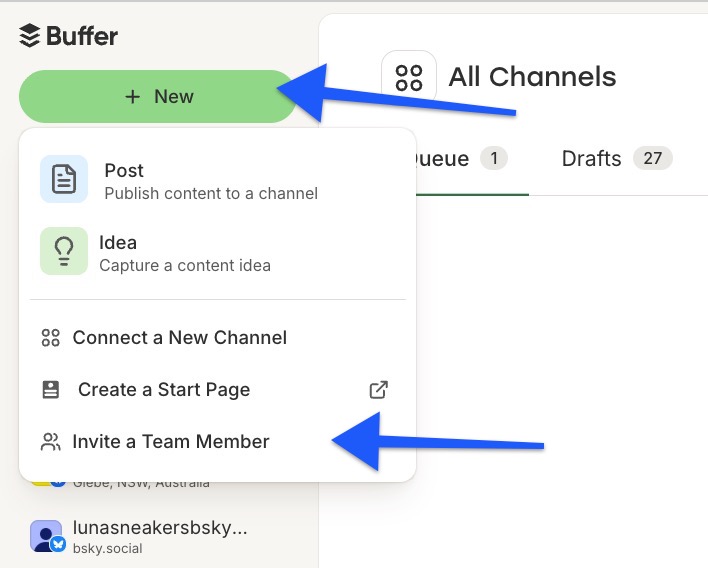
Image source: Buffer Help Center
So, should you actually pay for Buffer?
Yes, if you already publish regularly and want a tool that keeps the work moving without getting in your way. Buffer earns that recommendation because the plans are easy to understand, the paid upgrade points are logical, and the Team plan solves a real collaboration problem instead of adding fluff.
No, if you are still inconsistent, only post occasionally, or mainly want a bigger sales and automation system. Buffer will not fix a weak content habit, and it will not replace a CRM-heavy setup the way GoHighLevel’s trial can for an agency-style business.
The sweet spot is clear. Free is fine for testing, Essentials is the smart buy for most solo users, and Team is worth it the moment approvals, permissions, or shared reporting stop being optional.
Buffer plans make the most sense when you are serious enough to need structure but not interested in living inside a bloated marketing suite. That middle ground is exactly why Buffer stays appealing even when cheaper or broader alternatives exist.
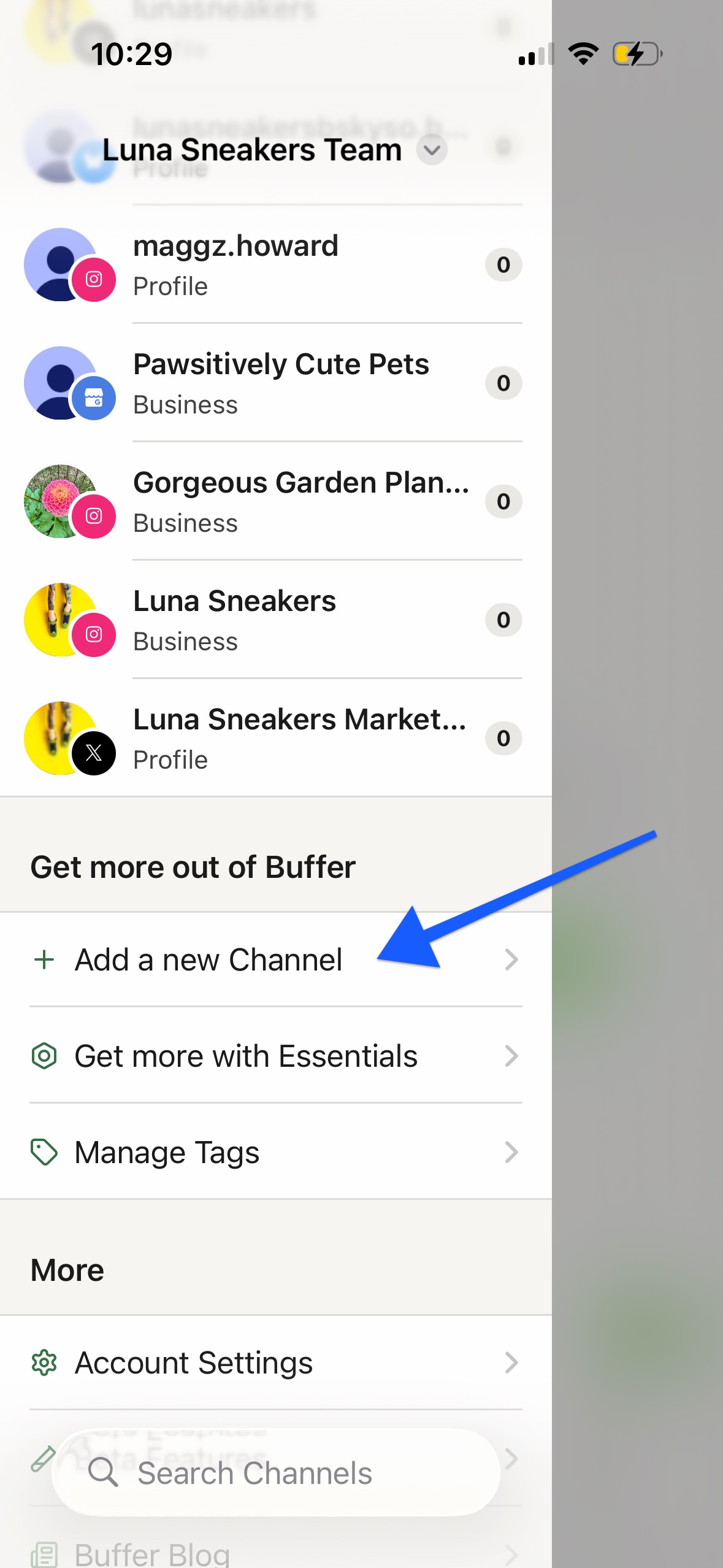
Image source: Buffer Help Center
If your current setup already feels messy, waiting usually just means you keep burning time on things software should handle. If that sounds familiar, getting started with Buffer is a reasonable move now, not later.
Get started with BufferFAQ
Is Buffer Free enough for most people?
It is enough for testing and light use. Buffer’s own plan details show 3 connected channels, 10 scheduled posts per channel, 100 ideas, 1 user, and basic analytics on Free, which is enough to learn the tool but not enough for a serious weekly workflow.
Does Buffer charge per user or per channel?
Buffer charges by channel on paid plans, not by seat, and the official plan breakdown shows Team includes unlimited users. That is a big reason Team makes sense for agencies and small teams, because the cost is tied more to your channel count than your headcount.
Is the 14-day trial enough to make a real decision?
Usually yes, if you already have channels to connect and content ready to test. Buffer puts trial accounts on Team, so you can check the paid workflow properly instead of guessing how approvals, reports, and extra users will feel after you pay.
Image source: Buffer Help Center
Should beginners start with Buffer or wait?
Beginners can start with Buffer Free without much risk. Paying makes sense only after posting becomes consistent enough that unlimited scheduling, better analytics, or collaboration will save you time every week.
Is it worth switching from another scheduler?
Only if the new setup solves a real problem. Buffer is worth the switch when your current tool feels clunky, weak on approvals, or more expensive than it should be, but it is not worth switching just because you are bored with what you already use.
That is the simplest way to look at Buffer plans. If you want the cleanest mix of ease, solid features, and sensible upgrade paths, Buffer is still one of the easiest tools to recommend.
See current Buffer pricing Filip Konecny Enterprises