

Buffer looks inexpensive at first glance, and for the right person it actually is. The catch is that Buffer prices its paid plans per channel, so your bill depends less on your company size and more on how many social accounts you need to connect.
That matters because Buffer counts each connected profile, page, or group as its own channel, as the supported channels guide makes clear. A solo creator with Instagram, LinkedIn, and X can stay cheap for a long time, while an agency juggling dozens of client profiles can watch the total climb much faster than expected.
The platform itself is easy to like. Buffer’s live pricing page and current plan breakdown show a free tier for up to 3 channels, a 14-day trial on paid plans, unlimited scheduled posts on paid tiers, and stronger collaboration on Team, which makes Buffer appealing if you want a clean scheduler without paying for a bloated enterprise suite.
Quick Buffer cost snapshot
See current Buffer pricingThat table is the short version. Buffer is cheap when you keep the channel count small, but it stops feeling like a bargain when you run a bigger social stack and assume the base price covers everything.
That does not mean Buffer is overpriced. It means the real question is not “Is Buffer cheap?” but “Do I need the kind of simple, reliable workflow Buffer gives me enough to justify paying per connected profile?”
Article outline
This review is built to answer the decision questions that actually matter before you pay. You will see where Buffer feels like a smart buy, where it feels limited, and when a cheaper or broader tool may fit better.
- Quick Buffer cost snapshot — You have already seen the short pricing view above, because the starting numbers change how the whole review should be read. Buffer is one of those tools that feels very affordable for one use case and much less affordable for another.
- What you get in the free trial — Next, I’ll break down whether the 14-day trial is enough to make a real decision. That section will cover what you can test, what you can safely ignore, and whether the trial gives you enough room to judge posting, reporting, collaboration, and general ease of use without wasting time.
- The good stuff — This is where Buffer usually wins people over. I’ll look at the parts that make it appealing in the first place: clean scheduling, a low-friction interface, useful planning tools, comment management, and the kind of setup that feels manageable even if you do not want to spend a week learning a complicated dashboard.
- Pricing and value — This section will go deeper than the headline price. I’ll show how Buffer’s per-channel model changes the math, how the discounts work once you add more channels, and why the platform can be either a smart low-cost choice or a sneaky budget problem depending on whether you are a creator, a brand, or an agency.
- Why Buffer can be worth paying for — Paying for software only makes sense when it saves you enough time, removes enough chaos, or helps you publish more consistently than doing everything manually. I’ll cover where Buffer replaces enough friction to earn its cost and where paying too early may not move the needle much for you yet.
- Alternatives to Buffer — Trust goes up when a review admits the tool is not the best answer for everybody. I’ll compare Buffer with relevant alternatives later in the article so you can see when a cheaper option makes more sense, when a broader all-in-one is the better move, and when Buffer still wins because it stays focused instead of trying to do everything.
- Final verdict and FAQ — I’ll close with a blunt recommendation, not a soft maybe. You should leave the final section knowing whether Buffer is worth trying now, whether you should wait until you have more channels or a clearer workflow, or whether you should skip it and pick a different tool entirely.
If you already know you want something simple and you are not managing a giant pile of accounts, Buffer has a real chance of feeling like the easy answer. If your setup is larger, the next sections matter even more, because the value depends less on the sticker price and more on whether Buffer’s simplicity saves you enough time to justify the growing monthly total.
What you get in the free trial
Buffer gives you a 14-day free trial on paid plans, and that part is more useful than it sounds. The key detail is in Buffer’s plan guide: the trial starts you on Team, so you are not testing a watered-down version.
That means you can check the stuff people usually care about before paying: unlimited scheduling, advanced analytics, the community inbox, approval workflows, access levels, and inviting extra users. If you are comparing Buffer cost to the headache of doing everything manually, that matters because you can test the full workflow instead of guessing how the paid version might feel later.
The downgrade rules are also fair. Buffer says in its pricing FAQ that if you do not continue after the trial and have not added payment details, your account falls back to Free automatically, and scheduled posts can still go out as long as you are not over the free plan’s 3-channel limit.
That makes the trial low risk for the right buyer. If you already have your channels connected and at least a week or two of content to schedule, you can usually tell pretty fast whether Buffer’s free trial feels like a time-saver or just another tab you will ignore.
Fourteen days is not magic, though. If you have no posting rhythm yet, no content ready, and no clue what you want to measure, Buffer will not suddenly fix that for you, so waiting until you are ready to use the trial properly is smarter than starting it just because it is there.
The good stuff
Buffer’s best feature is not some flashy AI claim. It is that the product stays easy to understand even as you move beyond simple scheduling into planning, comments, analytics, and team approvals.
That simplicity is a real selling point when Buffer cost is being compared to bigger tools. You are not paying for a giant marketing suite here; you are paying for a social workflow that feels clean enough to use every week without needing a training course first.
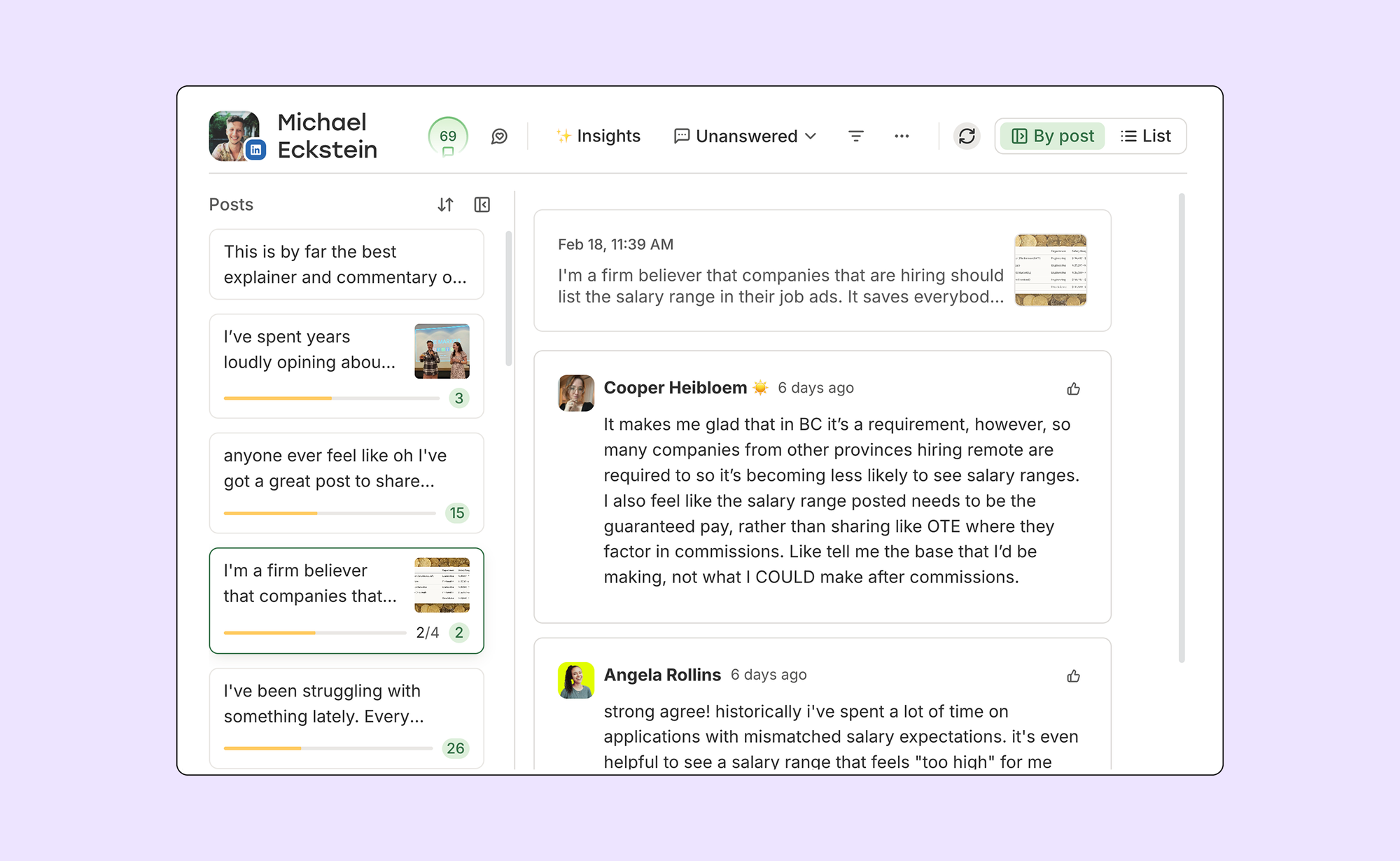
Image source: Buffer feature overview
Publishing is where that shows up first. Buffer’s homepage and publishing guide make it clear that you can connect channels, set posting schedules, customize by network, and work from a visual calendar without fighting a messy interface. That sounds basic until you have used tools that bury simple posting under too many menus.
The comment workflow is stronger than many people expect from Buffer. Buffer’s own feature pages show that the community inbox pulls replies into one place, which is useful if you are tired of bouncing between Instagram, Facebook, LinkedIn, Threads, Bluesky, and X just to keep up with comments.
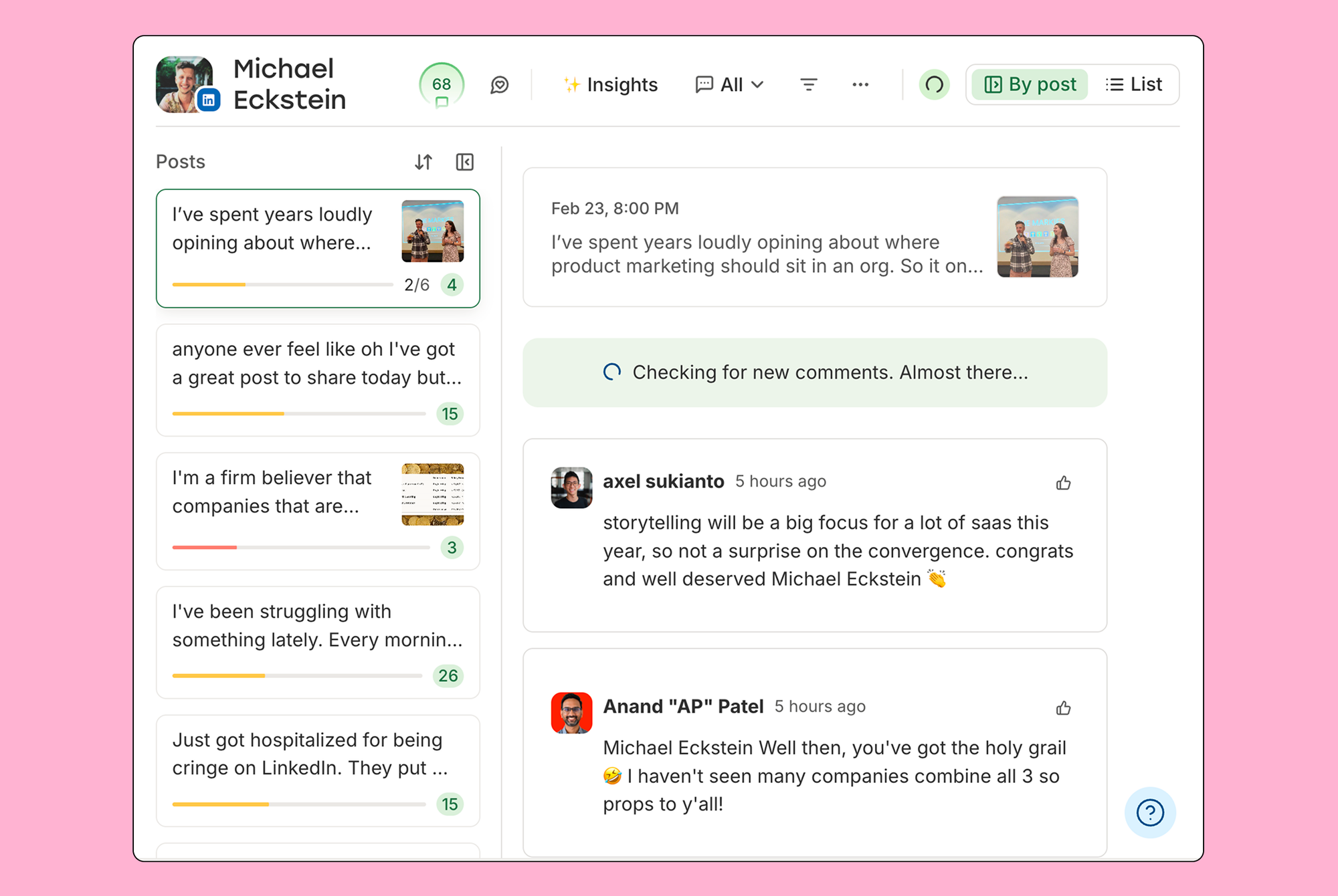
Image source: Buffer community features
That matters more than it seems because unanswered comments are where a lot of small brands lose momentum. Buffer will not replace a full support desk, but it is good enough to help creators and lean teams stay responsive without babysitting every app one by one.
Analytics are another reason Buffer starts to earn its price. The analytics guide lists engagement, reach, clicks, shares, follower growth, custom reports, and exports, which is a solid jump from the Free plan’s basic 30-day history.
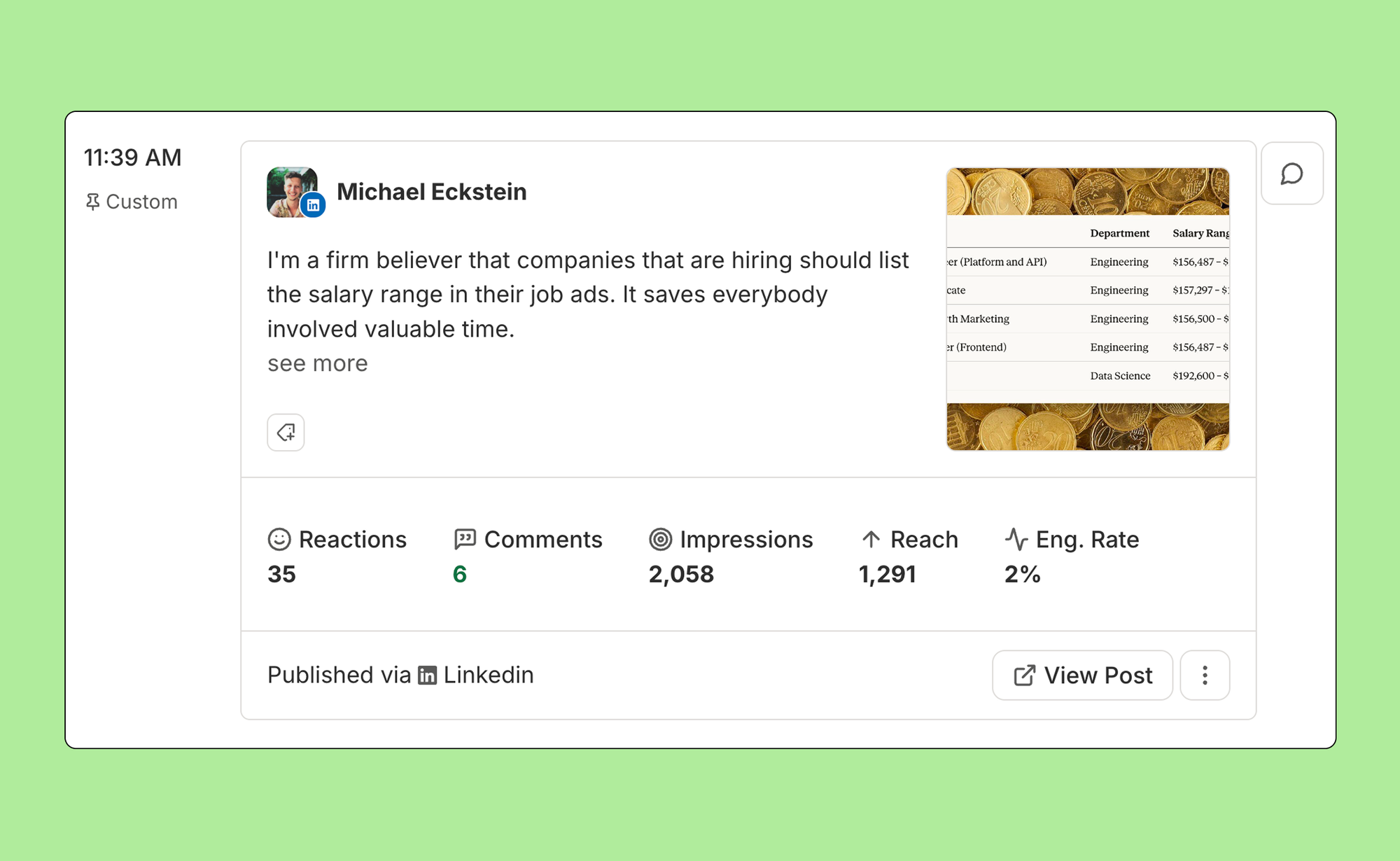
Image source: Buffer analytics features
That is enough for most creators, consultants, and small businesses to make better posting decisions without paying for enterprise reporting. If you mainly want to know what is working, what is flat, and where to post more often, Buffer gives you enough clarity without turning reporting into a project of its own.
The content workflow also goes further than a bare-bones scheduler. Buffer’s feature overview highlights ideas, templates, AI assistance, first-comment scheduling, channel groups, and hashtag management, which is why the platform feels more complete than “just schedule posts and leave.”
Team is where agencies and growing brands get the obvious payoff. Buffer includes unlimited team members, access levels, and approval workflows on Team, so the extra cost is much easier to justify once social is no longer a one-person job.
Pricing and value
Buffer cost looks good when you need a focused scheduling tool and not a giant all-in-one. The official pricing page shows Free for up to 3 channels, Essentials from $5 per channel per month on annual billing, and Team from $10 per channel per month on annual billing, with volume discounts after 10 channels.
That pricing model is both the appeal and the catch. A solo operator with a few channels can keep costs low, but an agency with lots of client profiles needs to watch the channel count because the bill still rises even when the average per-channel price drops.
Check the official free trialBuffer wins that comparison when your main goal is simple, reliable social management. Flick Social is more tempting if Instagram and hashtag research are your whole world, while GoHighLevel only starts to look cheaper once you were already planning to pay for CRM, funnels, booking, and automation anyway.
That is the honest value call. Buffer is not the cheapest option in every scenario, but it is one of the cleaner buys when you want a focused tool that helps you post consistently across multiple networks without jumping straight to an all-in-one monster.
Why Buffer can be worth paying for
Buffer is worth paying for when social is already part of your weekly job and the manual version is starting to annoy you. The payoff is not just scheduling posts in advance; it is having planning, publishing, comments, and reporting in one place so your social process stops feeling scattered.
That is where Buffer cost becomes easier to defend. Paying a small monthly amount to stop copying captions between apps, checking comments one platform at a time, and guessing what worked is often a better move than “saving money” while wasting hours every week.
Buffer is also easier to justify now than later if you already have something to promote. Waiting usually means you keep delaying the content system itself, and the longer you wait, the more likely you are to stay inconsistent because posting still depends on memory and spare time.
You probably should not buy Buffer yet if you post rarely, manage one light account, or still need a real offer before you need a scheduler. You also should not buy it expecting a CRM, funnel builder, or heavy client automation suite, because that is not the job this tool is trying to do.
For the right buyer, though, this is absolutely worth trying. If you want social media software that stays simple, covers the channels most small teams care about, and gives you enough reporting to improve without drowning you in complexity, getting started with Buffer makes a lot more sense than dragging the manual workflow out for another few months.
Alternatives to Buffer
Buffer is not the automatic winner for everyone. It is the cleanest fit when you want a focused social tool that helps you plan, schedule, reply, and review performance without dragging you into a huge marketing system.
Two alternatives matter most if you are price-sensitive. Flick Social can be the cheaper buy for Instagram-heavy users, while GoHighLevel makes more sense when social posting is only one piece of a bigger CRM and automation setup.
Check the official free trialChoose Buffer if you want the easiest general-purpose social tool of the three. Choose Flick Social if Instagram is the center of your workflow and you want a cheaper way to handle a few profiles, and choose GoHighLevel if you were already planning to pay for a CRM and automation stack anyway.
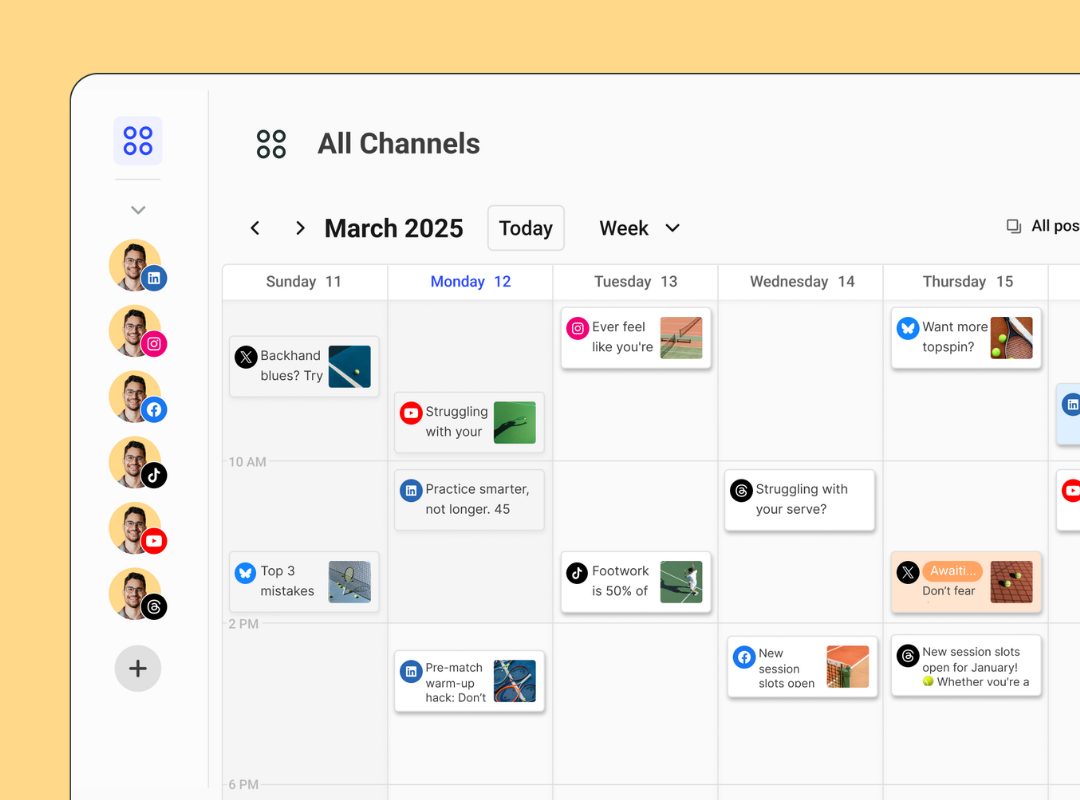
Image source: Buffer
That image sums up why Buffer keeps winning the value argument for the right buyer. You can see the main payoff immediately: multiple channels, one calendar, clear post previews, and no giant learning curve.
My honest take
Buffer cost is fair if you use it the way it is meant to be used. If you post often, manage several channels, and want a calmer workflow, the price feels reasonable because the tool saves time every single week instead of once in a while.
The strongest case for Buffer is not that it is the absolute cheapest. It is that it gives you enough scheduling, inbox, reporting, and team workflow to feel complete without forcing you into a bloated system you will never fully use.
The weak spot is obvious too. Per-channel pricing is easy to understand, but once you start adding lots of client accounts, Buffer stops feeling ultra-cheap and starts feeling like something you need to calculate properly before you commit.
That does not make it overpriced. It just means Buffer is a better fit for creators, small businesses, consultants, and lean teams than it is for agencies trying to cram dozens of accounts into the lowest possible software bill.
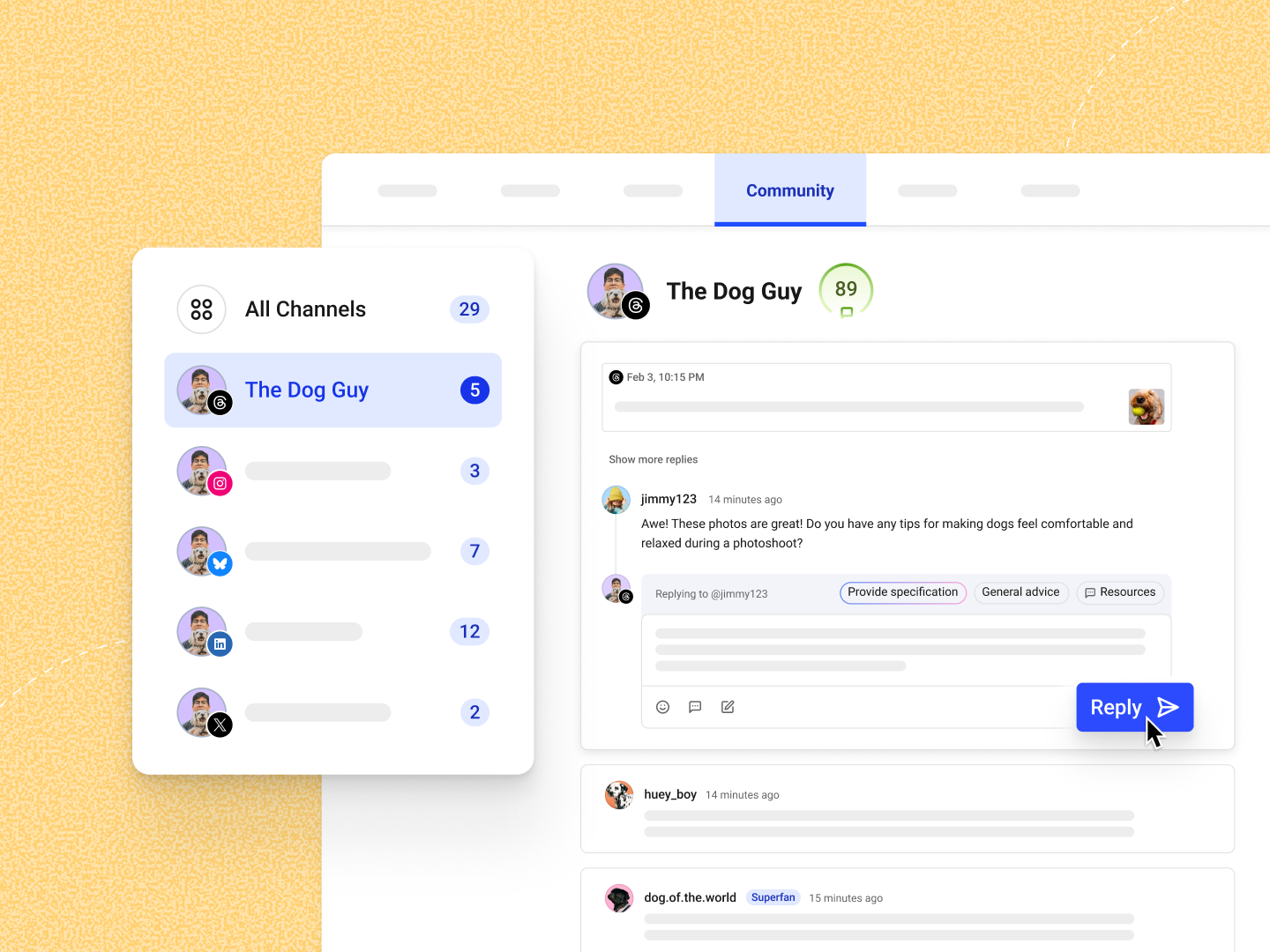
Image source: Buffer
This is where Buffer starts to earn its price. When comments, replies, and day-to-day engagement live in one place, you stop wasting energy jumping between apps and start handling social like a real system instead of a messy habit.
Beginners can use Buffer without much pain. That matters because a lot of social tools try to impress you with complexity, while Buffer is more useful in the real world precisely because it stays understandable.
You probably should wait if you still post rarely, only manage one light account, or have not built a real content rhythm yet. The free plan already covers up to 3 channels, so there is no reason to force a paid plan before you actually need unlimited scheduling, stronger analytics, or team features.
You probably should skip Buffer if your bigger problem is not social posting at all. If you need pipelines, funnels, SMS, forms, appointments, and client automation more than you need a cleaner social workflow, GoHighLevel is the more logical spend.
You also should not ignore Flick Social if your business lives mainly on Instagram. Its lower entry price across 4 social profiles can make Buffer look less attractive if you do not care much about Buffer’s broader network support and calmer all-around layout.
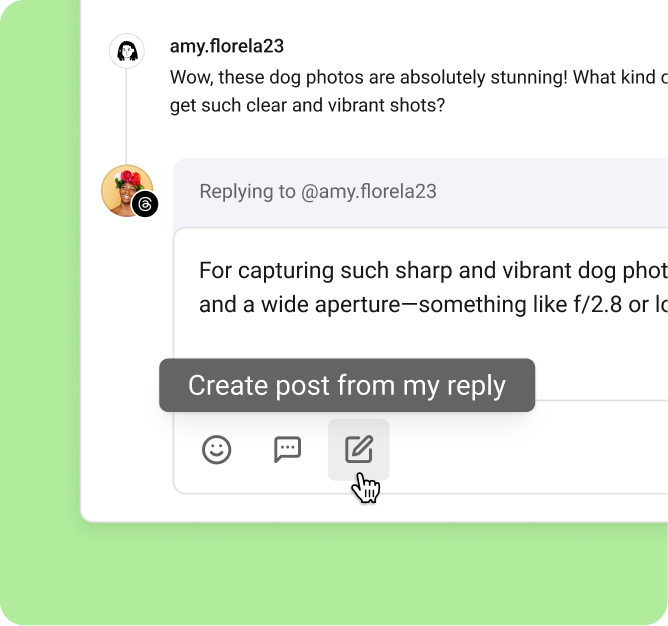
Image source: Buffer
Small touches like this are why Buffer feels more useful than a bare scheduler. Turning audience replies into new content ideas is the kind of workflow improvement that sounds minor until you realize it helps you post more consistently without always starting from a blank page.
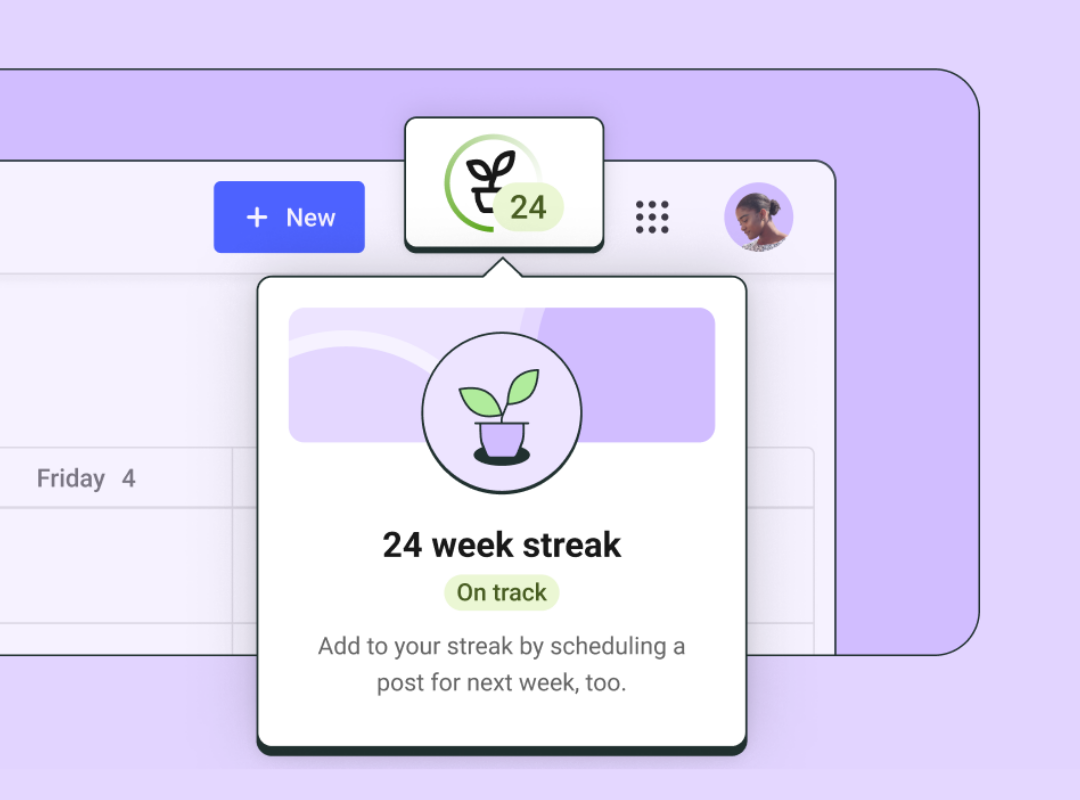
Image source: Buffer
For the right buyer, I would not overcomplicate this. If your current setup feels scattered and you already know social is part of your weekly work, Buffer is worth trying now because waiting usually just means staying inconsistent for longer.
FAQ
Is Buffer expensive for a small business?
Not usually. Buffer stays reasonable for small businesses when you keep the channel count under control and actually use the scheduling, inbox, and analytics often enough to save real time.
Does Buffer get expensive for agencies?
It can. The per-channel model is friendly at smaller scale, but agencies with lots of client profiles should do the math before assuming Buffer will stay the cheapest option as they grow.
Is Buffer cheaper than GoHighLevel?
For pure social management, yes in most normal cases. GoHighLevel only starts to look like the better value when you also need the CRM, funnels, automation, booking, and broader agency stack that Buffer is not trying to replace.
Is Flick cheaper than Buffer?
It can be, especially for Instagram-first users. Flick Social starts lower for 4 profiles on its Solo plan, which can beat Buffer on entry cost if your workflow fits what Flick does best.
Should beginners start with Buffer Free or go paid right away?
Most beginners should start free. Move to paid when you need more than 3 channels, want unlimited scheduling, or start caring enough about analytics and team workflow that the upgrade will actually change how you work.
Is Buffer worth switching to from another tool?
Yes if your current tool feels too cluttered, too expensive, or too much for what you actually need. No if you are deeply invested in a broader all-in-one stack and social scheduling is only a small add-on inside that system.
Bottom line: Buffer is not the cheapest answer in every situation, but it is one of the easiest paid social tools to justify when you want clarity, not complexity. If that sounds like your setup, the trial is the smartest next step because you will know pretty fast whether the workflow is worth paying for.
Try Buffer free Filip Konecny Enterprises