
Twitter is a highly effective platform for marketing, driving traffic, and generating leads. With a significant portion of users following small businesses, it’s no surprise that companies can experience real growth through Twitter.
If you want to make the most of this platform or improve your current efforts, this article will guide you on how to use Twitter ad campaigns to reach your target audience effectively.
Advertising on Twitter provides opportunities to promote individual tweets or entire campaigns focused on specific objectives.
Businesses can choose from eight different objectives, including app installs, video views, and website conversions, and set specific targeting criteria for each ad campaign.
By supplementing your organic efforts with paid promotional opportunities on Twitter, you can expand your reach and grow your follower base, making it easier to generate new leads for your business.
The best part is that Twitter ads can be effective even on a limited budget. So, how do you get started?
Let’s walk through the basic steps to set up a Twitter ad campaign and determine the best structure for your objectives.
Choose between “Promote Mode” and “Twitter Ads”
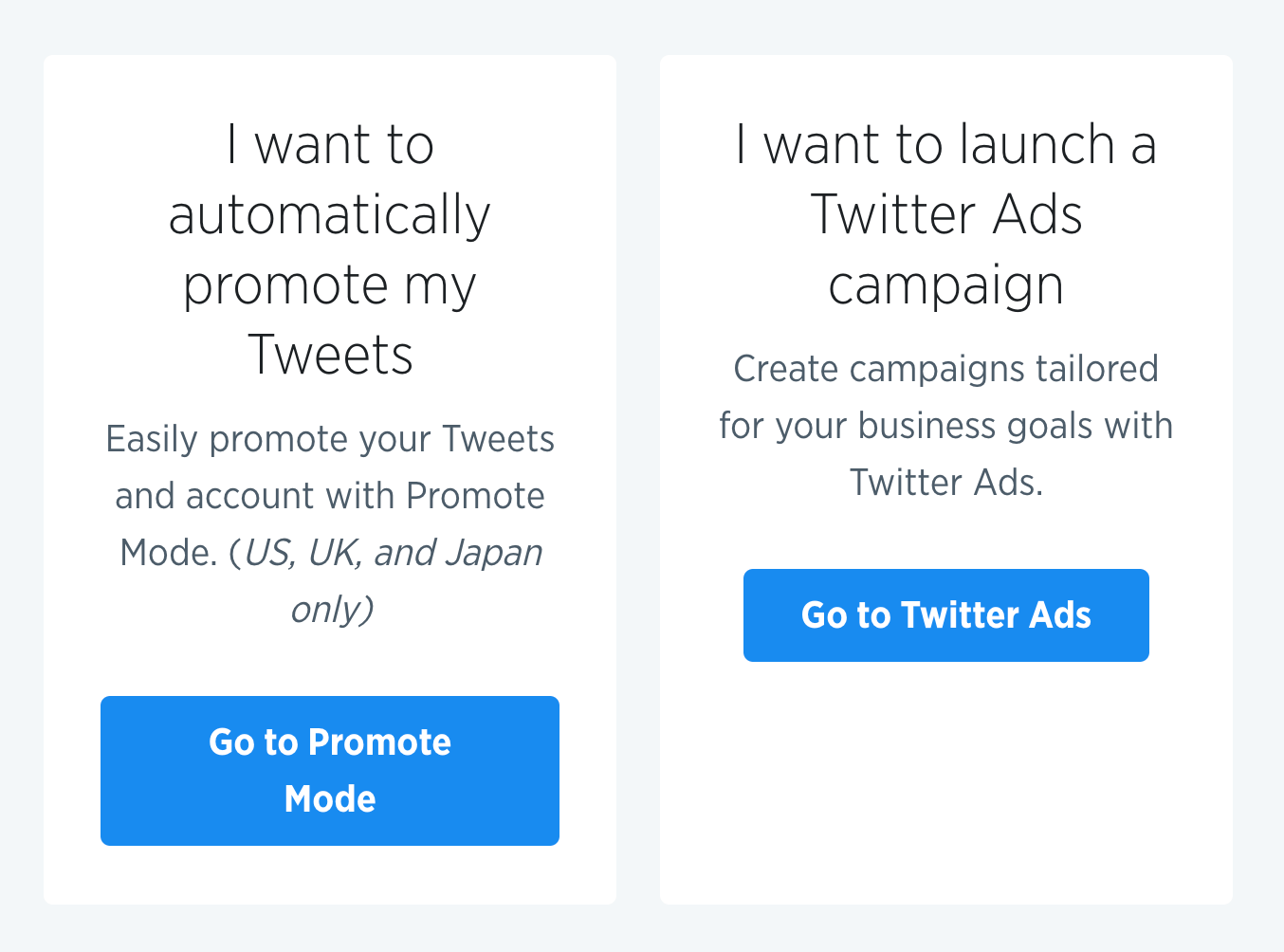
When setting up your Twitter ads, the first decision is whether you want to promote individual tweets or run an entire ad campaign. Promoted tweets make your tweets appear in users’ streams or search results, while Twitter Ads involve a more comprehensive campaign using multiple groups of tweets to achieve a specific goal. The choice depends on your objectives and desired outcomes.
Select Your Twitter Ad’s Objective
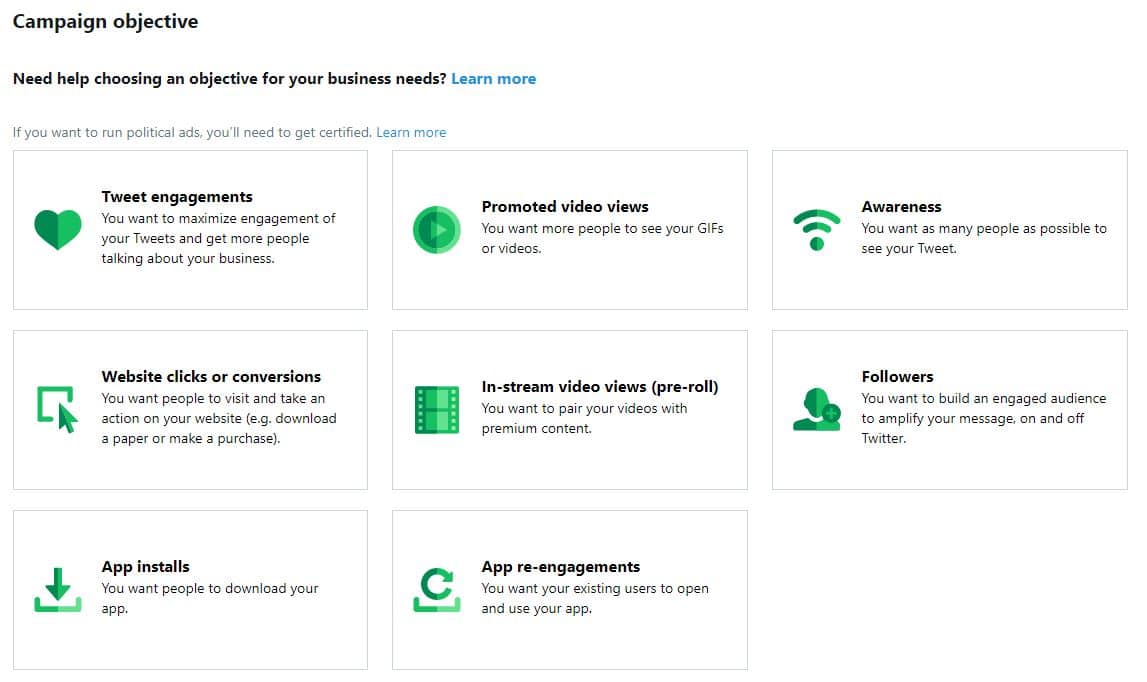
Once you’ve decided on the campaign type, you need to determine your objective. Twitter offers eight objectives to choose from, such as followers, tweet engagements, website clicks, or app installs.
Each objective serves a different purpose, and you can find detailed explanations on the Twitter Ads page.
Fill In The Details Of Your Ad Campaign
After selecting your objective, you’ll be prompted to provide essential details for your ad campaign.
This includes naming your campaign, setting start and end dates, and establishing the total budget.
Depending on your objective, there may be additional details specific to your ad, such as connecting your app to Twitter for app install campaigns.
Create An Ad Group Within Your Campaign
To optimize your campaign, you can create multiple ad groups within a larger campaign. Each ad group can have its own budget, audience targeting, and duration. This allows you to promote different aspects of your business or target specific types of Twitter users. You can set bid types, such as automatic bid, maximum bid, or target bid, to control how much you’re willing to pay for ad placement.
Select Your Target Audience For Each Ad Group
Customizing your target audience is crucial for effective ad campaigns. You can select criteria like gender, age, location, language, device, and audience features.
Targeting by keywords allows you to reach users who engage with specific keywords. Targeting by interests and followers enables you to target users similar to the followers of specific Twitter accounts, broadening your audience.
Choose The Creatives For Each Ad Group
Select the tweets you want to promote for each ad group. You can choose existing tweets from your account or create new ones.
Be creative in crafting your tweets and consider the different ways they can appear to users, such as on timelines, profiles, or within specific Twitter conversations.
Review And Launch Your Campaign
Before launching your campaign, review all the details to ensure everything is accurate. Once you’re satisfied, hit the “Launch campaign” button to start running your ads.
Additionally, if you want to promote a single tweet, you can choose “Promote Mode” from the campaign menu and follow the steps to target your audience based on interests or location.
Promoted tweets are paid advertisements shown to your target audience based on their interests or location.
Promoting tweets allows you to reach a wide audience and drive views to landing pages that generate leads.
Each promoted tweet supports a single tweet, and you can customize the audience for each ad. Keep in mind that currently, promoted tweets are available in the U.S., U.K., and Japan.
By following these steps and monitoring your campaigns, you can optimize your Twitter advertising efforts for better results and maximize the potential of the platform.
 Filip Konecny Enterprises